The Pomodoro Technique: Focus in 25-Minute Rounds
Learn the Pomodoro technique in five minutes: 25 focus, 5 break, long break after four rounds, plus steady background sound. Then see how Snipset runs it on Windows.

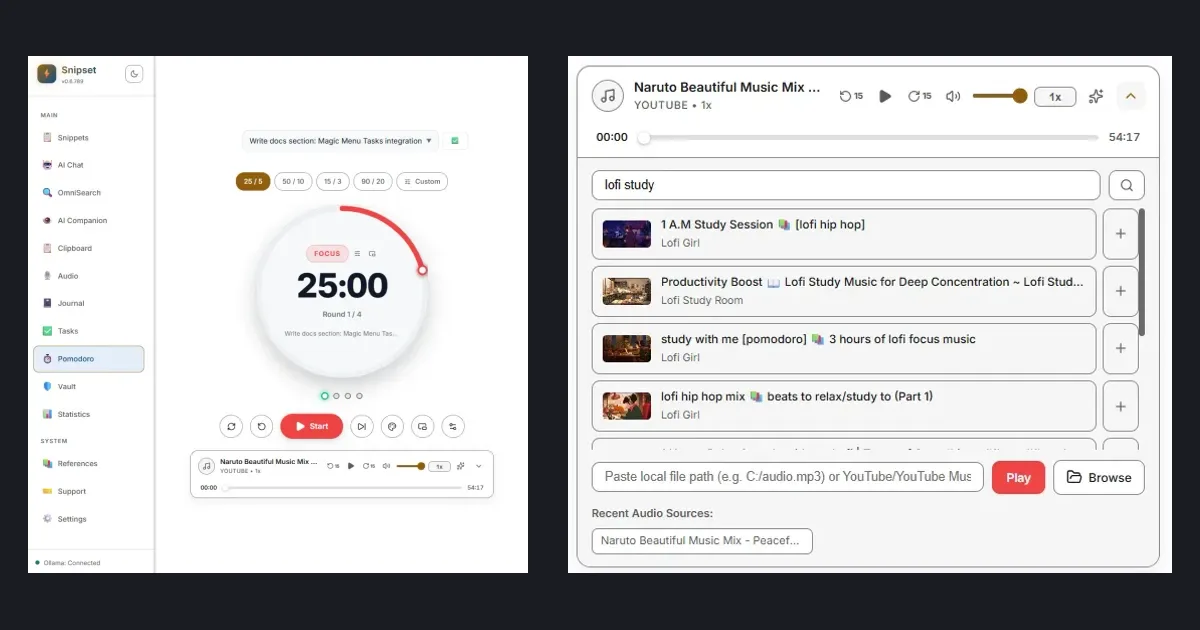
Have you ever sat down to do focused work, only to look up and realize an hour passed with nothing to show for it? I have. Most of us do not lack discipline. We lack a structure that protects our attention. The Pomodoro technique is one of the simplest structures that works, and you can learn it in five minutes. In this post, I will walk you through the method, show you three mistakes I see people make, and show you how we applied it inside the Snipset desktop app for Windows.
What the Pomodoro technique is
Francesco Cirillo introduced the technique in the late 1980s. The rules fit on an index card, and you can start your first round today. Pick one task. Set a timer for 25 minutes. Work on that task until the timer rings. Take a short break of 5 minutes. After four rounds, take a longer break of 15 to 30 minutes.
Round 1: 25 focus + 5 break
Round 2: 25 focus + 5 break
Round 3: 25 focus + 5 break
Round 4: 25 focus + 15 to 30 break
The structure does three things for you. It makes starting easy because 25 minutes feels short. It makes stopping easy because the break is part of the plan. It makes your progress visible because each finished round is a unit of work you can count.
Why it works for developers and writers
If you write code or prose, you know the startup cost. Opening your editor, recalling context, and loading a problem into memory takes time. Short, protected intervals lower that cost for you. You agree with yourself to focus on one thing for a short time. Distractions get written down instead of followed. The timer holds the boundary so your willpower does not have to.
Breaks are functional, not laziness, so please take them seriously. Stand up. Look away from the screen. Drink water. Stretch. Your eyes and posture recover, and your brain keeps processing the problem in the background. You will often return from a short break with the next step already clear.
Three mistakes that break the method
First, skipping breaks. I know the temptation: you feel productive, so you push through. But four rounds without rest produce fog, not output. Keep your short breaks short but real. Step away from the keyboard. You will thank yourself in round three.
Second, mixing tasks inside one round. One round holds one task. If a new idea arrives, jot it down and return to your current task. Multitasking inside a 25 minute block cancels the benefit you just set up.
Third, working in silence or noise that fights your focus. Total silence can feel sterile. Lyrics and notifications pull your attention. You will likely focus best with steady, low-volume background sound: rain, cafe murmur, white noise, or a lofi stream at modest volume. Try each for one round and notice which one keeps you in the zone.
The usual friction: three apps for one habit
In practice the method needs three tools. A timer. Something for background sound. A place that tracks what you actually did. Most setups I see look like this: a phone timer, a browser tab with a YouTube lofi stream, and a todo list in another window. Each context switch is a chance to get distracted. The habit works, but the setup fights you.
This is the exact friction we wanted to remove in Snipset. The Windows desktop app already manages your snippets, tasks, and focus in one window. The Pomodoro view brings the timer into that same window, next to the task it serves and the sound that supports it. You stay in one place from the first round to the last.
How Snipset applies it on Windows
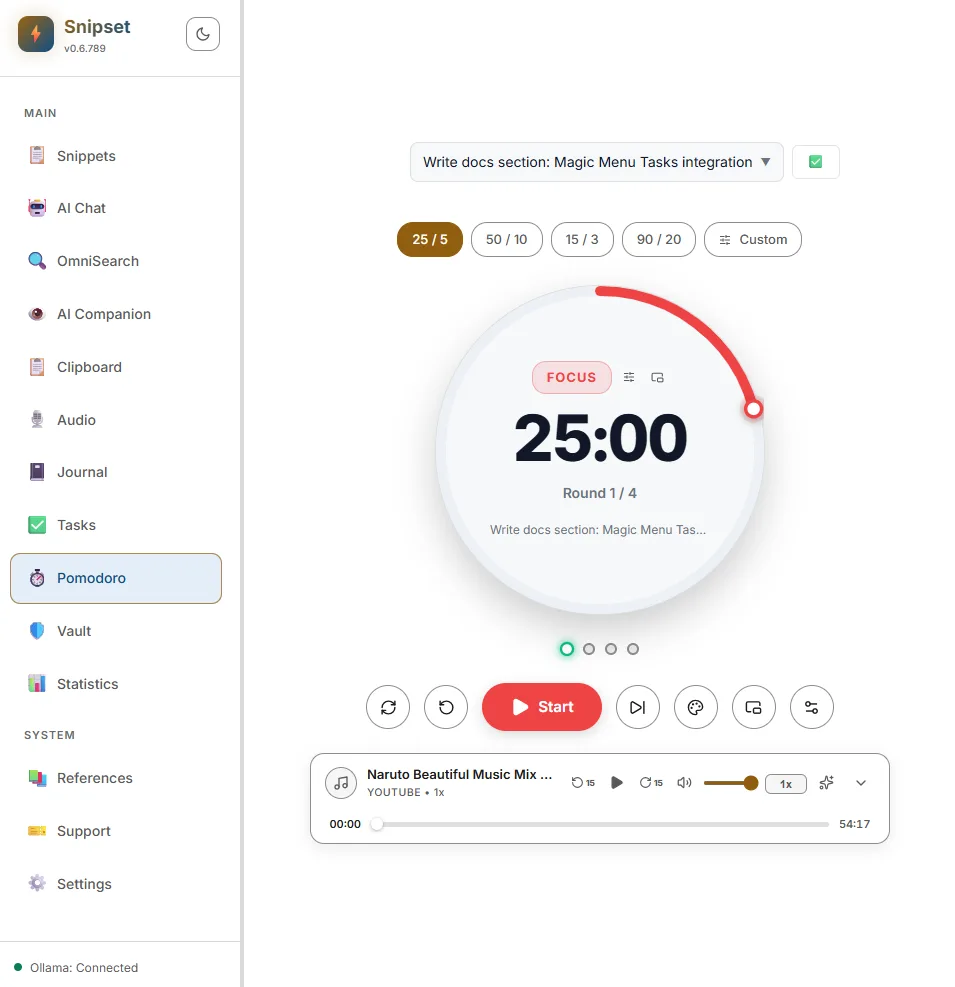
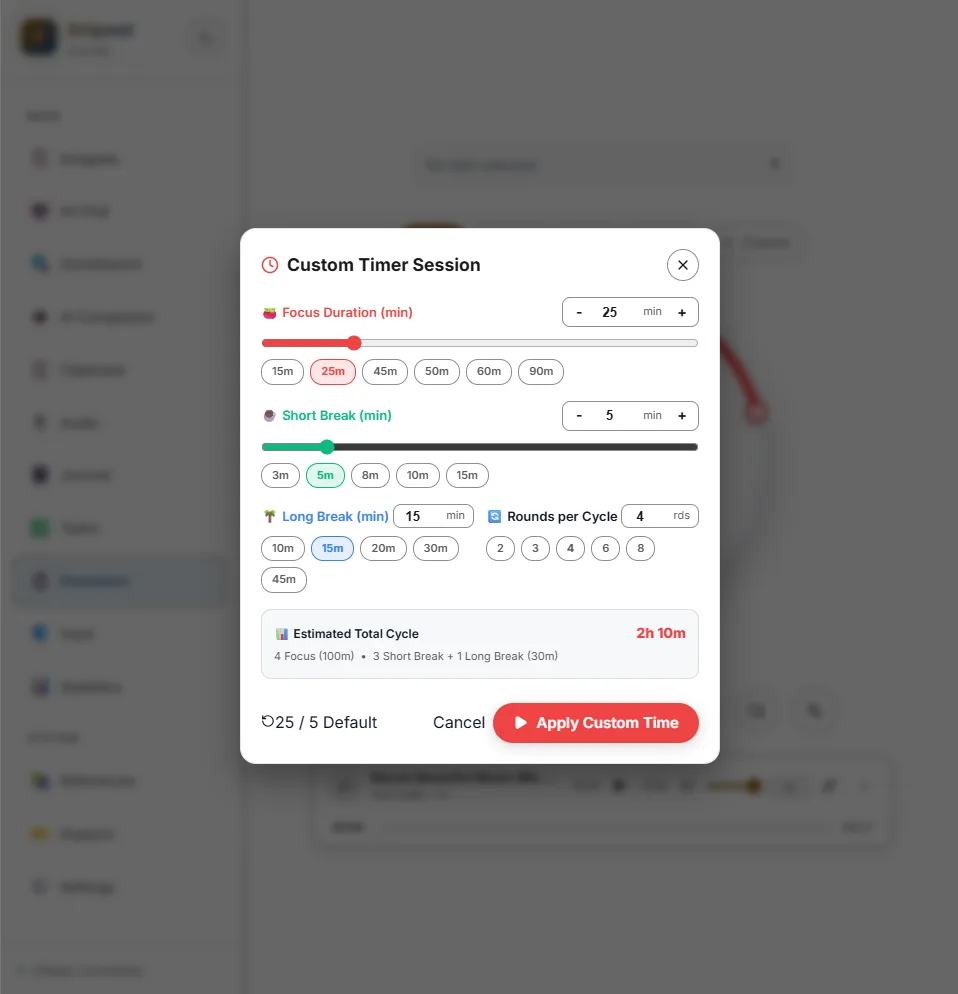
Open the main Snipset window and go to Pomodoro in the sidebar. Pick a preset such as the classic 25 focus, 5 short break, and 15 long break, or set a custom length that fits your rhythm. Press Start. The dial counts down your current phase and tracks rounds per cycle, up to four before a long break. Here is what your dashboard looks like:
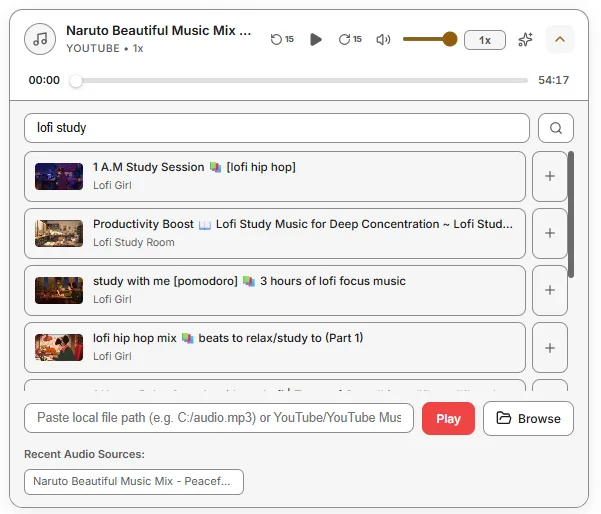
Below the timer controls sits the music bar. It plays curated focus streams and ambient soundscapes such as rain, cafe, or white noise. You can paste a YouTube video or livestream URL to play audio in the background, or use a custom stream URL. Music volume stays independent from the completion chime, so your background sound never drowns the signal that a phase ended. Here is the player you will use every day:
Link your session to a task from your Inbox or project list. Each finished focus block increments that task count, for example 3 of 5 rounds. When your work is done, mark the task complete directly from the Pomodoro view. Your sessions are recorded locally, and the Statistics tab shows your total focus time, completed sessions, daily streaks, and energy distribution across morning, afternoon, evening, and night. You can finally answer the question: when do I do my best work?
If you want the timer visible while you code or write, detach it into the floating overlay. It stays on top of your editors and browsers, stays draggable, and keeps your current time and controls within glance distance. You never lose sight of your round.
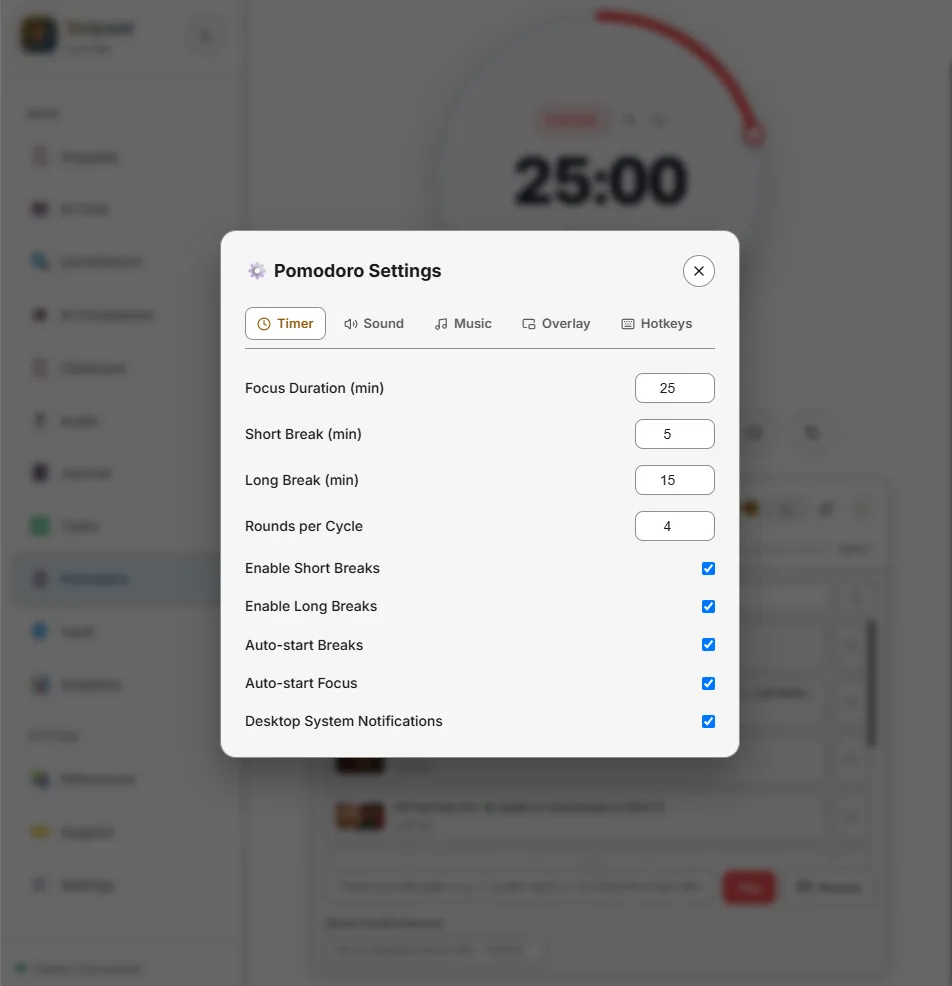
Want full control? Open Pomodoro Settings to tune intervals, auto-start behavior, sounds, and notifications to your taste:
Try one cycle today
Here is my challenge for you. Pick one task you have been avoiding. Set 25 minutes. Silence your notifications. Play low-volume background sound. Work until the timer rings, then take a real 5 minute break. Repeat three more times, then take a longer break. Four rounds is about two hours including breaks, and I think you will be surprised at what fits inside.
If you want the timer, the music bar, and your task list in one place, explore the features page, read the Pomodoro docs, and get the Windows app on pricing. The method is free. The tool just removes the setup friction so you can focus on your work.
Keep Snipset in your Google results
Add snipset.belajarcarabelajar.com as a preferred source on Google. Snipset posts then show up more often when you search, with a preferred badge in AI Overviews.
Add Snipset on Google