Speaking at the Speed of Thought: How Voice Dictation Unlocks Generative AI Productivity
Discover how speech-to-text voice dictation eliminates the typing bottleneck, powers richer AI prompts, and keeps you in flow state on your desktop.

Have you ever noticed how fast your brain generates ideas compared to how slowly your fingers type them out? Most people type between 35 and 45 words per minute. In contrast, normal conversational speech flows at 130 to 150 words per minute. That means when you rely solely on your keyboard, you are processing your thoughts at barely a third of your natural communication speed.
In the era of Generative AI, this gap is more than a mild inconvenience: it is an attention bottleneck. When an idea strikes or when you need to explain a complex task to an AI assistant, stopping to type hundreds of words drains your momentum. You end up writing shorter prompts, cutting corners on context, and suffering from wrist fatigue by mid-afternoon.
Voice dictation changes the equation. By speaking directly to your computer, you eliminate the mechanical barrier between your mind and the screen.
Why Generative AI Demands Conversational Voice Input
For years, software input was built on short search queries: three or four keywords typed into a browser bar. Generative AI flipped that paradigm completely. To get high quality output from modern language models, you need to provide clear instructions, relevant background context, examples, and constraints.
When typing by hand, providing that level of detail feels like writing an essay for every single request. As a result, many people give brief, underspecified instructions and wonder why the AI output feels generic.
When you speak, you naturally add rich context. You describe what you need, outline the desired tone, mention edge cases, and share specific constraints without feeling like you are doing manual labor. Voice input turns prompt writing into a natural conversation, resulting in far better AI answers on your first attempt.
Universal Dictation: Anywhere on Your Desktop
Most speech tools keep you trapped inside a single browser tab or a dedicated phone application. When you finish dictating, you have to copy the text, switch windows, and paste it where you actually work. That friction ruins the productivity gain.
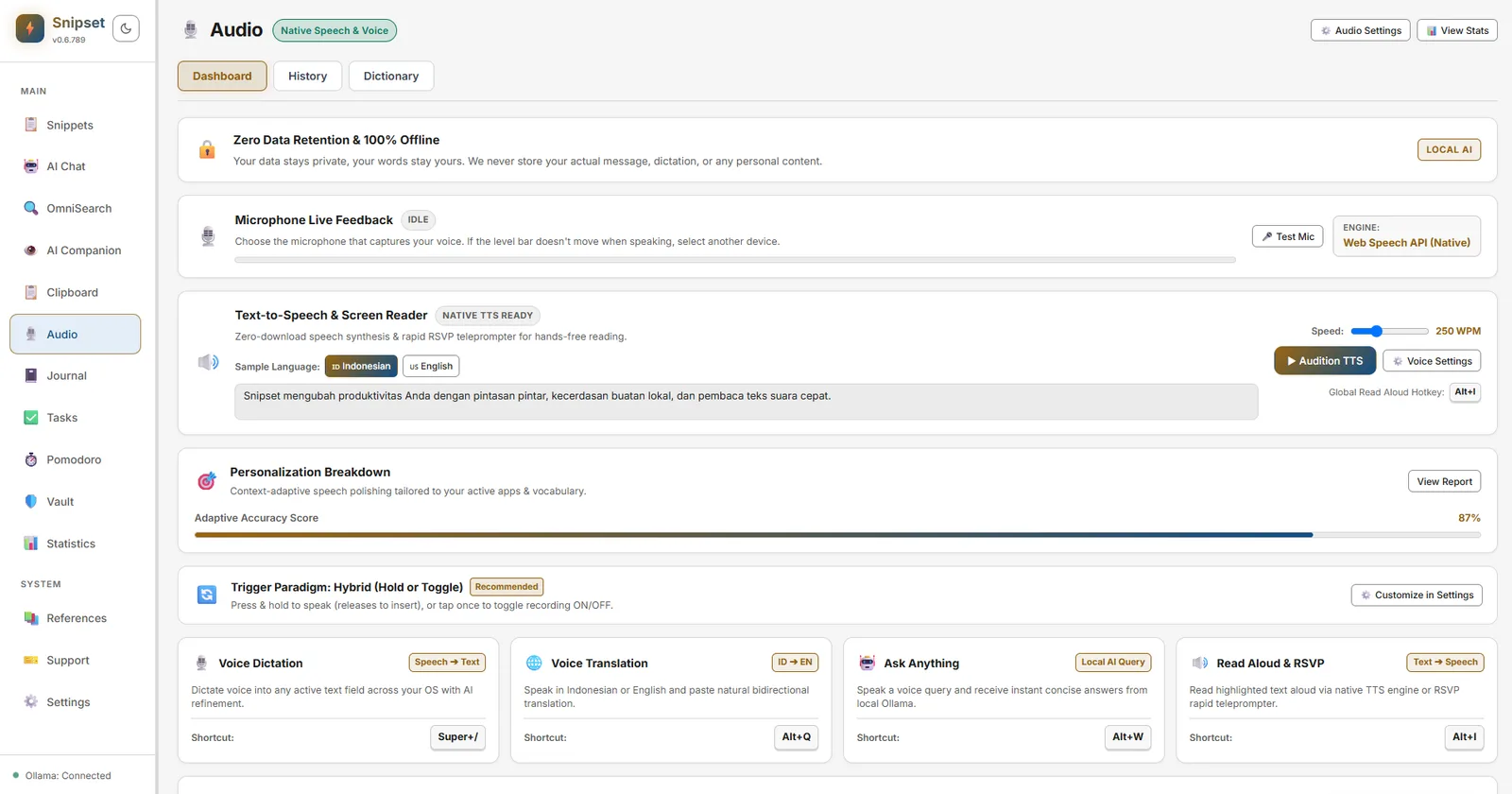
Snipset approaches voice dictation as a universal desktop capability. By pressing a single global shortcut (Alt+. by default), a lightweight overlay appears. You speak, your voice turns into clean text in real time, and it inserts directly at your cursor in whatever application has focus: your email client, document editor, code workspace, or team chat.
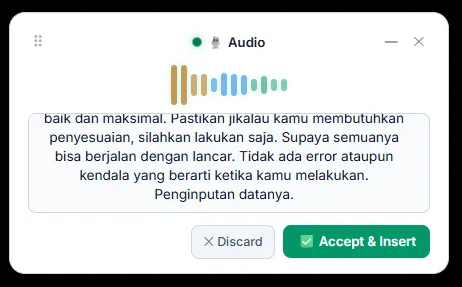
There is no context switching and no copy-paste ritual. You stay inside your active project while letting your voice do the heavy lifting.
Continuous Flow: No Premature Timeouts
A common frustration with traditional dictation tools is their impatience. If you pause for a second to collect your thoughts, the microphone turns off and cuts your sentence in half. You spend more energy trying to speak without stopping than thinking about your actual work.
Snipset solves this with continuous dictation. Brief silences, thinking pauses, and natural breathing intervals do not abort your session. Your transcript accumulates safely across speech segments until you are finished speaking. You can think at your own pace without feeling rushed by a countdown timer.
Talking Directly to AI with Ask Anything
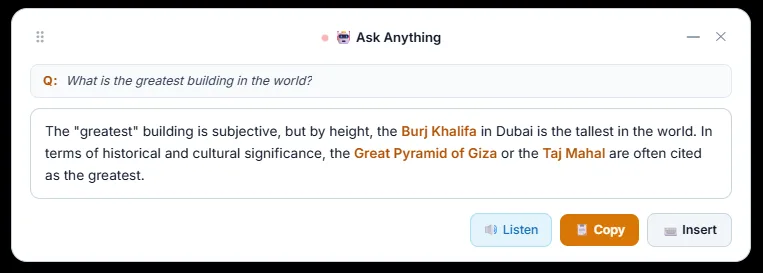
Sometimes you do not just want to transcribe notes; you want answers. Snipset includes a dedicated Ask Anything mode. With a single shortcut, you can ask a question aloud, have it converted into a structured prompt, and sent directly to your configured AI model.
The generated response arrives right in the floating card on your screen. From there, you can read the answer, copy it, insert it into your active document, or even listen to it aloud using text-to-speech audio.
Privacy You Can Trust
In a world where digital privacy is increasingly fragile, speaking into your computer can raise understandable concerns. Where does the audio go? Who is training models on your spoken words?
Snipset is built with a local-first philosophy. With local Whisper support, your speech recognition runs directly on your Windows PC. Your voice data stays on your machine, eliminating third-party cloud tracking and keeping proprietary business communication strictly private.
Think at the Speed of Thought
Typing is a valuable skill, but it should not be the only way you communicate with your computer. By combining fast voice dictation with intelligent AI assistance, you can draft emails in seconds, create thorough AI prompts effortlessly, and protect your hands and wrists from repetitive strain.
If you are ready to remove the typing bottleneck from your daily workflow, explore our features, read the audio documentation, and check our pricing page to get started today with a single lifetime license.
Keep Snipset in your Google results
Add snipset.belajarcarabelajar.com as a preferred source on Google. Snipset posts then show up more often when you search, with a preferred badge in AI Overviews.
Add Snipset on Google