Text Expansion Basics
Module 03 of Digital Savvy. The mental model behind text expansion: a short trigger becomes a longer block. Three concrete expansions to try today.
[Video placeholder. Recording pending. The lesson shows three live expansions and walks through the mental model.]
The mental model
Text expansion is a substitution rule. You type a short trigger, the tool notices, and replaces it with a longer block. The trigger is short on purpose, because the savings come from typing fewer characters, not from the tool being clever.
Three properties make a good trigger:
- It does not collide with real words. A trigger like "the" will fire when you do not want it to. A nonsense trigger like ";hi" will not.
- It is faster to type than the thing it replaces. If the trigger is six characters and the block is seven, you are losing time.
- You can remember it tomorrow. A clever trigger you forget is worse than a slightly longer one you remember.
Three expansions to try today
Pick one of these and set it up before you move on:
;hi→Hi #{input:Name}, thanks for reaching out. I will reply within one business day. Best, #{input:Your name};sig→ your full email signature block;addr→ your home or office address (the one you type into shipping forms)
After a day of using one of these, ask yourself whether you typed the trigger without thinking. If yes, it is working. If no, the trigger is wrong.
The mistake to avoid
Pattern: building ten snippets in one sitting and expecting them all to stick. They will not. Your fingers only internalize one or two at a time. Add one, use it for a week, add the next.
The other common mistake is treating expansion as the whole solution. It is not. Expansion handles the bookends. Variables (covered in Module 06) handle the middle. Date math (Module 05) handles deadlines. Each tool does one thing.
Exercise: pick your first snippet
From your Module 02 bucket, choose the one item you use most often. Write it down exactly as you currently type it. Then design a trigger for it. The trigger should be three to five characters, start with a punctuation mark to avoid collisions, and feel natural to type.
Set it up in your chosen tool today. Use it for a week. Do not add a second snippet until the first one feels automatic.
How this connects to Snipset
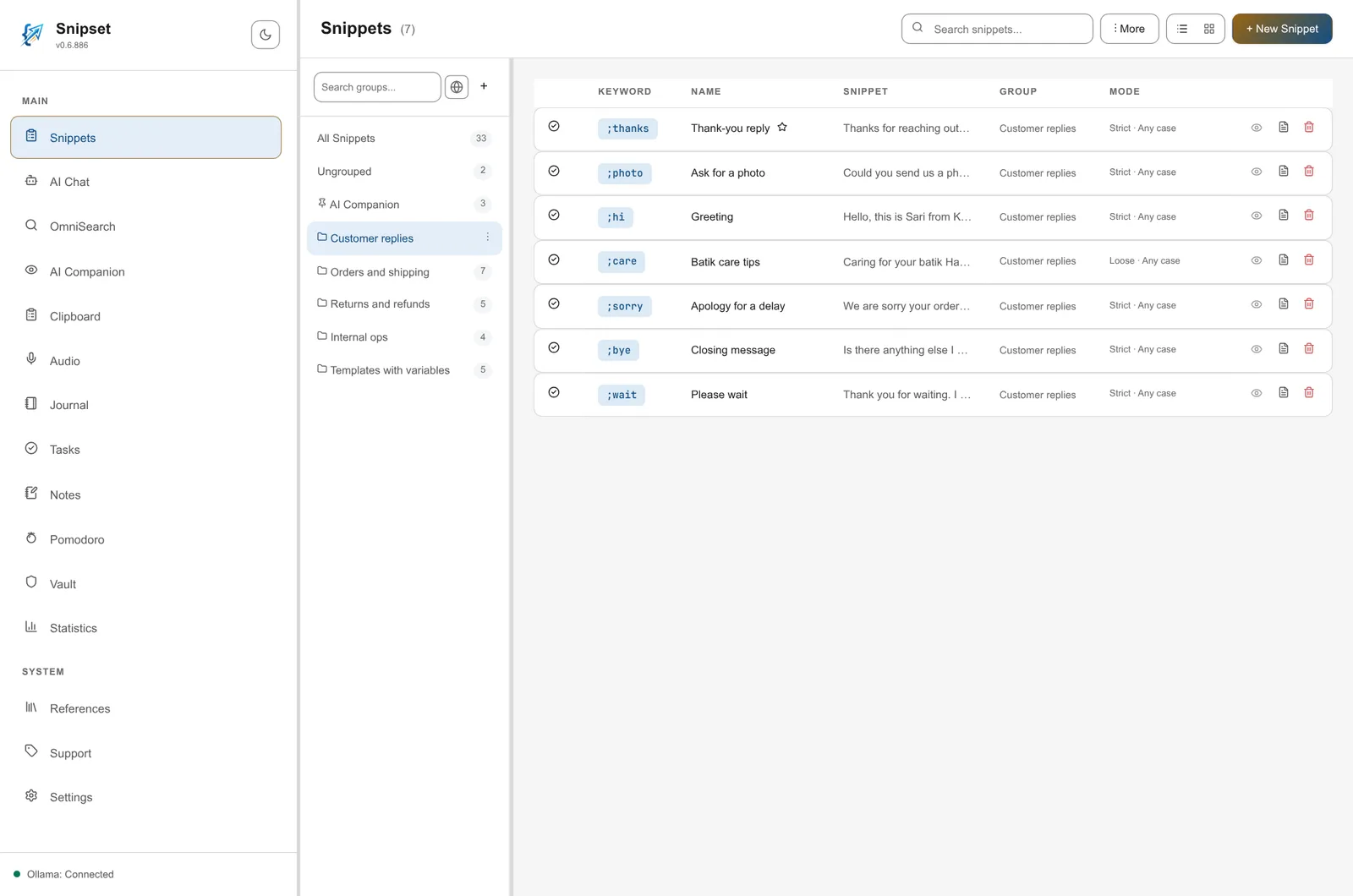
In Snipset, snippets can live in groups. A new install has one group, AI Companion, with three starter AI prompts; you create your own groups for everything else. A snippet is a trigger plus a body, and the body can include variables and date math. We will use those features in Modules 05, 06, and 09. For now, focus on the plain text replacement pattern.
What is next
Module 04 takes the next step up: clipboard mastery. Expansion solves retyping the same block. Clipboard solves retyping across separate copies.