Consistent and Personal Messaging
Module 06 of Digital Savvy. Use clipboard and input variables so the same skeleton can address different people, products, and prices without rewriting.
[Video placeholder. Recording pending. The lesson shows a sales outreach template that pulls a name and company from the clipboard and asks for one input field.]
The shape of personalization
A consistent message is one where the skeleton stays the same. A personal message is one where the right details change for the recipient. Most "I am not personal enough" complaints are actually "I am not varying the right things". People feel personal when the details that matter to them are correct, not when every sentence is unique.
Three details almost always matter:
- The recipient's name (and how to spell it).
- The product, account, or reference that ties to them.
- The specific ask or next step.
If those three are right and the rest is templated, the message reads as personal. If the rest is hand-written but those three are wrong, the message reads as spam.
Two variables that do most of the work
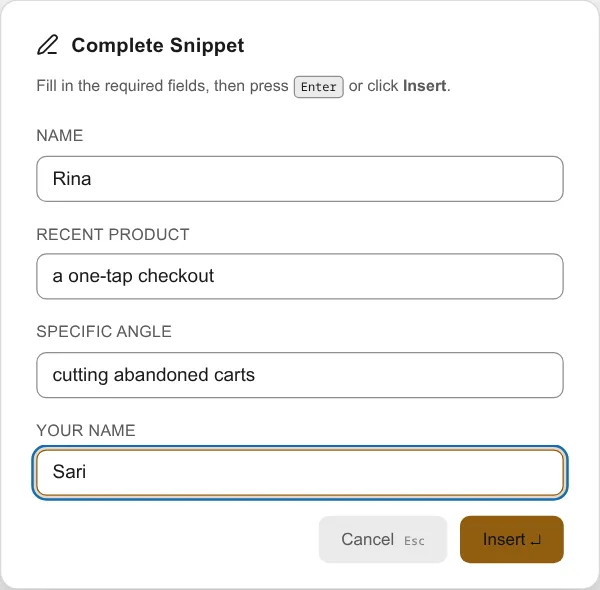
Snipset gives you two variables that cover most of the work:
#{clipboard}reads from the clipboard. If you copy the prospect's company name before expanding the snippet, the snippet inserts it inline.#{input:Label}asks you for the value at expansion time. If a detail is not on the clipboard, you type it into a small prompt.
These two together let one snippet serve thousands of recipients. The skeleton is fixed. The fields swap.
The pattern
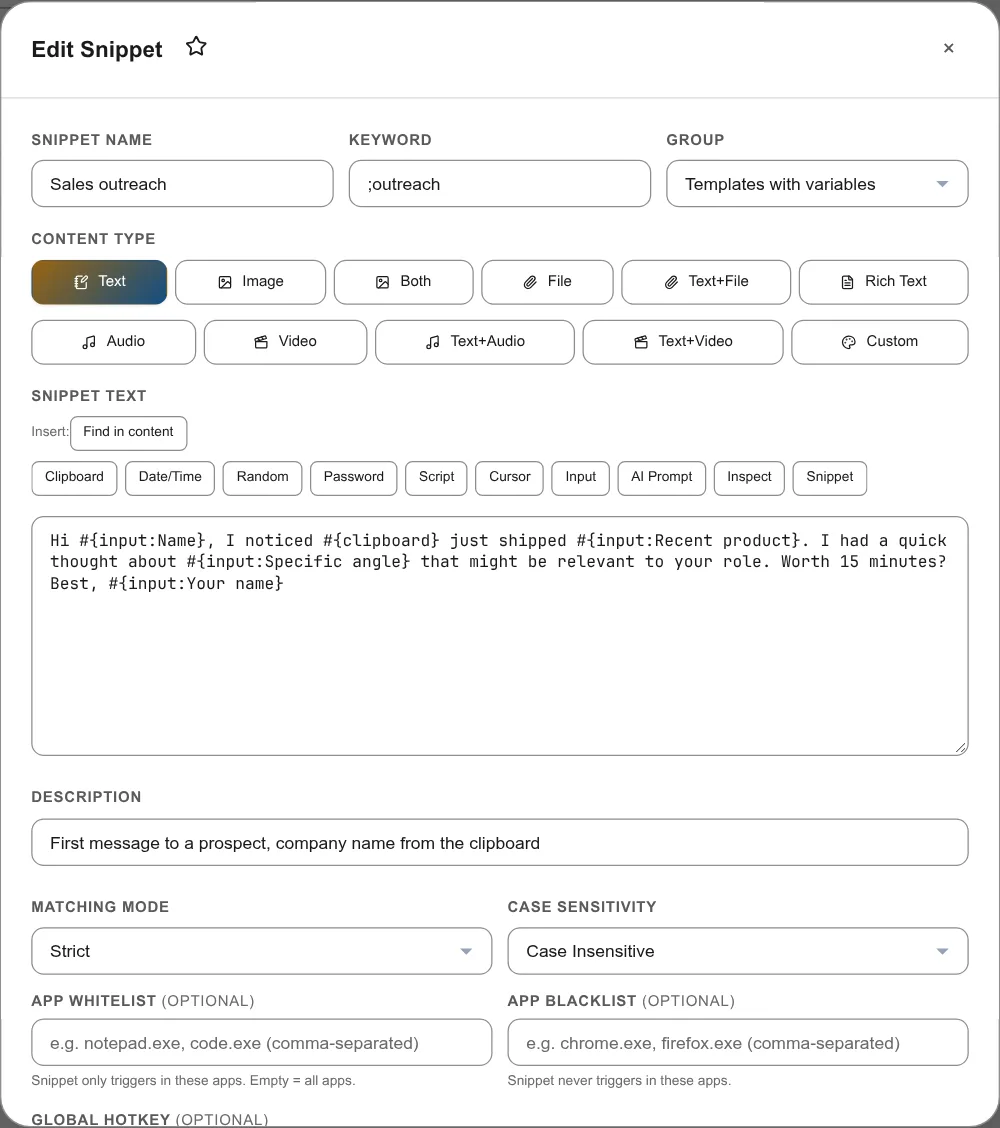
A sales outreach example:
- Trigger
;outreach - Body skeleton:
Hi #{input:Name}, I noticed #{clipboard} just shipped #{input:Recent product}. I had a quick thought about #{input:Specific angle} that might be relevant to your role. Worth 15 minutes? Best, #{input:Your name}
When you expand it, you copy the prospect's company name from LinkedIn or your CRM, then trigger the snippet. Snipset asks for the inputs that are not on the clipboard. You fill them in a few seconds. The result reads as if you wrote it from scratch.
Common pushback
"I am worried it will feel robotic."
It will not, because the three details that humans look for (name, product, ask) are correct. Robotic messages are the ones where the skeleton is wrong, not the flexible fields. Modules 07 and 09 cover how to layer prompts on top for the cases where even the details need rethinking.
"What if I forget to copy first?"
Set up the snippet so that the clipboard field prompts instead. The pattern is the same, with #{input:Company} instead of #{clipboard}. You trade speed for safety. Pick one and stick to it.
Exercise: pick one template, send three
Pick the most common outbound message in your week. Build it using #{clipboard} for the one thing you usually have copied and #{input:...} for the things you usually do not. Send it three times this week to real recipients. Read the replies. Are the responses as good as your hand-written versions? Usually yes, and you spent a third of the time.
How this connects to Snipset
Snipset has more than a dozen template variables. Module 06 uses two of them. Modules 05 and 09 add date math and AI generation. By Module 10 you will be using five or six variables per message, and writing each message in under thirty seconds.
What is next
Module 07 takes this further. The same template, with prompts added, can handle the cases where the message needs a small dose of judgement, not just a name swap.