On-Device Speech-to-Text Goes Mainstream: What This Week Means
Ubuntu Myna, a Tether model, and two more launches put on-device speech-to-text in the news. What changed, why it matters, and how Snipset does it.

Between October 12 and 14, four launches and reviews put on-device speech-to-text in the news: Canonical opened a technology preview of Myna for Ubuntu, Tether released a compact speech model for phones and smart glasses, GIGAZINE tested an offline Mac dictation app built on a Google embedding model, and Hedy brought its on-device transcription to a new team plan. Speech-to-text that runs on your own device is no longer a niche setting for privacy fans. It is becoming the default way voice typing is built.
We have shipped local dictation in Snipset since before this week, so we read these launches closely. Here is what each one does, what they have in common, and what it means for the way you write.
Ubuntu Myna: Local Dictation Built Into the Desktop
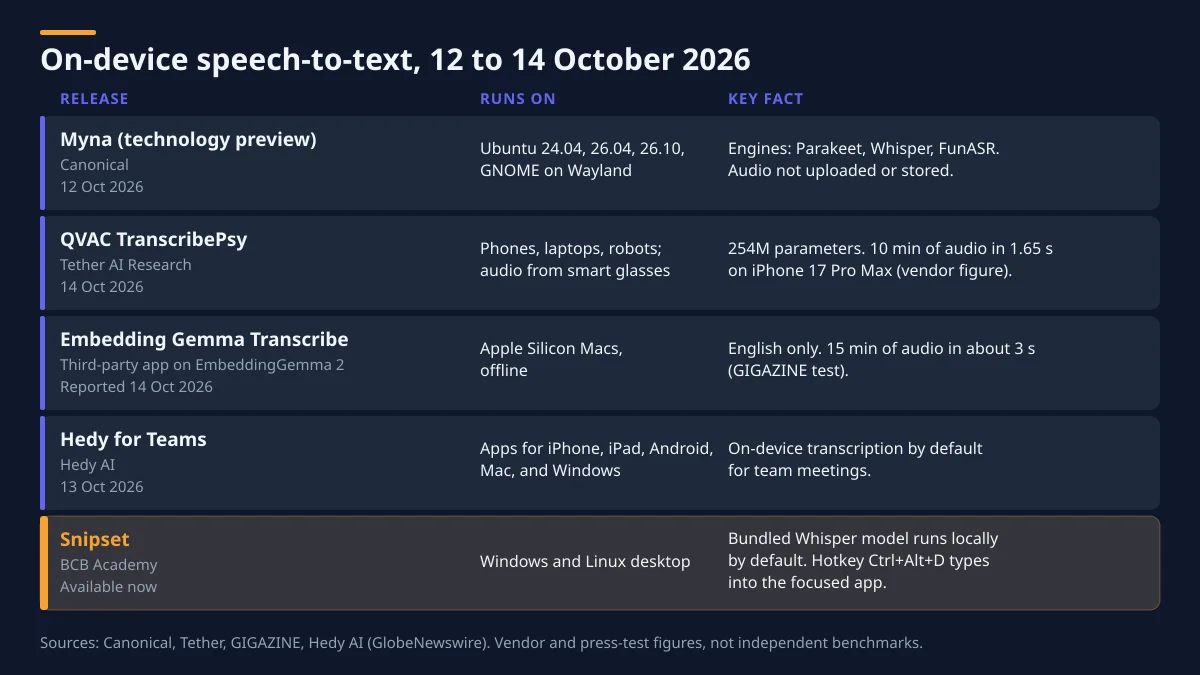
On October 12, Canonical made Myna available as a technology preview. The idea is simple: put the cursor in any text field, press a shortcut, speak, and Myna types what you said into the app you are using. Canonical says speech recognition runs entirely on your machine. Once a model is downloaded, no internet connection is needed, and your audio is neither uploaded nor stored.
Myna ships with a choice of open-weight engines (Parakeet, Whisper, and FunASR), each with its own trade-off between language support, accuracy, and hardware needs. The preview runs on Ubuntu 24.04 LTS, 26.04 LTS, and 26.10 with GNOME on Wayland, and owners of supported NVIDIA GPUs can pick a GPU-accelerated engine.
Two design choices stand out. Canonical keeps Myna focused on dictation: it is not a voice assistant and does not control your desktop. And according to OMG! Ubuntu, if the text field loses focus while you talk, the text is dropped rather than pasted into a window you did not mean to type into.
Tether QVAC TranscribePsy: A Speech Model for Phones and Smart Glasses
On October 14, Tether AI Research released QVAC TranscribePsy, an open-source, multilingual speech recognition model with 254 million parameters. It is designed to run on phones, laptops, and robots, and to transcribe audio from connected smart glasses in near real time, without sending audio to a server.
Tether's own figures are ambitious. The company reports that the Core ML build transcribes 10 minutes of audio in 1.65 seconds on an iPhone 17 Pro Max, and that the model reaches an 8.02% word error rate on the Open ASR Leaderboard. It covers 25 European languages on laptops and 8 on phones. These are vendor numbers, not independent benchmarks, but the direction is clear: speech models are getting small enough to run on the phone in your pocket.
Embedding Gemma Transcribe: Offline Dictation on a Mac
GIGAZINE tested Embedding Gemma Transcribe on October 14. It is a free macOS app for Apple Silicon that builds on Google's EmbeddingGemma 2, a multimodal embedding model that was never designed for transcription. The app pairs that model with a smaller one that picks matching words from a dictionary of about 229,000 English words.
You hold the right Option key, speak, and release, and the text appears in the app you are using. Audio is processed on the Mac and is not sent to a server. In GIGAZINE's test, a speech lasting 15 minutes and 4 seconds was transcribed in about 3 seconds. The catch is language: it only understands English, and the developer reports a word error rate of about 5%.
Hedy for Teams: On-Device by Default, Even at Work
On October 13, Hedy AI launched Hedy for Teams, a plan for its AI meeting assistant. Speech recognition runs on each member's device by default, and the company says conversation audio never reaches its servers. Admins manage seats and billing but cannot open members' private meeting sessions. The plan costs $99.99 per seat per year for teams of 2 to 200 people.
This one matters because it is a business product. Meeting audio is some of the most sensitive data a company produces, and Hedy is betting that keeping it on the device is a selling point rather than a limitation.
What These Speech-to-Text Launches Have in Common
Read side by side, the four releases share three patterns:
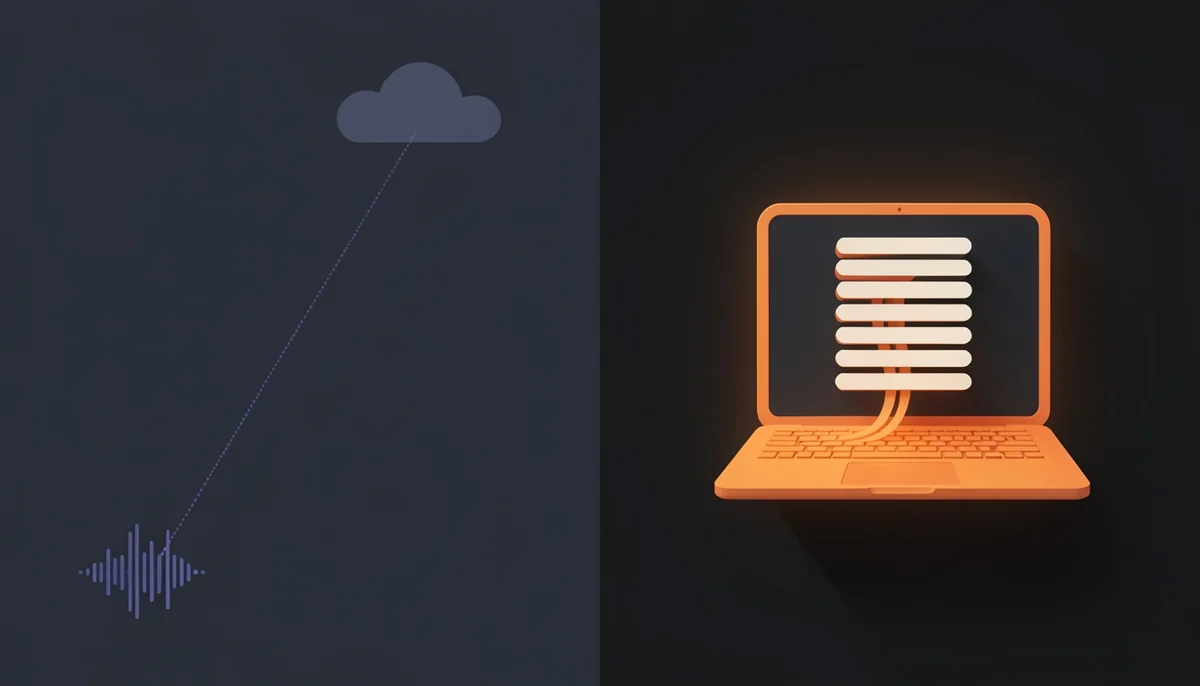
- The model comes to the audio. Every one of them moves recognition onto the laptop or phone next to the microphone. Your words are turned into text before anything else happens.
- Privacy is stated in plain terms. Not uploaded, not stored, never reaches our servers. Each vendor says where your audio goes, and the answer is that it stays on the device.
- Dictation is a keyboard feature. Myna and Embedding Gemma Transcribe both work through a hotkey and type into whatever app has focus. Voice is treated as another way to type, not as a separate app you switch to.
There are trade-offs. Local models are smaller than the largest cloud models, so accuracy depends on the model, your microphone, and your accent. Language coverage varies widely: one of these apps is English only. And on-device processing uses your own CPU or GPU. That is why the most useful local tools let you choose the engine, and keep a cloud option for the cases where you want it.
How Snipset Handles Local Dictation Today
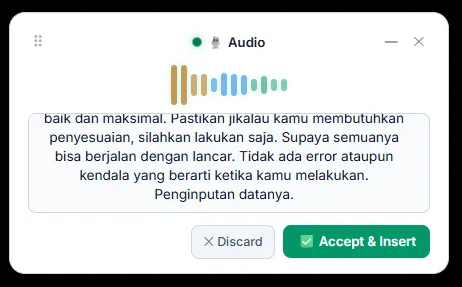
Snipset's dictation follows the same pattern, on Windows and Linux. Press Ctrl+Alt+D in any app, speak, and the text is typed into the field you are working in. Tap it to start and tap again to stop. On Windows you can also hold it for push-to-talk; on Linux with Wayland the shortcut always toggles, because the desktop portal does not report key releases.
Here is what happens under the hood:
| Question | What Snipset does |
|---|---|
| Where does recognition run? | On your computer by default, with a bundled Whisper base model fine-tuned for Indonesian (about 82 MB) |
| Is there a cloud option? | Yes, opt-in: Gemini Cloud with your own Google API key |
| Which languages? | Auto-detect, Indonesian, or English |
| What about cleanup? | "Smart" mode polishes the transcript with a local Ollama model if you have one. "Verbatim" mode keeps the raw text |
| Where is the audio kept? | In local app data, deleted after 24 hours by default. You can change the retention or purge it |
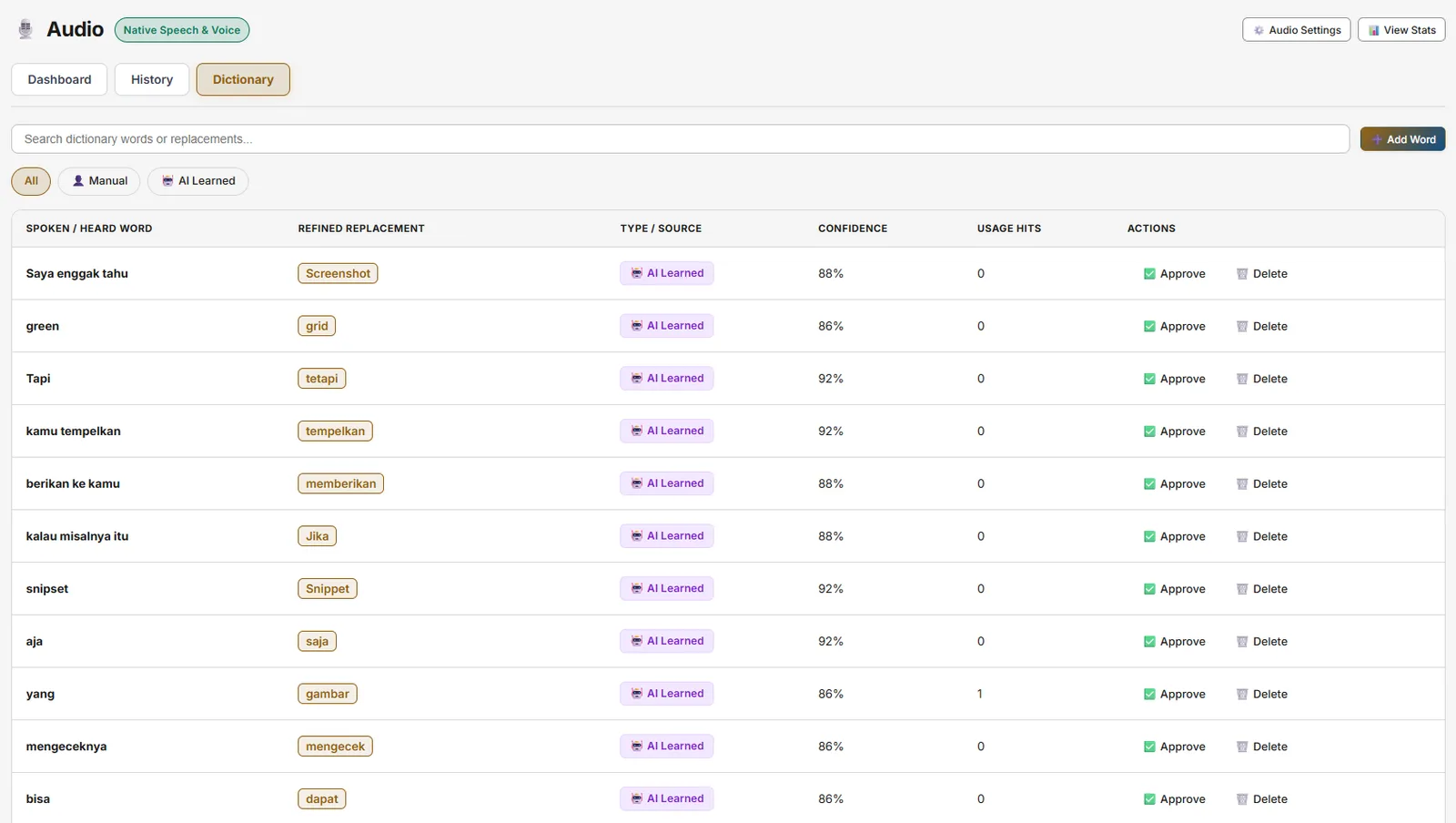
Snipset also learns your vocabulary without guessing. After you dictate, it watches your own corrections for a few seconds (12 by default). Each correction becomes a pending suggestion in your Speech Dictionary, and nothing changes until you approve it.
Because the transcript also lands in your clipboard history, a dictated paragraph sits next to your snippets, notes, and tasks. You can expand it into a template, save it as a note, or paste it again later. The full setup is in the audio documentation, and our privacy page explains exactly when audio leaves your device (only if you choose Gemini).
If you want the longer case for speaking instead of typing, read Speaking at the Speed of Thought.
Try Local Dictation in Snipset
This week showed that on-device speech-to-text has moved from a promise to a default. If you want it on your Windows or Linux desktop today, alongside a text expander, clipboard history, and notes in one app, give Snipset a try. Every license includes every feature, dictation included.
Sources
- Canonical, "Myna speech-to-text is now available as a technology preview", Ubuntu blog, October 12, 2026: ubuntu.com/blog
- Joey Sneddon, "Ubuntu releases tech preview of Myna, its AI voice dictation tool", OMG! Ubuntu, October 12, 2026: omgubuntu.co.uk
- Tether, "Tether Brings On-Device Speech Recognition to Smart Glasses and Humanoid Robots", October 14, 2026: tether.io
- GIGAZINE, "Embedding Gemma Transcribe can transcribe 15 minutes of audio in about 3 seconds on a Mac", October 14, 2026: gigazine.net
- Hedy AI, "Hedy AI Launches Hedy for Teams", GlobeNewswire via Business Insider, October 13, 2026: markets.businessinsider.com