AI Integration
AI Companion
Asisten AI lokal yang selalu aktif dengan inventaris sistem, riwayat obrolan, dan sesi pendamping.
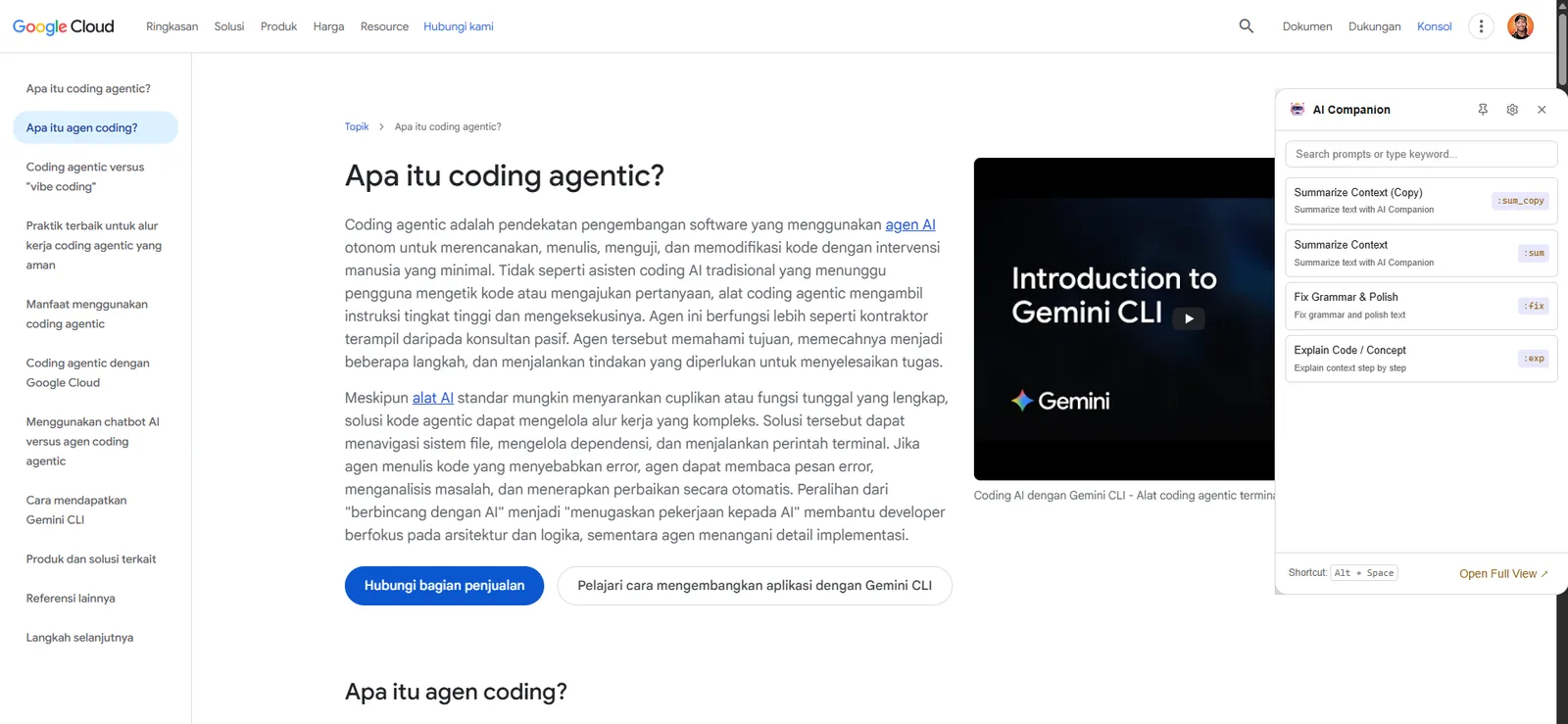
AI Companion adalah asisten lokal persisten Snipset yang berjalan berdampingan dengan alur kerja aktif Anda. Fitur ini menyediakan perintah cepat (quick prompts), riwayat obrolan, manajemen sesi, dan kontrol privasi yang ketat.
Lokasi Fitur
- Buka jendela utama Snipset → AI Companion di bilah sisi kiri.
- Ikon peluncur pendamping melayang juga tersemat di tepi layar desktop Anda, dan terbuka langsung begitu Anda mengeklik ikon tersebut.
Fitur Utama
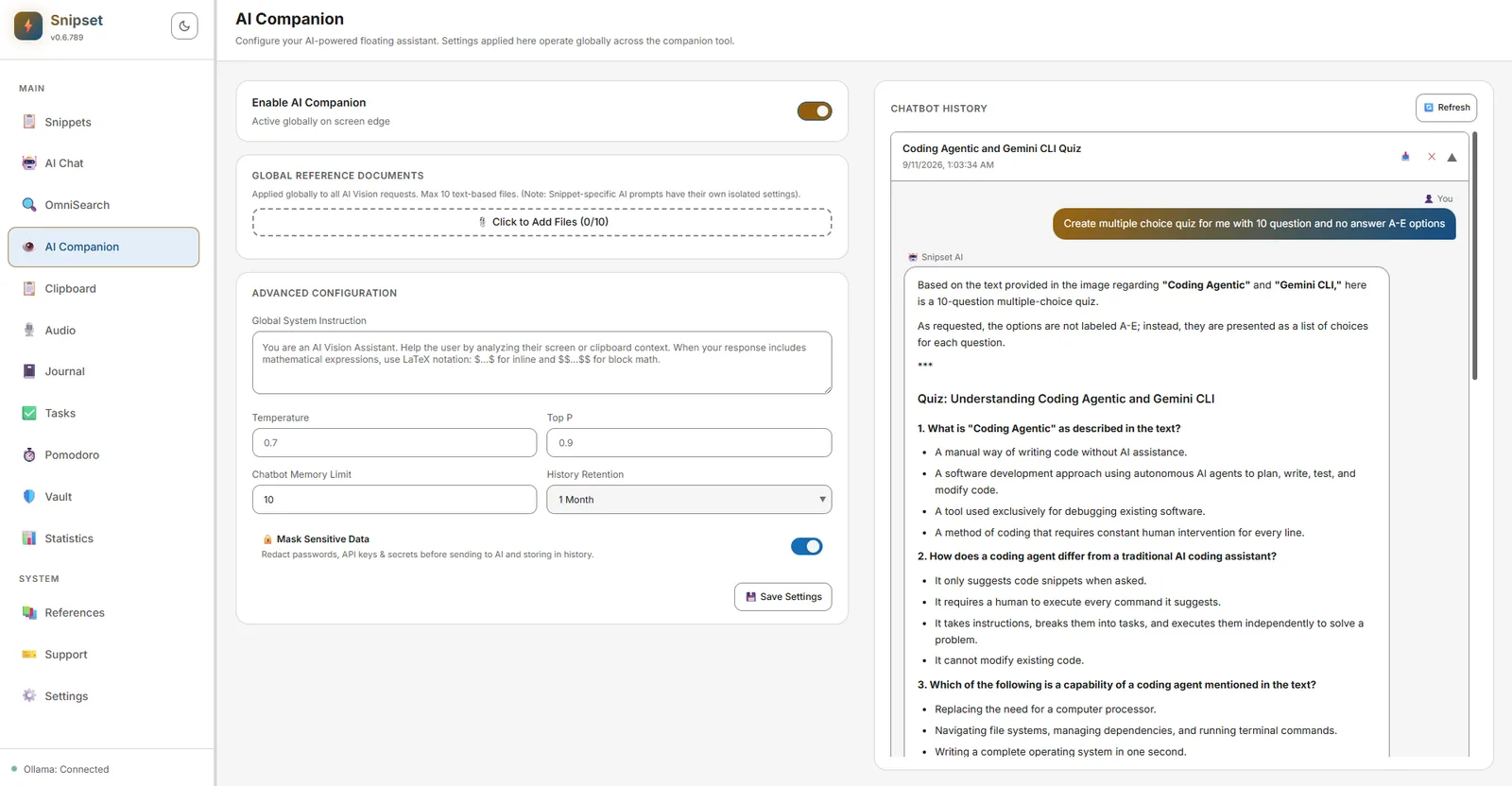
- Inventaris Sistem (F-04): Konteks yang selalu aktif (batas 80 token, fallback trigram) sehingga asisten memahami cuplikan, proyek, dan aktivitas terbaru Anda.
- Dokumen Referensi Global: Lampirkan hingga 10 berkas teks referensi yang berlaku secara menyeluruh pada semua permintaan AI Vision dan Companion.
- Konfigurasi Lanjutan: Sesuaikan instruksi sistem global, temperatur, top-P, batas memori obrolan, dan durasi penyimpanan riwayat.
- Riwayat Obrolan & Sesi: Tinjau riwayat melalui log sesi bawaan, bersihkan entri lama saat diperlukan, dan ekspor sesi ke berkas eksternal.
- Masking Privasi: Masker deteksi data sensitif (
ai_mask_entropy_threshold,ai_privacy_masking) menyamarkan kata sandi, API key, dan rahasia sebelum dikirim ke model lokal Ollama atau disimpan dalam riwayat. - Pemilihan Model: Menggunakan model percakapan yang dikonfigurasi di Pengaturan → AI & Model → Konfigurasi AI. Dukungan grounding pencarian web dapat diaktifkan untuk jawaban berbasis fakta (DuckDuckGo, Tavily, Brave, SearXNG, atau TinyFish).
Pintasan & Aksi Cepat
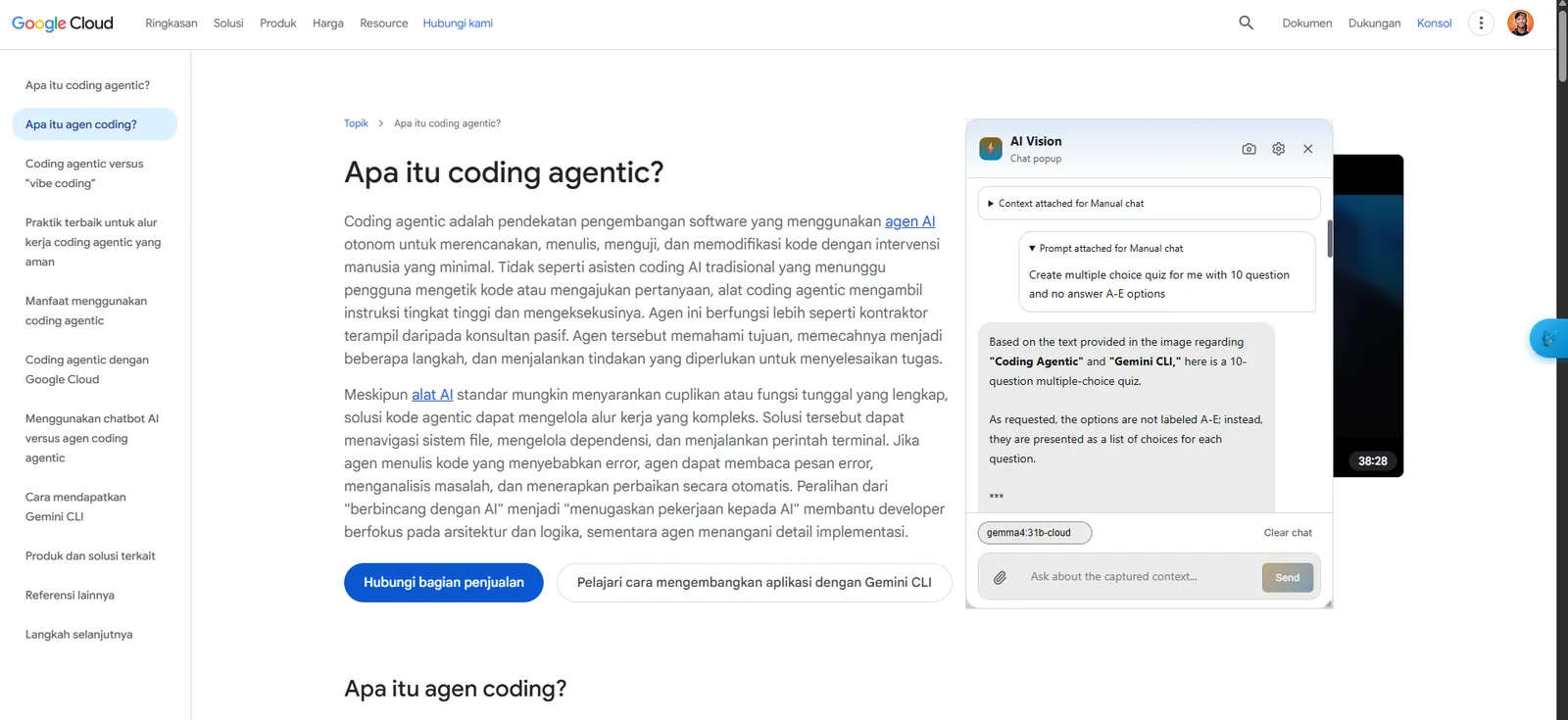
- Ikon Peluncur Melayang: Klik ikon pendamping di tepi layar untuk membuka widget bilah sisi AI Companion. Tutup kembali dengan tombol tutup di header widget.
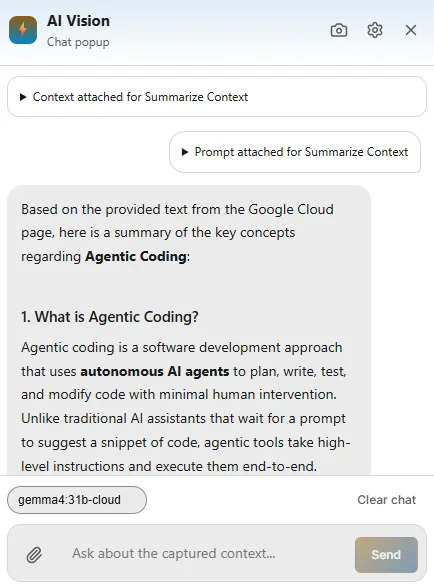
- Perintah Cepat Berbasis Konteks: Jalankan aksi instan seperti
:sum(Ringkas Konteks) atau:sum_copy. Snipset menangkap jendela aktif atau teks yang disorot, meminta analisis dari model aktif (misalnyasnipset-qwen-1.5b-gguf), dan menampilkan hasilnya dalam popup melayang AI Vision lengkap dengan kolom pertanyaan lanjutan. - Bantuan Bahasa dan Kode: Jalankan
:fixuntuk memoles tata bahasa atau:expuntuk menguraikan cuplikan kode langkah demi langkah. - Perluas Tampilan Penuh: Klik Open Full View di bagian bawah widget untuk memperluas sesi ke antarmuka AI Chat lengkap.
Tips: Riwayat pendamping terpisah dari riwayat Chat utama. Bersihkan riwayat pendamping lama menggunakan
clean_old_companion_history_cmd jika ingin menghemat ruang penyimpanan.