Configuration
Ikhtisar Pengaturan
Konfigurasikan perilaku inti, mulai otomatis, dan tampilan Snipset.
Snipset dirancang agar sangat dapat disesuaikan. Menu Pengaturan memungkinkan Anda mengubah tampilan aplikasi, perilakunya saat startup, dan cara kerja mesin Text Expander inti.
Pengaturan diatur ke dalam enam tab di bagian atas panel Pengaturan (dengan kotak pencarian + tombol Save Settings). Gunakan kotak pencarian untuk melompat ke pengaturan apa pun secara instan.
Umum & Desktop
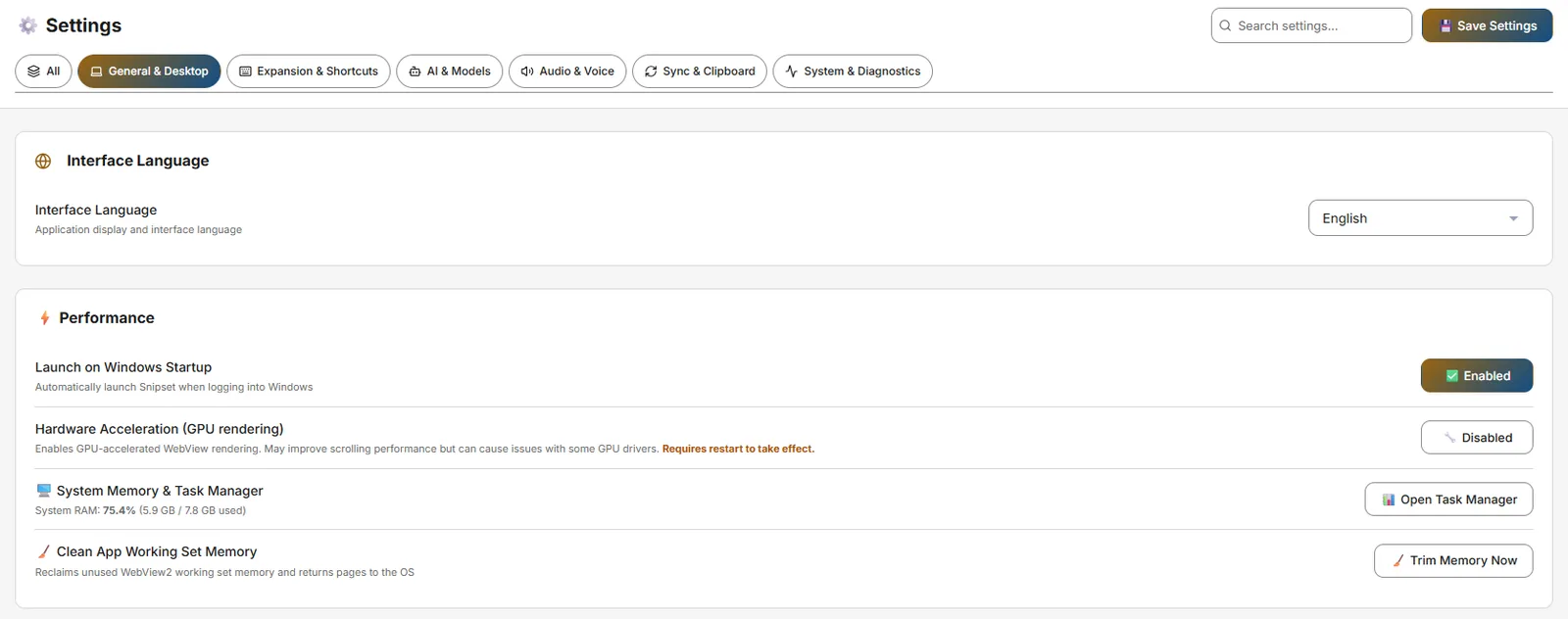
Pengaturan → General & Desktop
- Interface Language: English / Bahasa Indonesia.
- Launch on Windows Startup: Luncurkan Snipset otomatis saat login (menulis entri
HKCU\Run). - Grafis: Snipset mempertahankan render otomatis yang dikelola Windows sebagai default dan menampilkan daftar adapter yang dilaporkan Windows di Pengaturan → Grafis. Aplikasi tidak menyediakan pemilih GPU/software di dalamnya, dan tidak ada adapter yang diklaim sebagai renderer aktif. Gunakan Buka Pengaturan Grafis Windows untuk memilih preferensi per aplikasi (Settings → System → Display → Graphics). Pengaturan ini hanya memengaruhi antarmuka aplikasi; tidak memilih perangkat komputasi Ollama.
- Hardware Acceleration (GPU rendering): Opsi kompatibilitas untuk render WebView. Efek sebenarnya belum terverifikasi pada runtime yang diuji dan dapat berbeda tergantung driver GPU; memerlukan restart.
- System Memory & Task Manager: Tombol untuk Open Task Manager dan Trim Memory Now (bersihkan working set).
Ekspansi & Pintasan
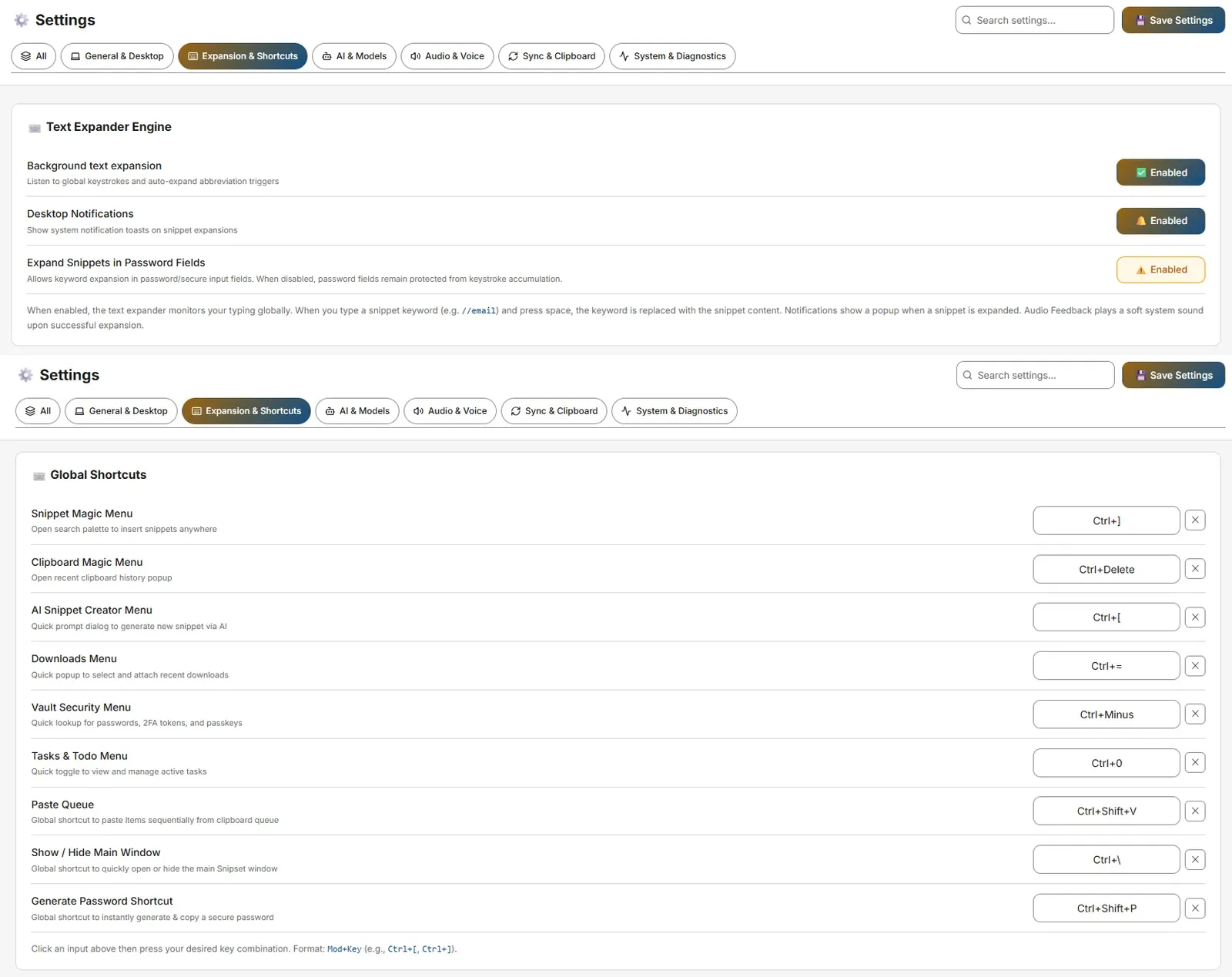
Pengaturan → Expansion & Shortcuts
- Text Expander Engine: Toggle untuk Background text expansion, Desktop Notifications, Expand Snippets in Password Fields (allowSecureInputExpansion, bergaya peringatan).
- Global Shortcuts: Sesuaikan
Ctrl+[(Snippet Magic Menu),Ctrl+](Clipboard),Ctrl+Shift+Space(AI Creator),Ctrl+Shift+D(Downloads),Ctrl+Shift+M(Vault),Alt+D(Tasks),Ctrl+Shift+S(Smart Shorthand selection),Ctrl+Alt+P(Generate Password). Format:Mod+Key(mis.Ctrl+[, Ctrl+]). - Template Variables (13 kode):
#{clipboard},#{selection}(kosong di Linux),#{date}/#{time},#{datetime_adv:fmt|shift|locale|tz},#{input:Label},#{ai:Prompt},#{snippet:keyword},#{random:A|B|C},#{cursor},#{script:code},#{inspect:URL|Selector},#{password:16},#{browser_url}.
AI & Models
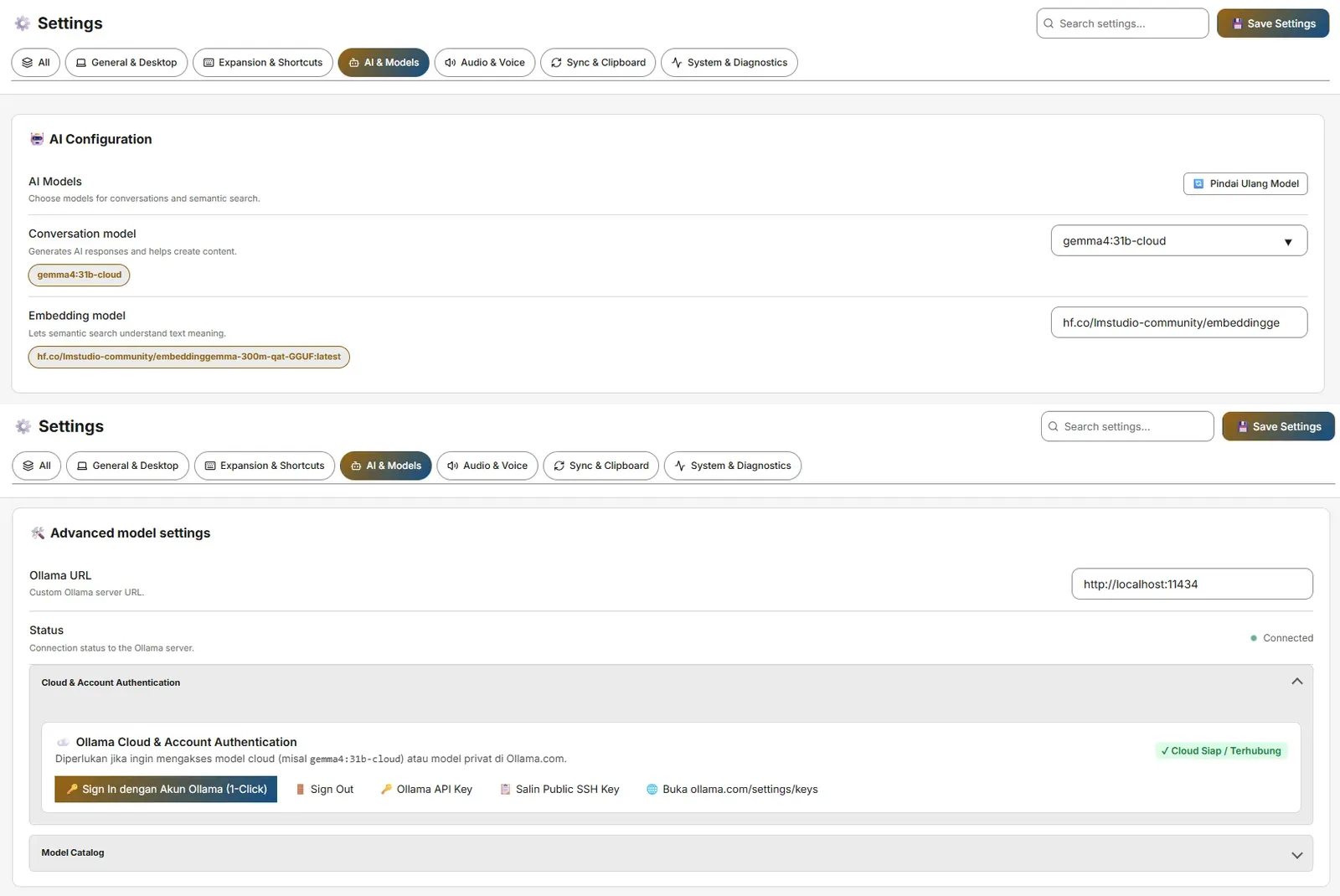
Pengaturan → AI & Models
- AI Configuration: Ollama URL (default
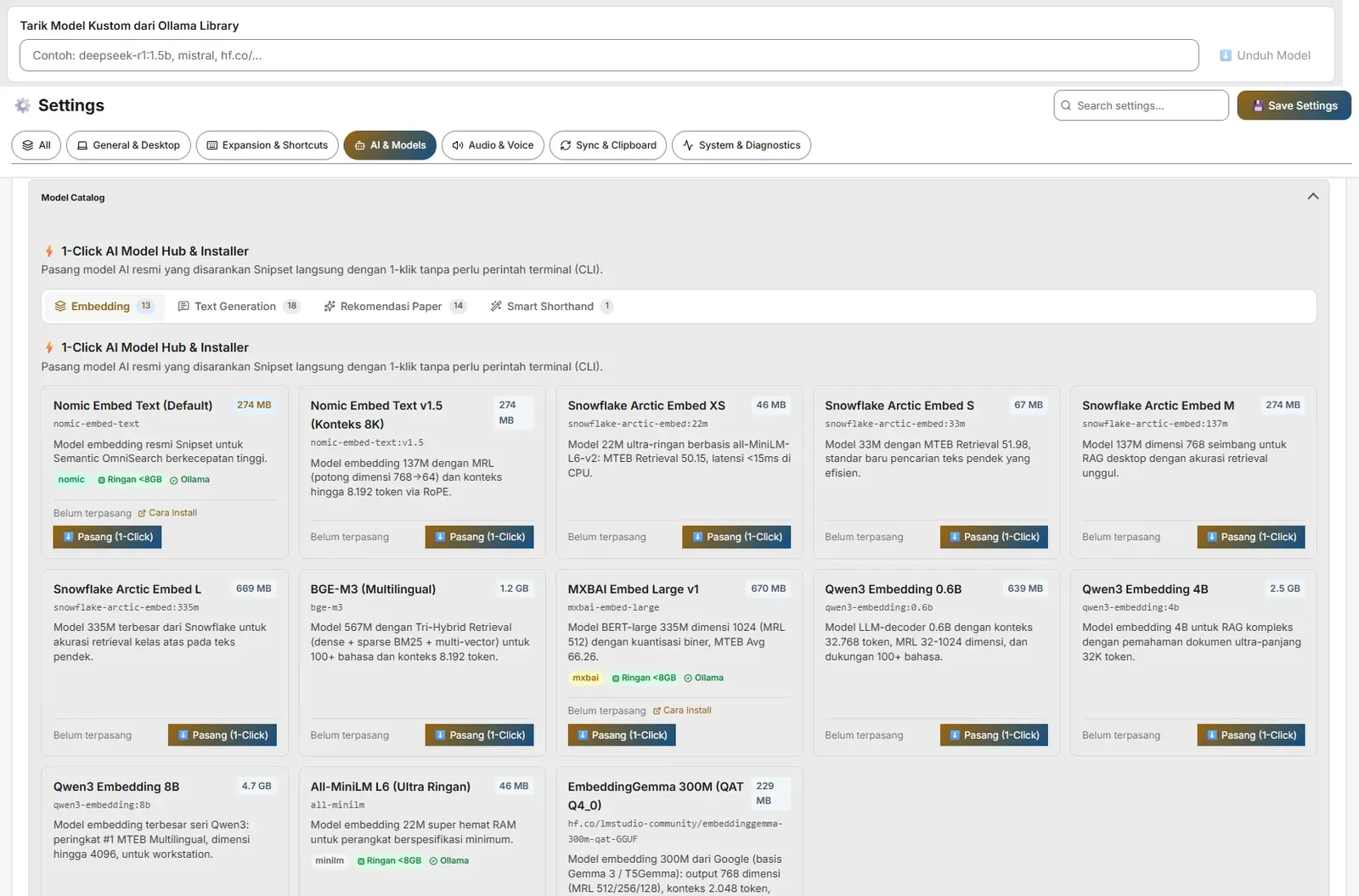
http://127.0.0.1:11434, jugahttp://localhost:11434diterima), lencana Online/Offline, pemilih model Conversation & Embedding (nomic-embed-textuntuk embedding). - Model Catalog / One-Click Hub, Cloud & Account Authentication (Ollama API key), Smart Shorthand (pemicu
--, Qwenhf.co/belajarcarabelajar/snipset-qwen-1.5b-gguf~941 MB), Web Search Grounding, Semantic Search Sync (Start/Pause/Resume/Force All), Memory Management (ukuran konteks embedding 512–4096). - Sakelar Fitur Embedding: Embedding otomatis (indeks konten baru di latar belakang, atau hanya saat sinkronisasi manual) dan Pencarian semantik dan saran (pencarian berdasarkan makna dan saran clipboard). Keduanya aktif secara bawaan; vektor yang tersimpan tetap ada saat salah satunya nonaktif.
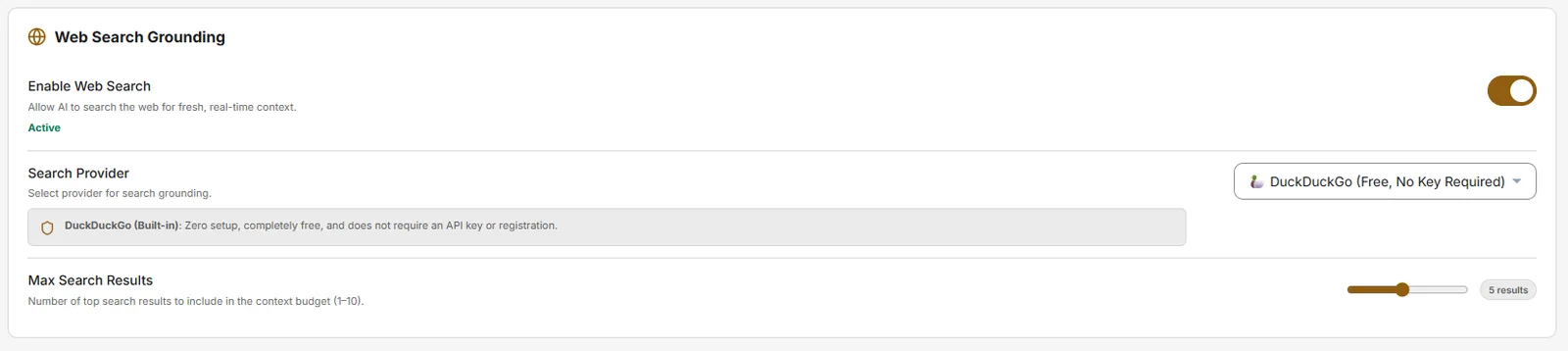
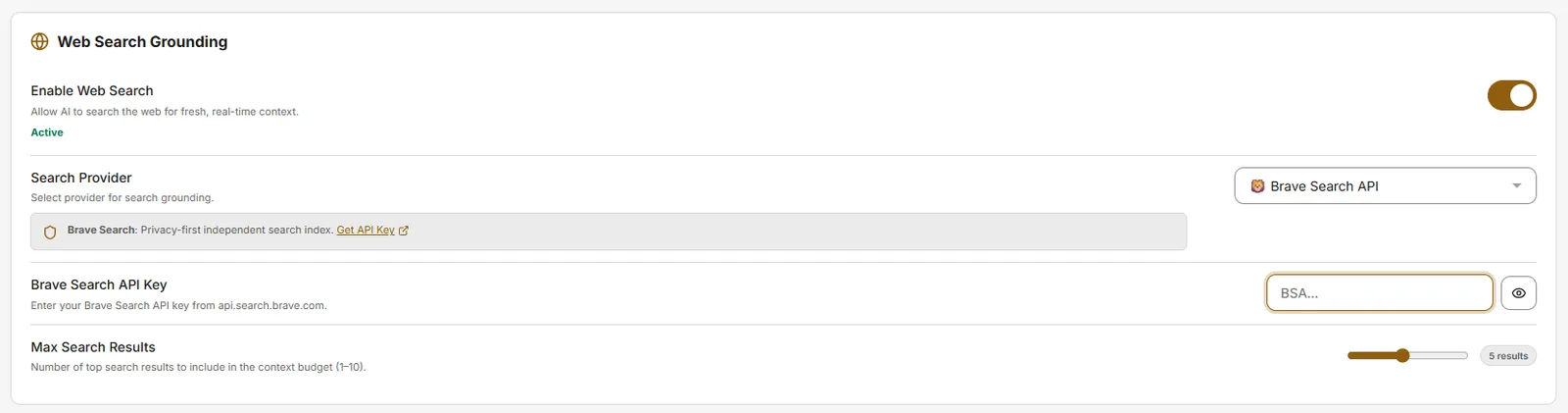
API key provider: beberapa provider (misalnya Brave Search API dan TinyFish) membutuhkan API key milik Anda sendiri. Tempelkan ke kolom key provider tersebut; provider seperti DuckDuckGo berfungsi tanpa key sama sekali. SearXNG tidak memakai key, tetapi membutuhkan URL instance milik Anda sendiri karena tidak ada instance publik bawaan.
Audio & Voice
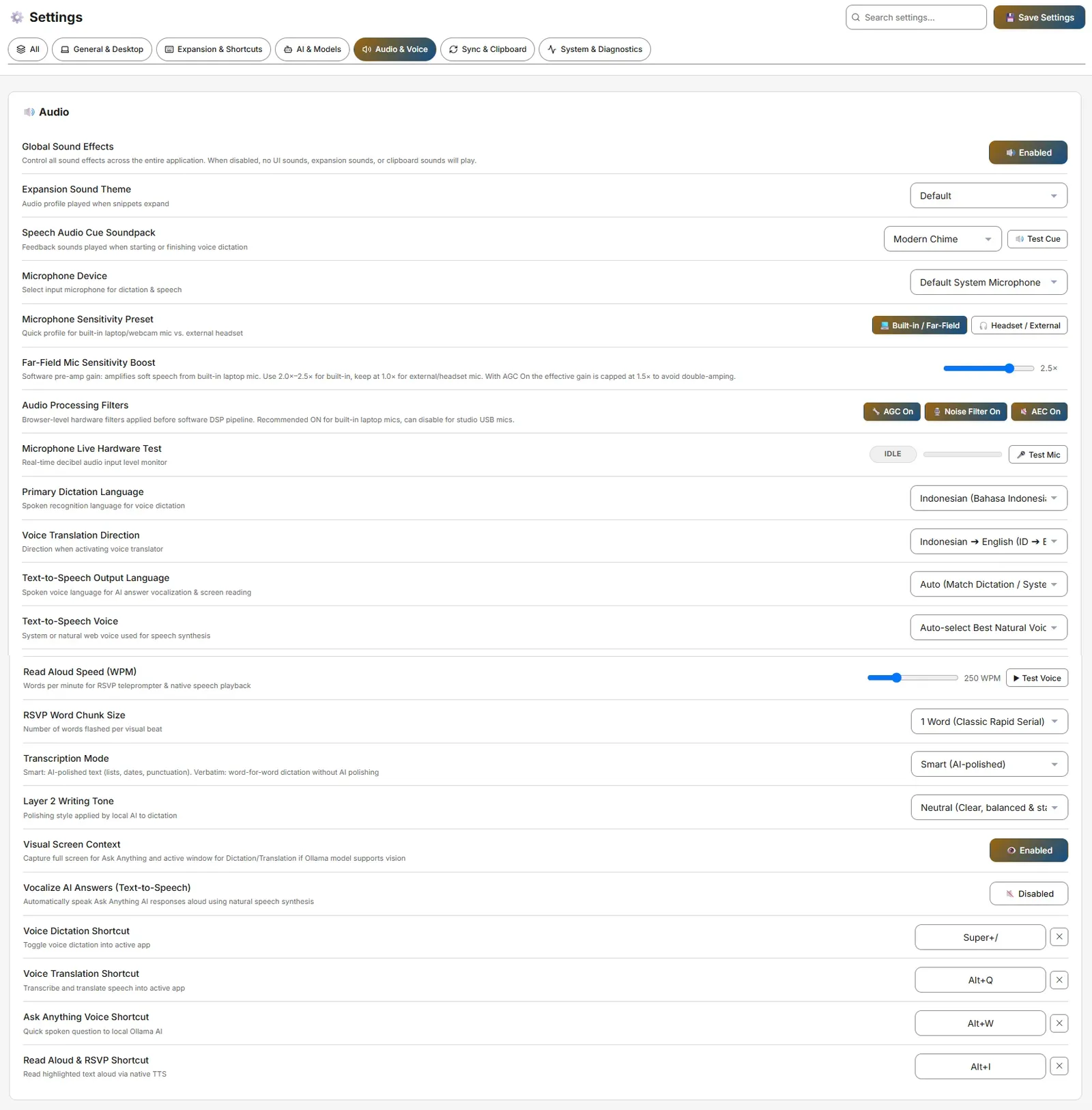 Pengaturan → Audio & Voice
- Global Sound Effects + Expansion Sound Theme (Default/Mechanical/Glass/Water/Silent).
- Speech Audio Cue Soundpack, Microphone Device & Sensitivity Preset, AGC / Noise Filter / AEC, Microphone Live Hardware Test.
- Dictation / Translation / Ask-Anything / Read Aloud shortcuts: default
Alt+./Alt+A/Alt+S/Alt+I(aliasCommandOrControl+Alt+D/T/A/R). - Voice Settings: Bahasa Dikte Utama, Arah Terjemahan, Bahasa/Suara Output TTS, Kecepatan Read Aloud, ukuran chunk RSVP.
Sync & Clipboard
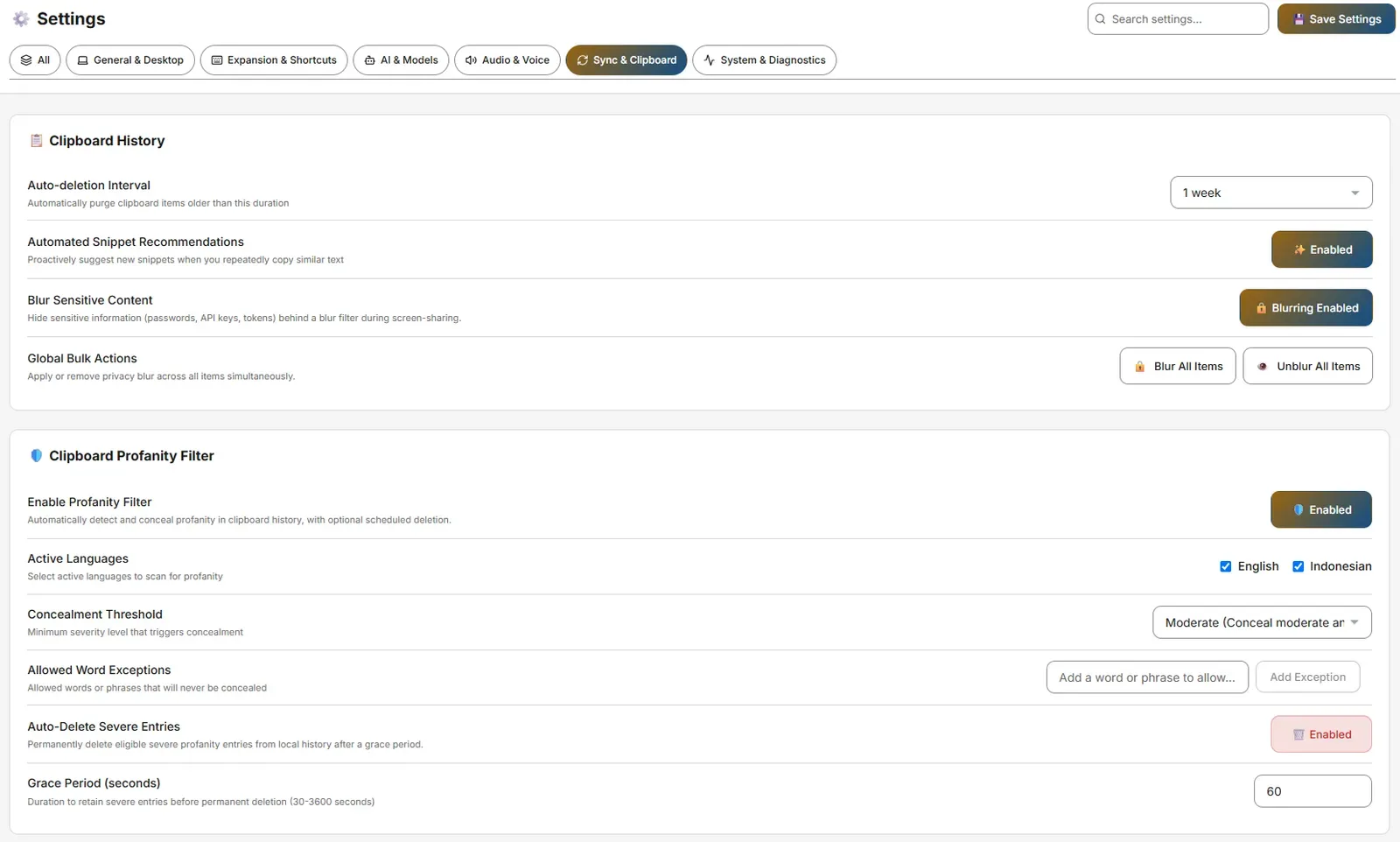
Pengaturan → Sync & Clipboard
- Clipboard History: Interval Penghapusan Otomatis (1 hari hingga 1 tahun), Rekomendasi Snippet Otomatis, Kaburkan Konten Sensitif, dan Aksi Massal Global (Kaburkan Semua / Tampilkan Semua mencakup snippet dan papan klip sekaligus, dengan konfirmasi saat menampilkan).
- Downloads Menu: Jalur folder dengan Telusuri/Reset.
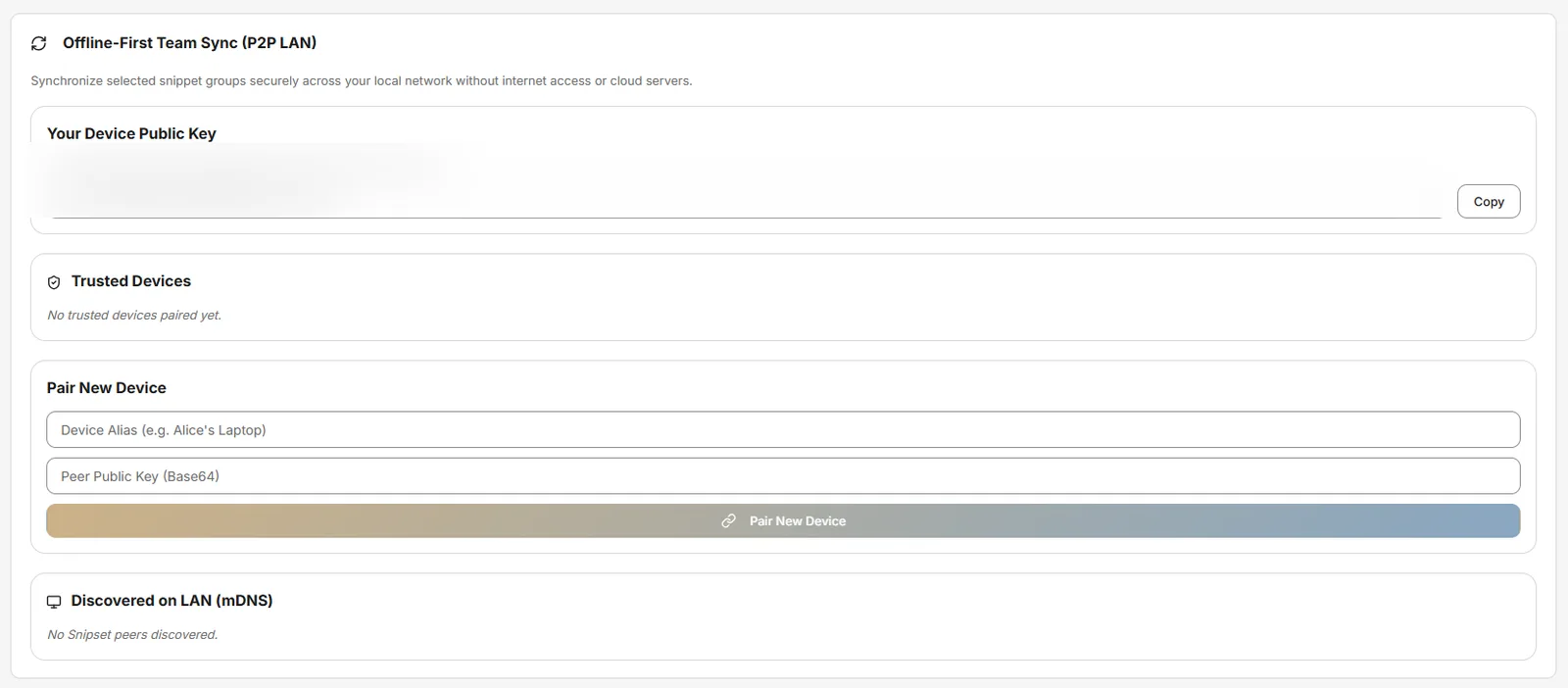
- Offline-First Team Sync (P2P LAN): Device Public Key, Trusted Devices, penemuan mDNS (memerlukan izin firewall).
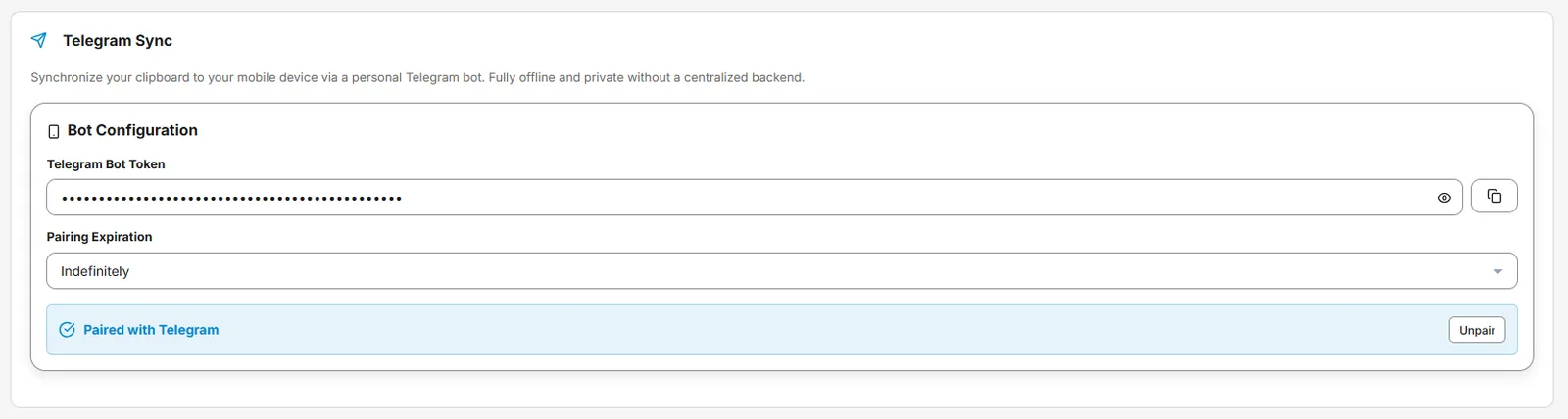
- Telegram Sync: Bot Token, Masa Berlaku Pairing, Pair/Unpair. Kirim pesan suara ke bot yang sudah dipasangkan, lalu aplikasi desktop mentranskripsikannya dengan mesin speech-to-text pilihan Anda, menyimpan teksnya ke riwayat papan klip dan riwayat audio, dan membalas dengan teks itu di chat yang sama.

Sistem & Diagnostik
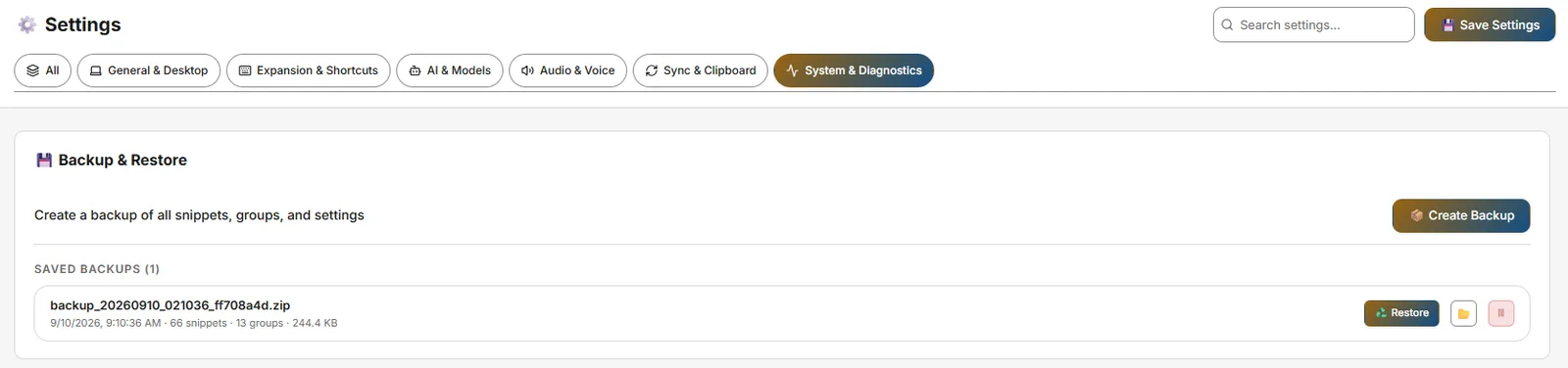
Pengaturan → System & Diagnostics
- Backup & Restore: Buat Backup, daftar Saved Backups (Restore ♻️, Show in Explorer 📂, Delete 🗑). Retensi ZIP terbaru tunggal, pemeliharaan 24 jam.
- Application Updates: Aktifkan notifikasi pembaruan, Check for new version, Rollback to previous version.
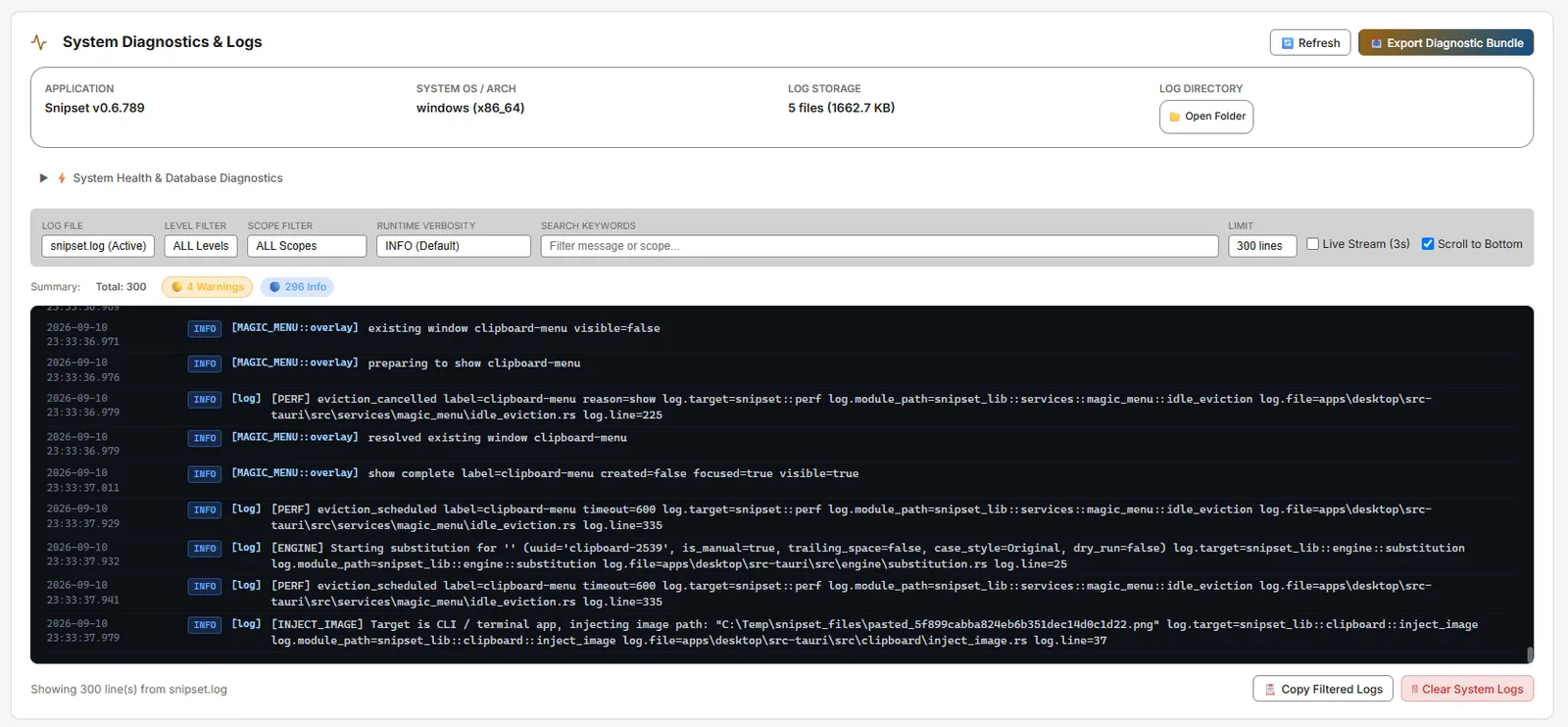
- System Diagnostics & Logs: Pemilih file log, filter level, Clear/Export Logs, System Health, Log Viewer.
- About: Versi, Penulis
Iwan Kurniawan, EULA.


Kebutuhan Jaringan: Auto-updater (dan fitur opsional Web Search Grounding / audio YouTube untuk Pomodoro) adalah satu-satunya fitur yang memerlukan internet. Untuk penggunaan yang sepenuhnya offline, unduh installer Windows (`Snipset__x64-setup.exe`) dari halaman unduh Snipset sebelumnya. Endpoint updater adalah `https://snipset.belajarcarabelajar.com/api/updater/latest.json`.