Productivity Tools
Jurnal & Aktivitas
Rekam konteks harian, linimasa kerja, tangkapan layar, dan koreksi aktivitas produktivitas Anda.
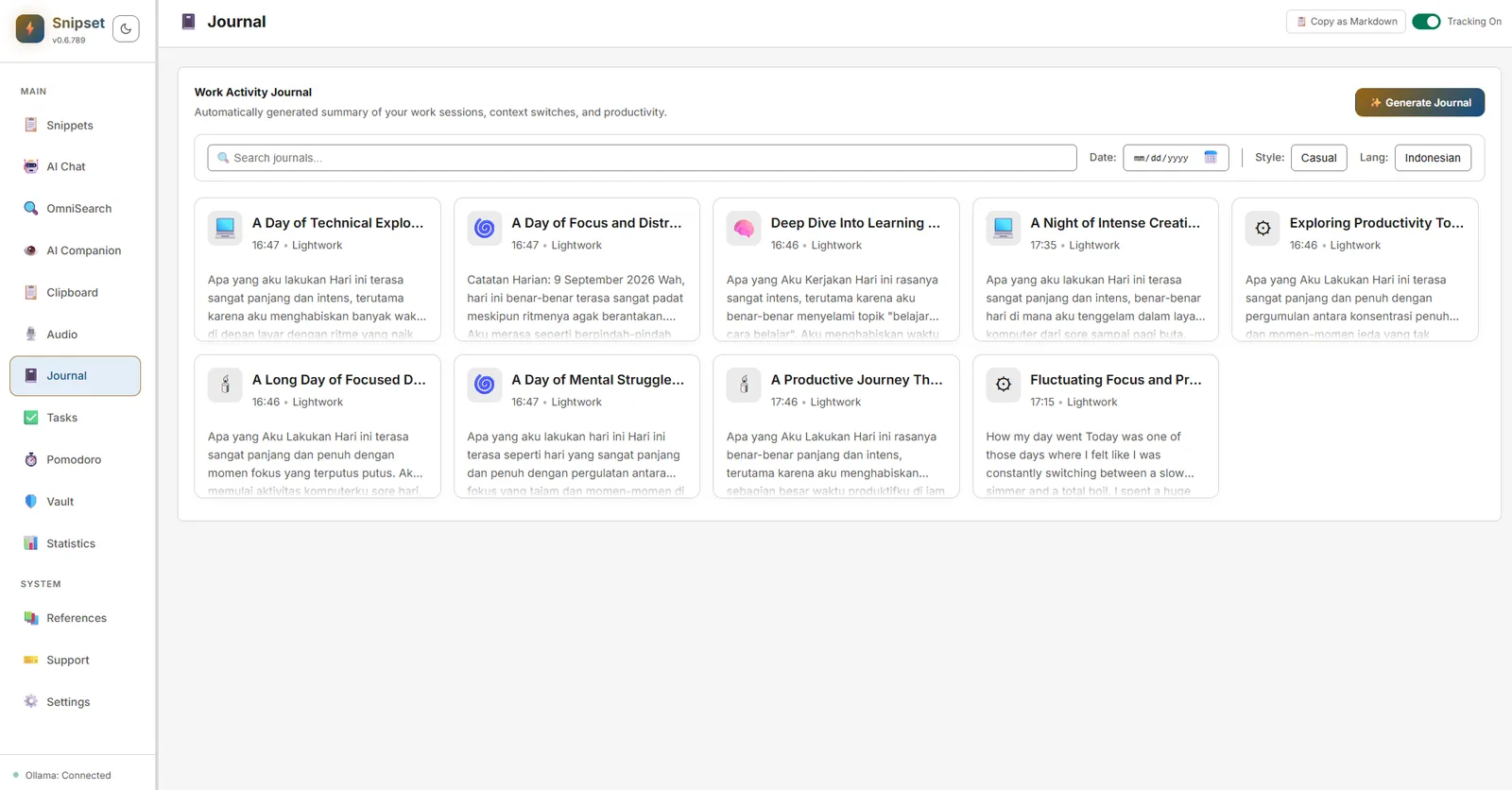
Sistem Jurnal & Aktivitas di Snipset merekam konteks desktop Anda sepanjang hari (aplikasi aktif, judul jendela, tangkapan layar opsional, dan ringkasan harian berbasis AI) sehingga Anda dapat merekonstruksi pekerjaan yang telah selesai dan membuat lembar waktu kerja (timesheets).
Catatan platform: di Linux, tangkapan layar dan metrik kepadatan input (jumlah ketikan dan gerakan mouse, durasi terlacak, dan durasi terfokus) tidak dikumpulkan, jadi angka-angka itu di tracker kamu akan selalu nol. Nama aplikasi aktif dan ringkasan harian tetap bekerja.
Lokasi Fitur
- Buka jendela utama Snipset → klik Journal di bilah sisi kiri.
- Halaman ini menampilkan kartu entri jurnal harian yang dilengkapi bilah pencarian, filter tanggal, pilihan gaya bahasa (Casual, Professional), dan pengaturan bahasa ringkasan.
Cara Kerja
- Runtime Aktivitas: Aktifkan, nonaktifkan, atau jeda pelacakan melalui fungsi
enable_activity_runtime/disable_activity_runtime/pause_activity_runtime. Status dapat diperiksa viaget_activity_runtime_status. - Tangkapan Layar (Opsional, khusus Windows): Tangkapan layar yang tertunda disimpan secara lokal; pratinjau thumbnail dihasilkan via
get_screenshot_thumbnail. Sematkan konteks penting denganpin_activity_context. Build Linux tidak pernah merekam tangkapan layar, jadi tidak ada yang bisa di-pratinjau. - Ringkasan Harian: Buat ringkasan instan dengan mengeklik tombol Generate Journal atau melalui
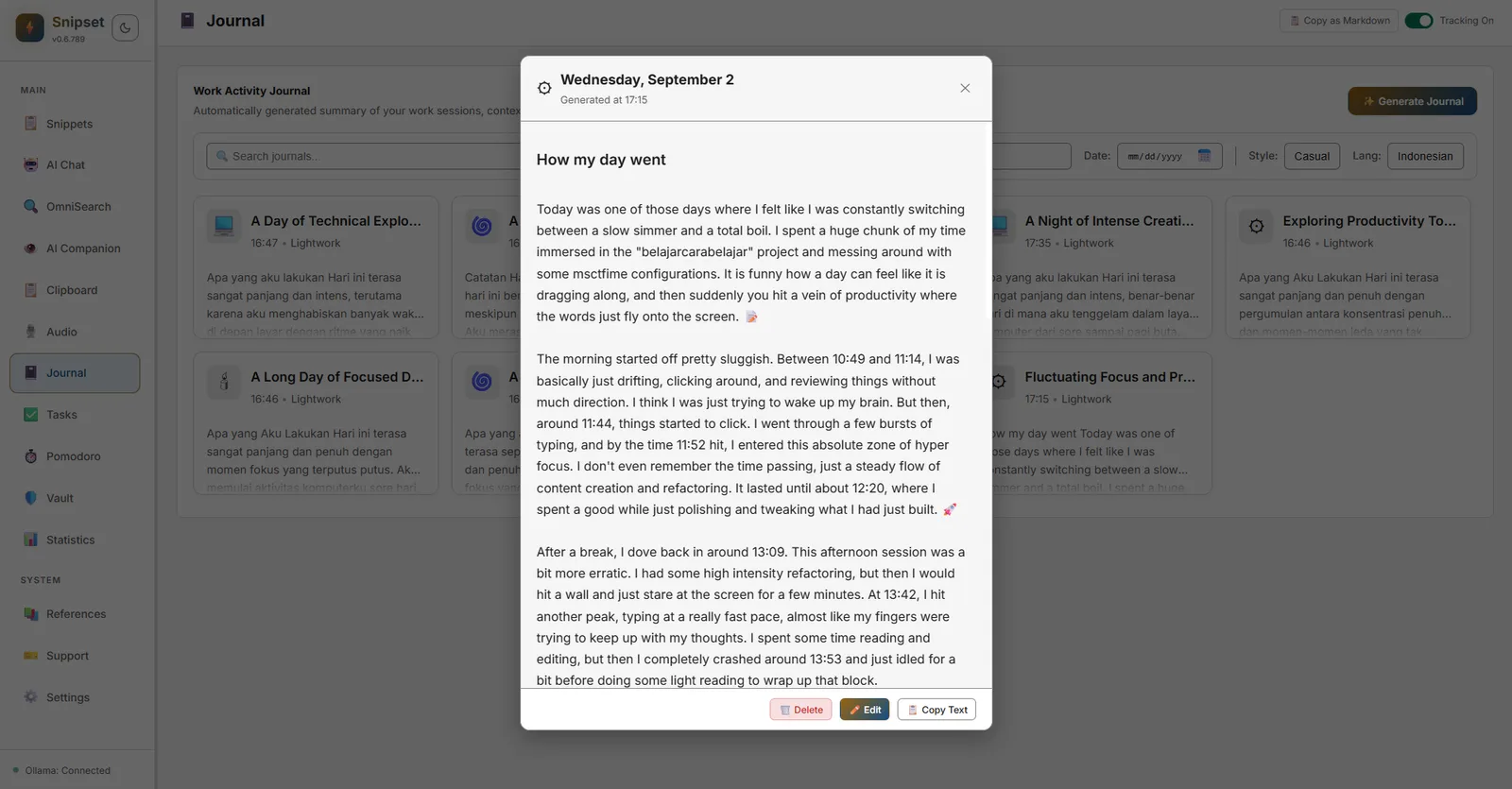
trigger_journal_generation/generate_journal_now. Entri disimpan secara lokal dan dapat dicari viaget_journal_entries. Klik kartu entri mana saja untuk membuka modal detail lengkap dengan opsi salin teks, edit, atau hapus.
Koreksi & Privasi
- Kirim koreksi deskripsi melalui
submit_journal_correction; sunting atau hapus entri viaupdate_journal_entry/delete_journal_entry. - Pelindung privasi otomatis menyamarkan data sensitif sebelum disimpan ke database (
database/privacy.rs,sensitive_detector). - Hapus seluruh riwayat aktivitas kapan saja melalui
clear_all_activity_history(memerlukan konfirmasi). Ekspor lembar waktu kerja viaexport_activity_timesheet.
Pengaturan
- Preferensi bahasa dan nada jurnal tersimpan di preferensi pengguna (
journal_language,journal_tone). Konfigurasikan di Pengaturan → Umum & Desktop atau langsung melalui header halaman Jurnal. - Tidak ada data yang diunggah ke cloud: semua data tersimpan di database SQLite lokal (
activity).
Kiat: Sematkan konteks aktivitas (misalnya proyek klien) agar selalu berada di bagian atas Jurnal untuk referensi cepat.