AI Integration
AI Companion
Always-on local AI assistant with system inventory, chat history, and companion sessions.
AI Companion is Snipset's persistent local assistant that runs alongside your active workflow. It provides quick prompts, chat history, session management, and strict privacy controls.
Where to Find It
- Open the main Snipset window → AI Companion in the left sidebar.
- A floating companion trigger is also pinned to your screen edge, and opens instantly as soon as you click the floating launcher icon.
Features
- System Inventory (F-04): Always-on context (80-token cap, trigram fallback) so the assistant knows your snippets, projects, and recent activity.
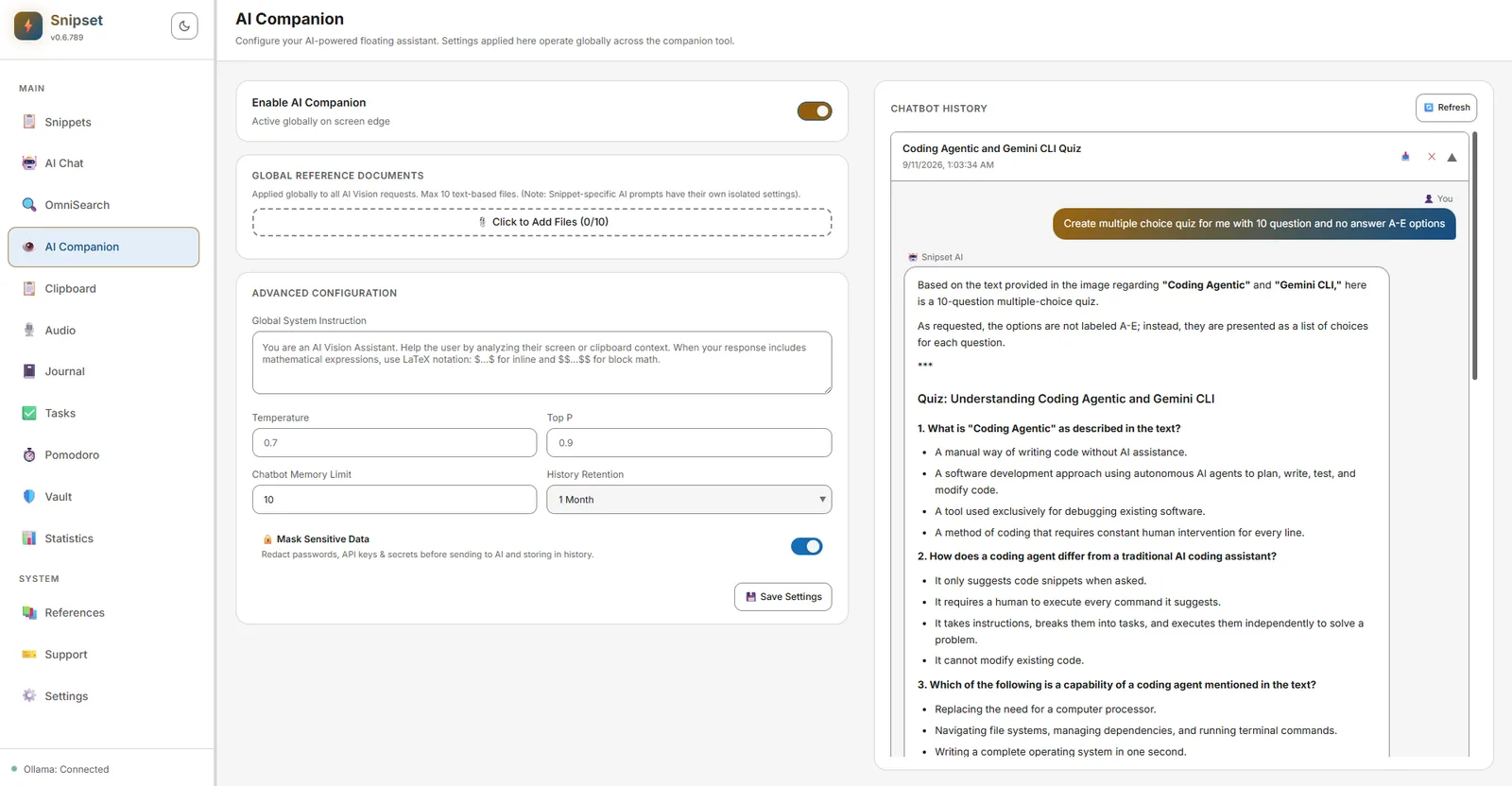
- Global Reference Documents: Attach up to 10 text-based reference files applied globally across all AI Vision and Companion requests.
- Advanced Configuration: Fine-tune global system instructions, temperature, top-P, memory limit, and history retention periods.
- Chat History & Sessions: View history via built-in session logs, clear old entries when needed, and export sessions to external files.
- Privacy Masks: Sensitive detector masks (
ai_mask_entropy_threshold,ai_privacy_masking) redact passwords, API keys, and secrets before sending to local Ollama models or storing in history. - Model Selection: Uses the Conversation model configured in Settings → AI & Models → AI Configuration. Web search grounding can be enabled for factual answers (DuckDuckGo, Tavily, Brave, SearXNG, or TinyFish).
Shortcuts & Actions
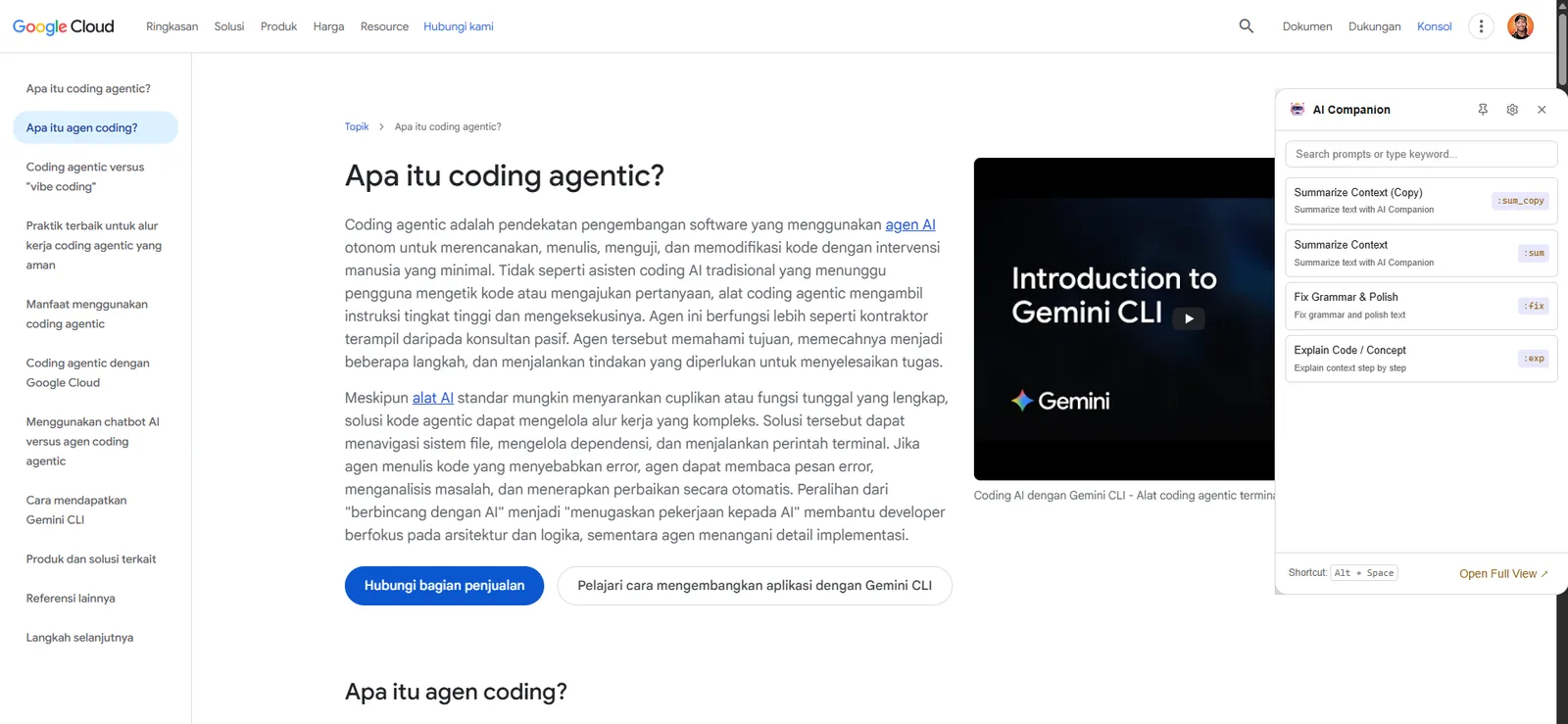
- Floating Launcher Icon: Click the companion icon on your screen edge to open the AI Companion sidebar widget. Close it again with the close button in the widget's header.
- Context-Aware Quick Prompts: Trigger instant actions like
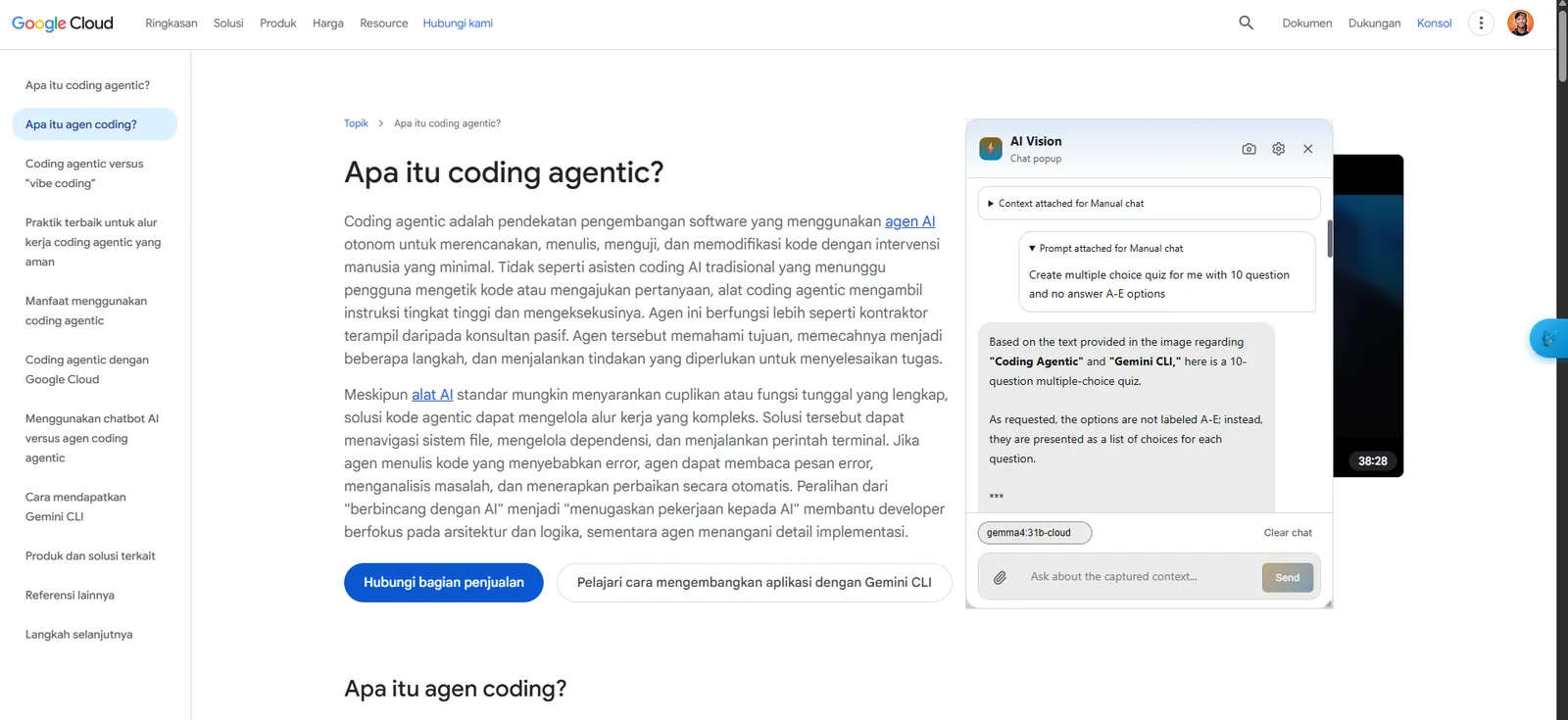
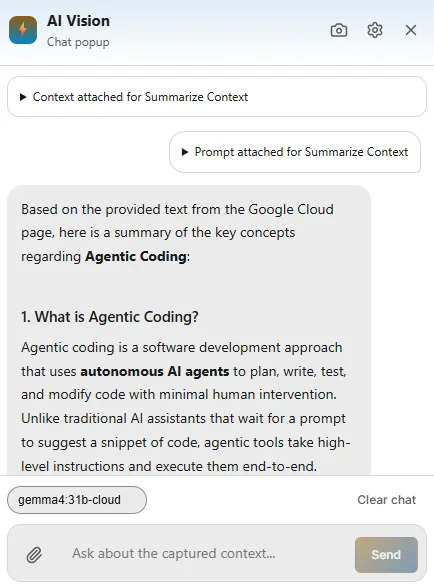
:sum(Summarize Context) or:sum_copy. Snipset captures the active window or selected text, prompts your active model (e.g.snipset-qwen-1.5b-gguf), and renders the result in a floating AI Vision popup with follow-up query input. - Language and Code Helpers: Run
:fixto polish grammar or:expto break down code snippets step-by-step. - Expand Full View: Click Open Full View at the bottom of the widget to expand the session into the dedicated AI Chat interface.
Tip: Companion history is separate from main Chat history. Clean old companion history with `clean_old_companion_history_cmd` if disk space is a concern.