Configuration
Settings Overview
Configure Snipset's core behavior, auto-start, and appearance.
Snipset is designed to be highly customizable. The Settings menu allows you to tweak how the app looks, how it behaves on startup, and how the core Text Expander engine operates.
Settings are organized into six tabs at the top of the Settings panel (with a search box + Save Settings button). Use the search box to jump to any setting instantly.
General & Desktop
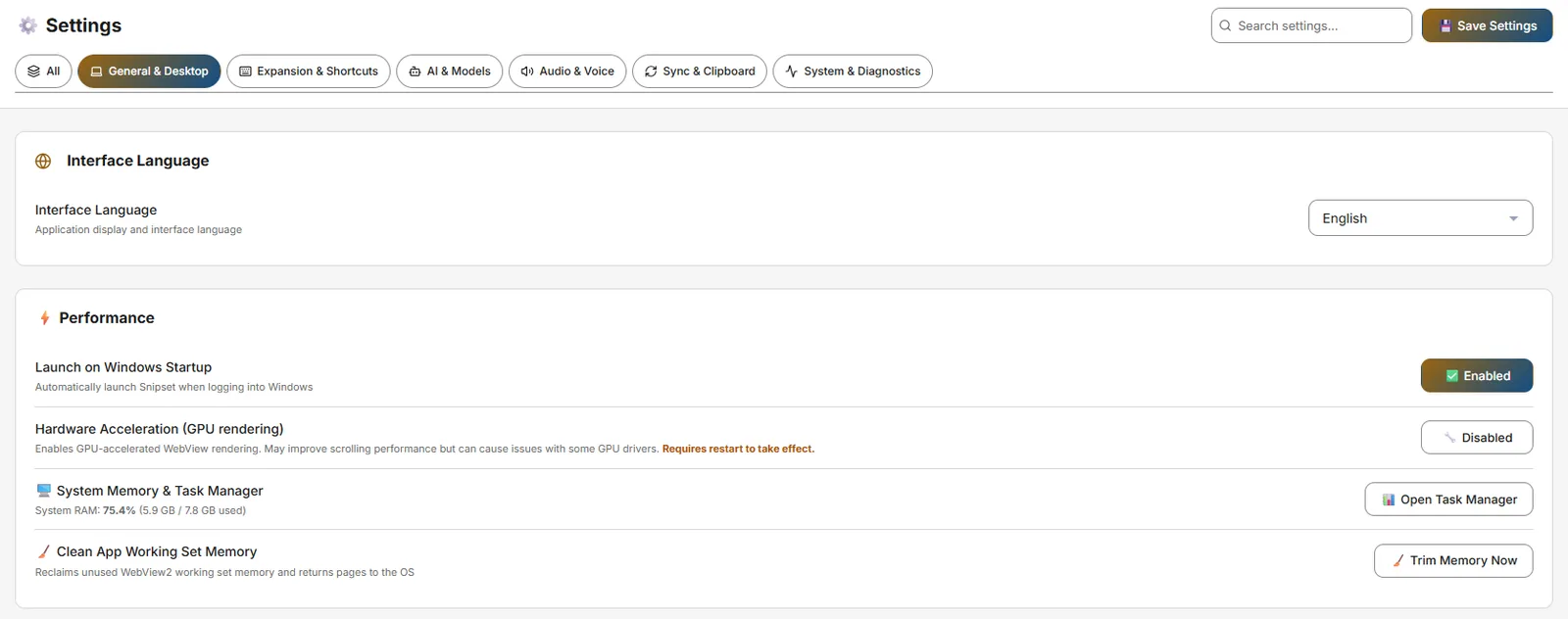
Settings → General & Desktop
- Interface Language: English / Bahasa Indonesia.
- Launch on Windows Startup: Auto-launch Snipset at login (writes
HKCU\Runentry). - Graphics: Snipset keeps Windows-managed automatic rendering as the default and lists the adapters Windows reports in Settings → Graphics. It does not offer an in-app GPU/software selector, and no detected adapter is claimed to be the active renderer. Use Open Windows Graphics Settings to choose a per-app preference (Settings → System → Display → Graphics). These settings affect the app interface only; they do not select Ollama's compute device.
- Hardware Acceleration (GPU rendering): A compatibility option for WebView rendering. Its actual effect is unverified on the tested runtime and may vary by GPU driver; a restart is required.
- System Memory & Task Manager: Buttons for Open Task Manager and Trim Memory Now (clean working set).
Expansion & Shortcuts
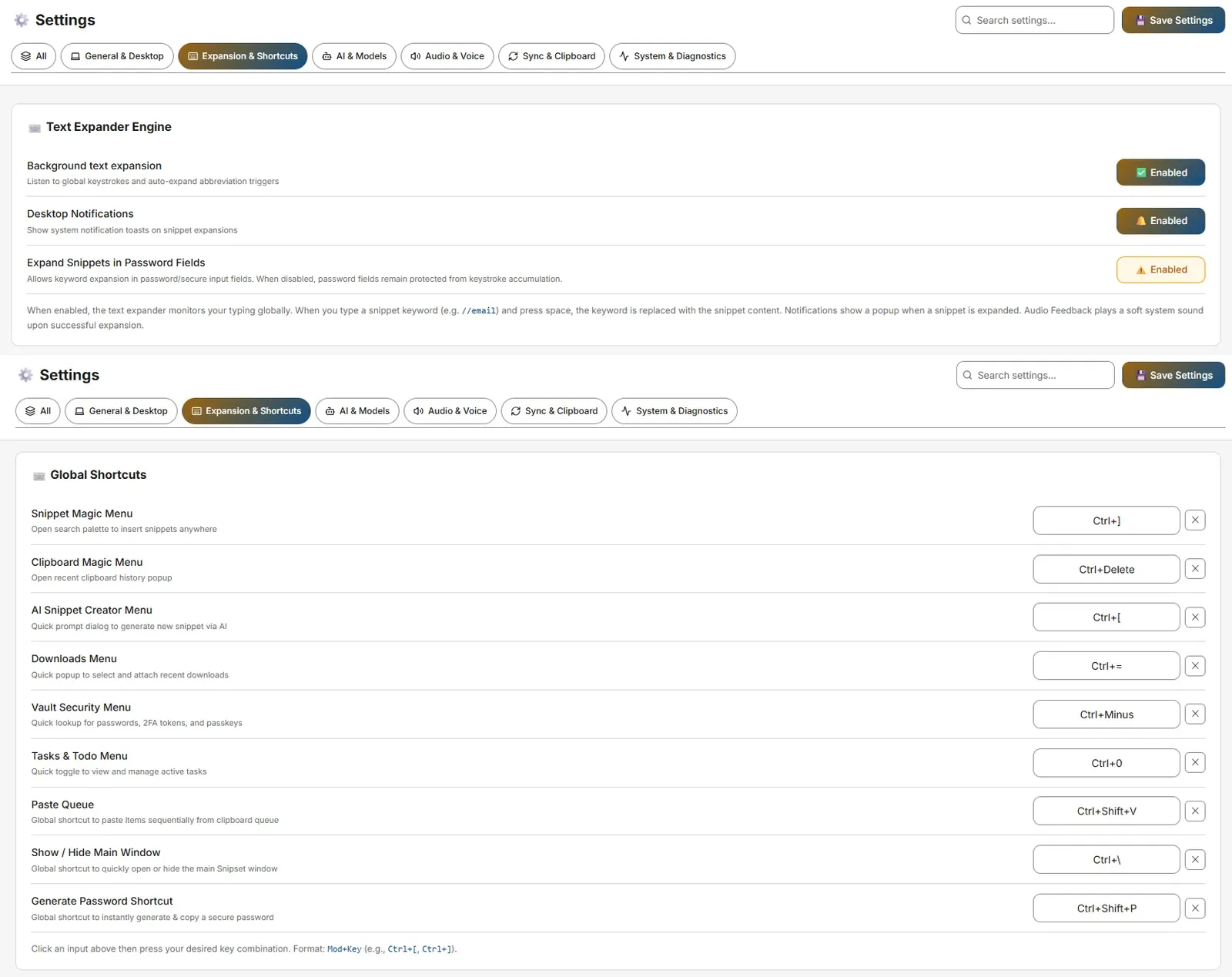
Settings → Expansion & Shortcuts
- Text Expander Engine: Toggles for Background text expansion, Desktop Notifications, Expand Snippets in Password Fields (allowSecureInputExpansion, warning-styled).
- Global Shortcuts: Customize
Ctrl+[(Snippet Magic Menu),Ctrl+](Clipboard),Ctrl+Shift+Space(AI Creator),Ctrl+Shift+D(Downloads),Ctrl+Shift+M(Vault),Alt+D(Tasks),Ctrl+Shift+S(Smart Shorthand selection),Ctrl+Alt+P(Generate Password). Format:Mod+Key(e.g.Ctrl+[, Ctrl+]). - Template Variables (13 codes):
#{clipboard},#{selection}(empty on Linux),#{date}/#{time},#{datetime_adv:fmt|shift|locale|tz},#{input:Label},#{ai:Prompt},#{snippet:keyword},#{random:A|B|C},#{cursor},#{script:code},#{inspect:URL|Selector},#{password:16},#{browser_url}.
AI & Models
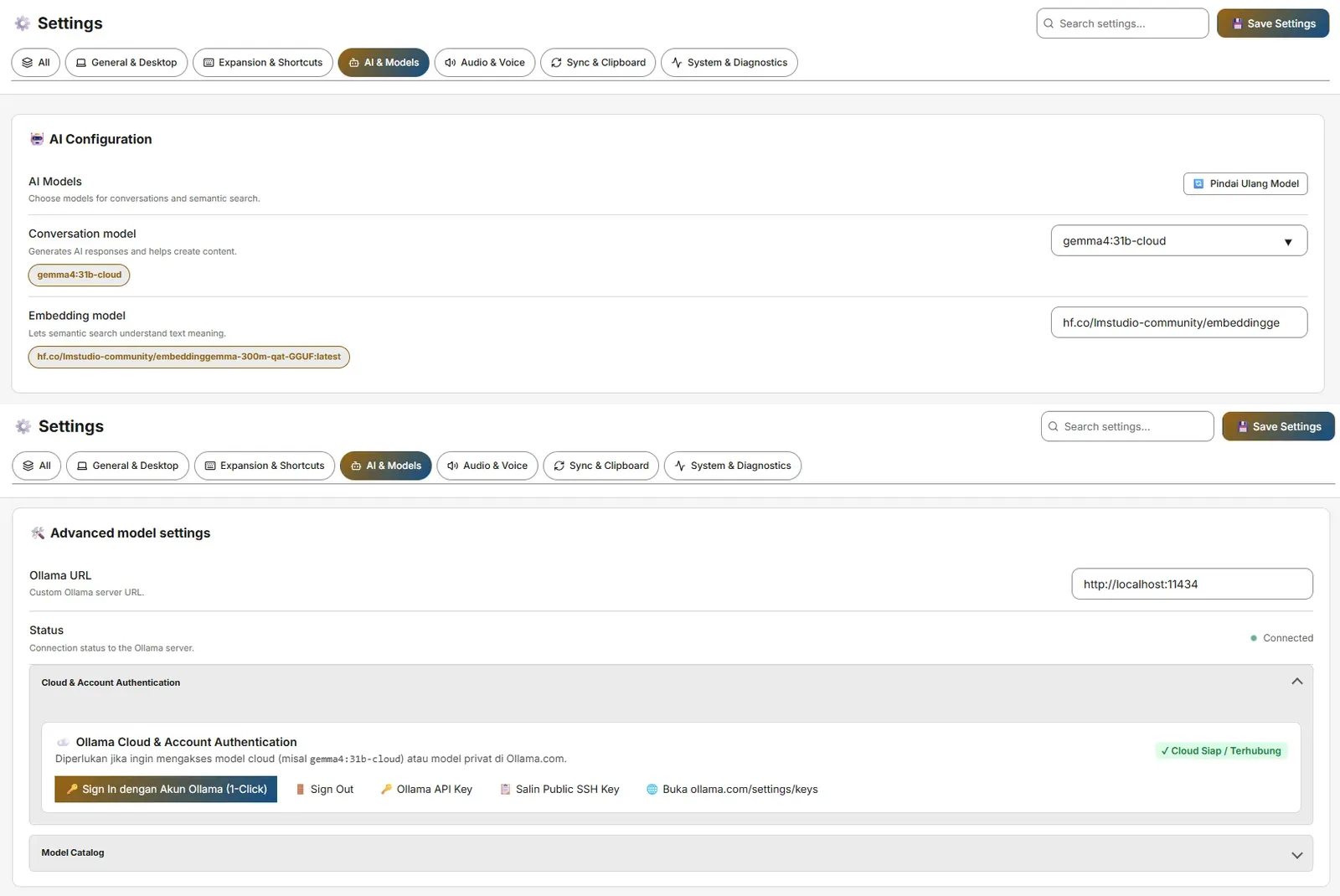
Settings → AI & Models
- AI Configuration: Ollama URL (default
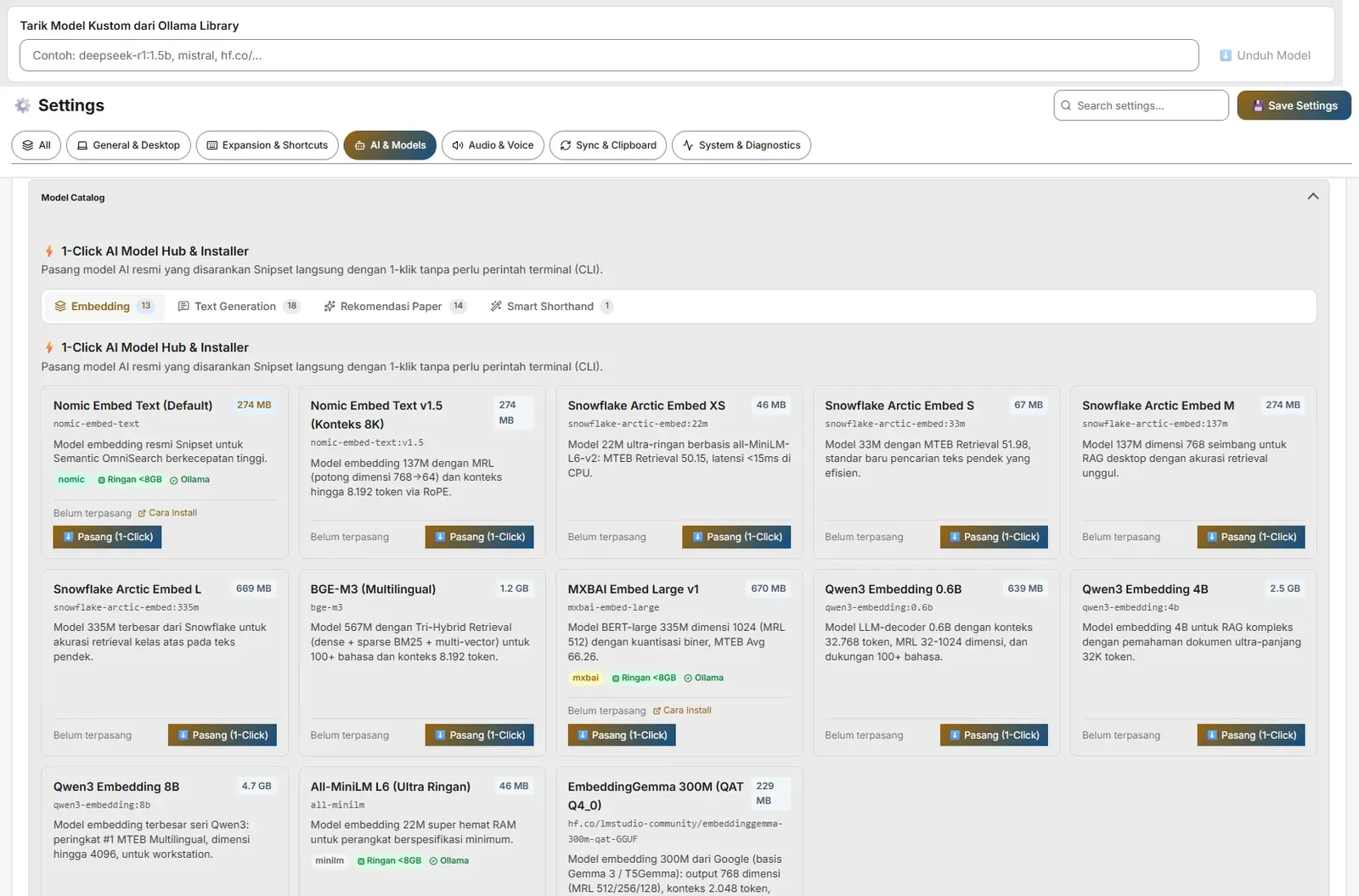
http://127.0.0.1:11434, alsohttp://localhost:11434accepted), Online/Offline badge, Conversation & Embedding model pickers (nomic-embed-textfor embeddings). - Model Catalog / One-Click Hub, Cloud & Account Authentication (Ollama API key), Smart Shorthand (trigger
--, Qwenhf.co/belajarcarabelajar/snipset-qwen-1.5b-gguf~941 MB), Web Search Grounding, Semantic Search Sync (Start/Pause/Resume/Force All), Memory Management (embedding context size 512–4096). - Embedding Feature Toggles: Automatic embedding (index new content in the background, or only on manual sync) and Semantic search and suggestions (meaning-based search and clipboard suggestions). Both default to on; stored vectors are kept when either is off.
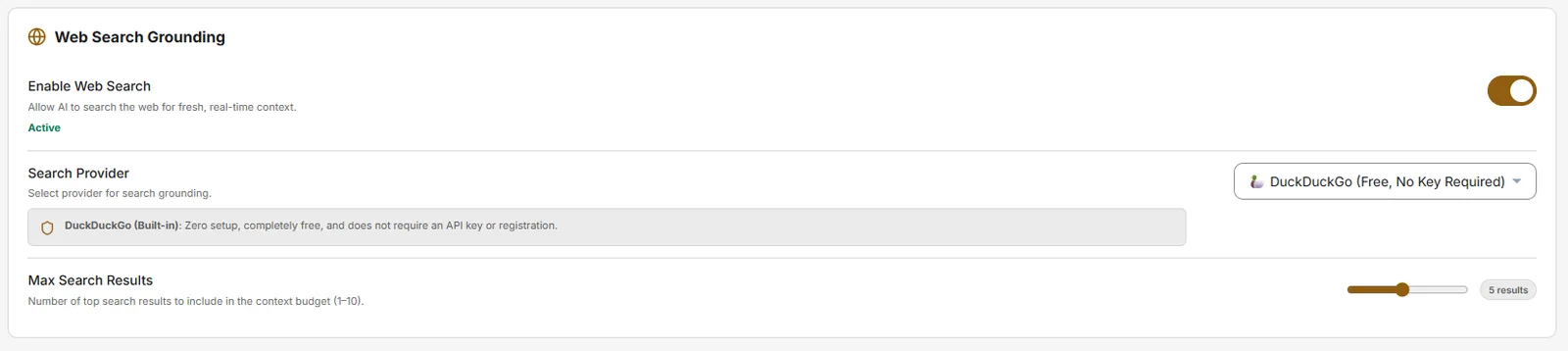
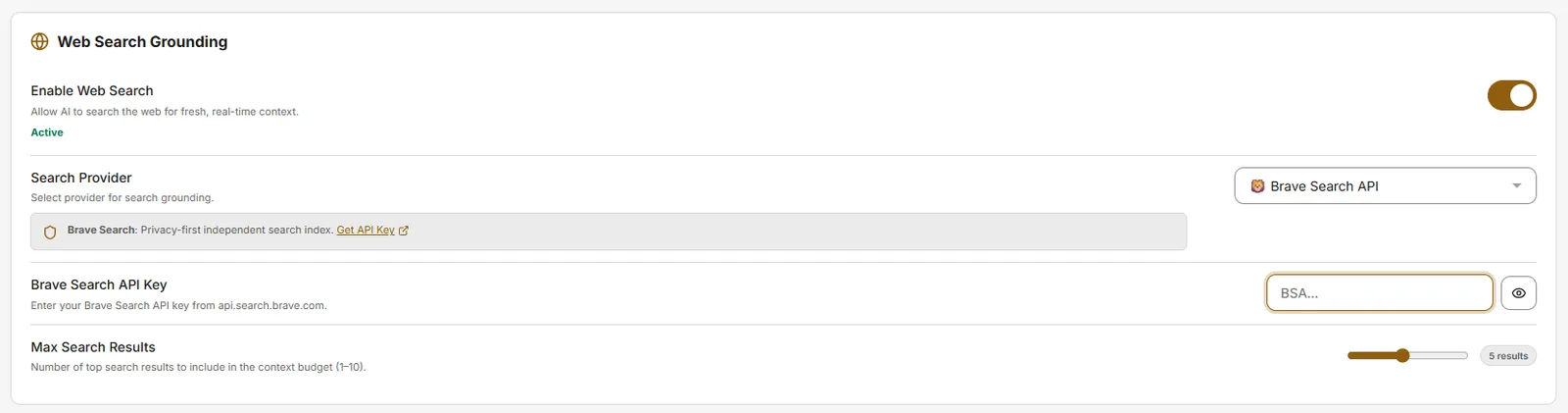
Provider API keys: some providers (for example Brave Search API and TinyFish) need your own API key. Paste it into that provider's key field; providers like DuckDuckGo work with no key at all. SearXNG needs no key but needs the URL of your own instance, since there is no default public instance.
Audio & Voice
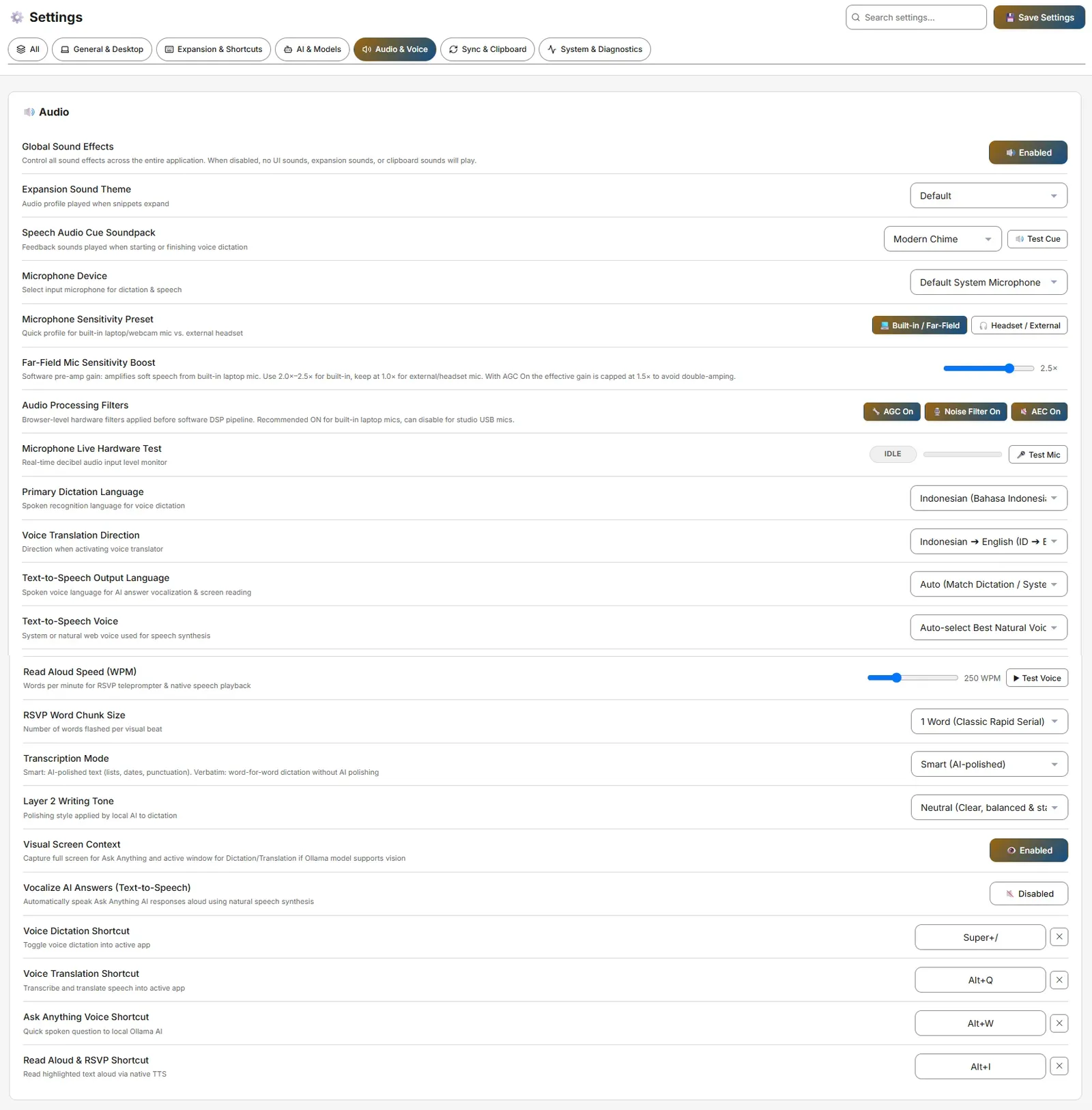 Settings → Audio & Voice
- Global Sound Effects + Expansion Sound Theme (Default/Mechanical/Glass/Water/Silent).
- Speech Audio Cue Soundpack, Microphone Device & Sensitivity Preset, AGC / Noise Filter / AEC, Microphone Live Hardware Test.
- Dictation / Translation / Ask-Anything / Read Aloud shortcuts: defaults
Alt+./Alt+A/Alt+S/Alt+I(aliasesCommandOrControl+Alt+D/T/A/R). - Voice Settings: Primary Dictation Language, Translation Direction, TTS Output Language/Voice, Read Aloud Speed, RSVP chunk size.
Sync & Clipboard
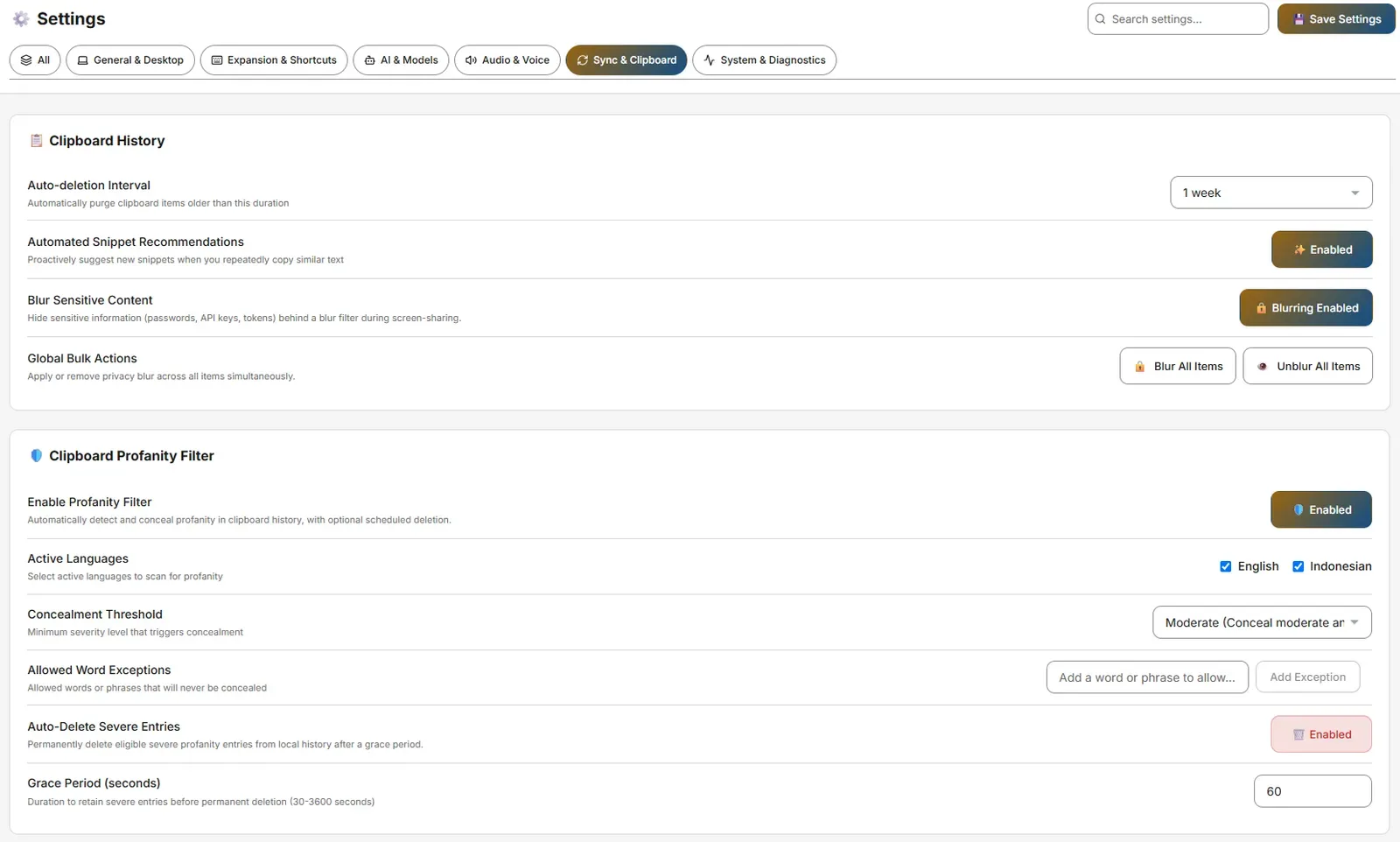
Settings → Sync & Clipboard
- Clipboard History: Auto-deletion Interval (1 day to 1 year), Automated Snippet Recommendations, Blur Sensitive Content, and Global Bulk Actions (Blur All Items / Unblur All Items covering snippets and clipboard together, with a confirmation guard on unblur).
- Downloads Menu: Folder path with Browse/Reset.
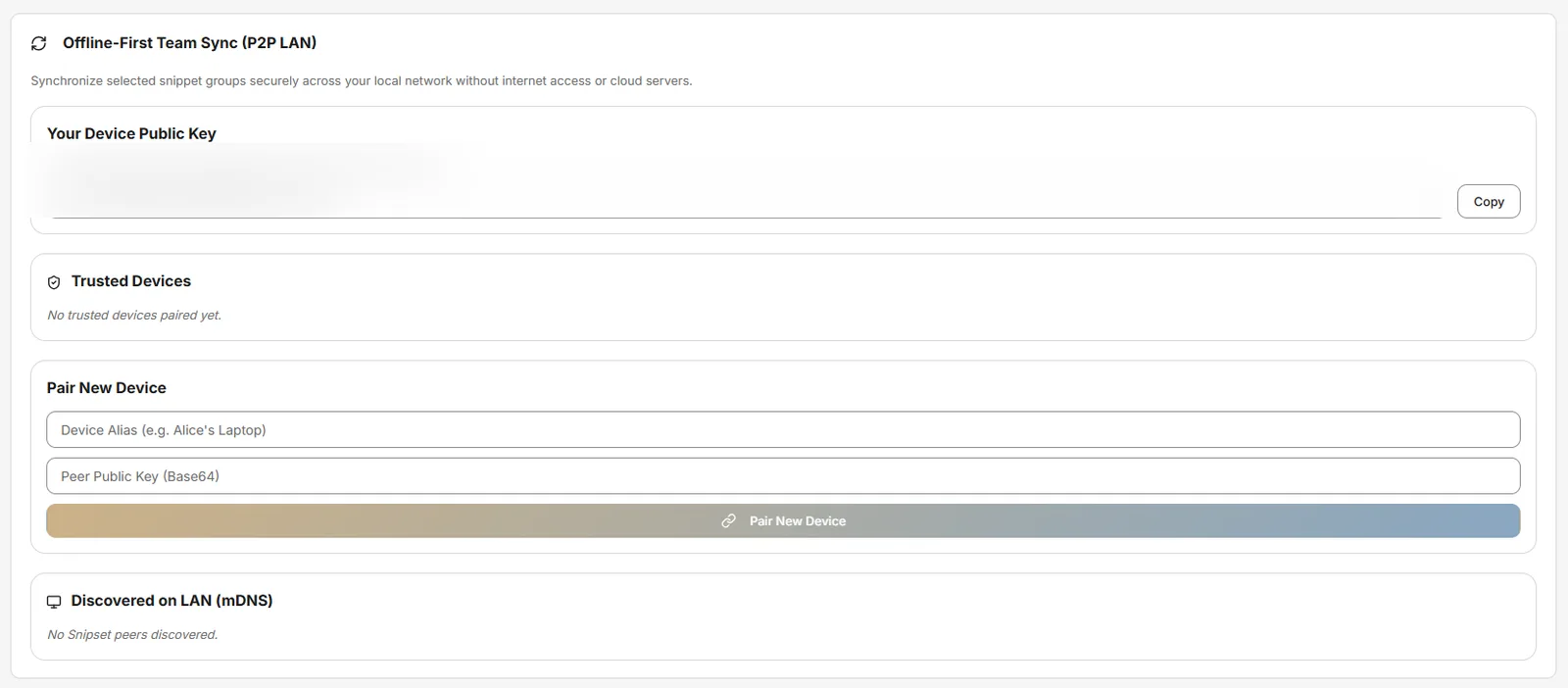
- Offline-First Team Sync (P2P LAN): Device Public Key, Trusted Devices, mDNS discovery (requires firewall allowance).
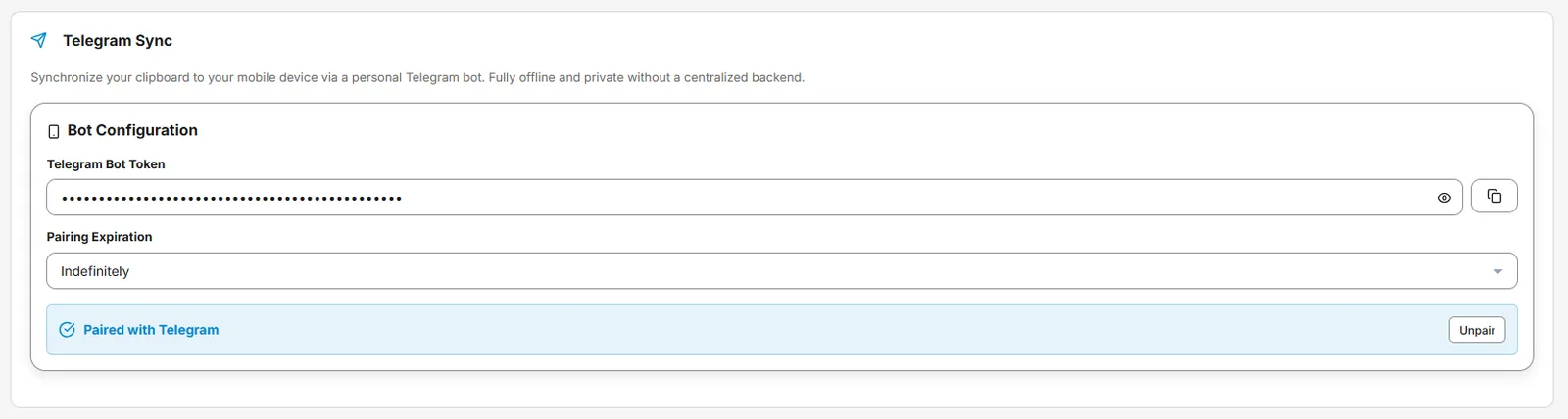
- Telegram Sync: Bot Token, Pairing Expiration, Pair/Unpair. Send a voice note to the paired bot and the desktop app transcribes it with your selected speech-to-text engine, saves the text to clipboard history and audio history, and replies with the text in the same chat.

System & Diagnostics
Settings → System & Diagnostics
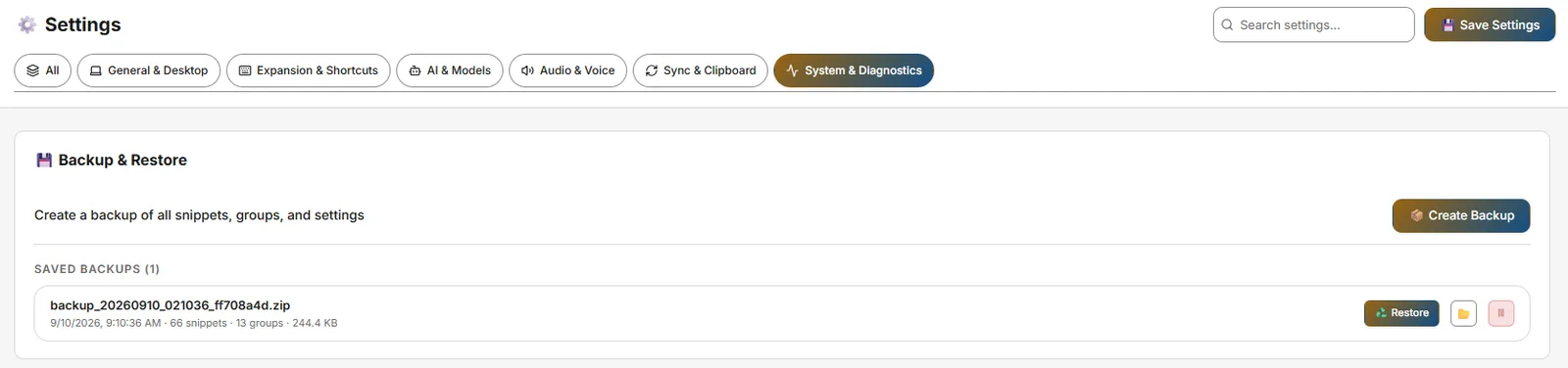
- Backup & Restore: Create Backup, Saved Backups list (Restore ♻️, Show in Explorer 📂, Delete 🗑). Single-latest ZIP retention, 24h maintenance.
- Application Updates: Enable update notifications, Check for new version, Rollback to previous version.
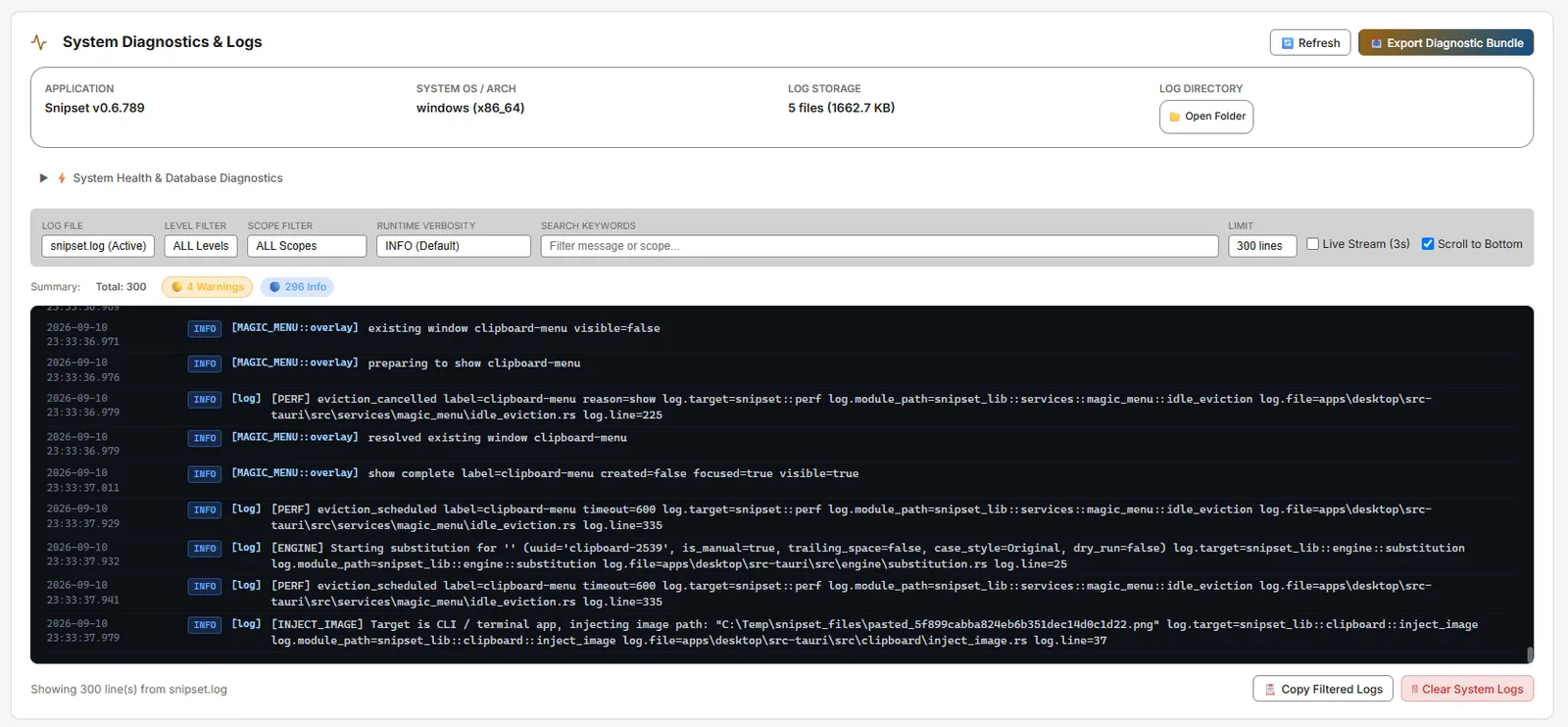
- System Diagnostics & Logs: Log file selector, level filter, Clear/Export Logs, System Health, Log Viewer.
- About: Version, Author
Iwan Kurniawan, EULA.


Network Requirement: The auto-updater (and optional Web Search Grounding / YouTube audio for Pomodoro) are the only features that require internet. For strictly offline use, download the Windows installer (`Snipset__x64-setup.exe`) from the Snipset download page ahead of time. The updater endpoint is `https://snipset.belajarcarabelajar.com/api/updater/latest.json`.