Productivity Tools
Journal & Activity
Capture daily context, timelines, screenshots, and corrections for your work.
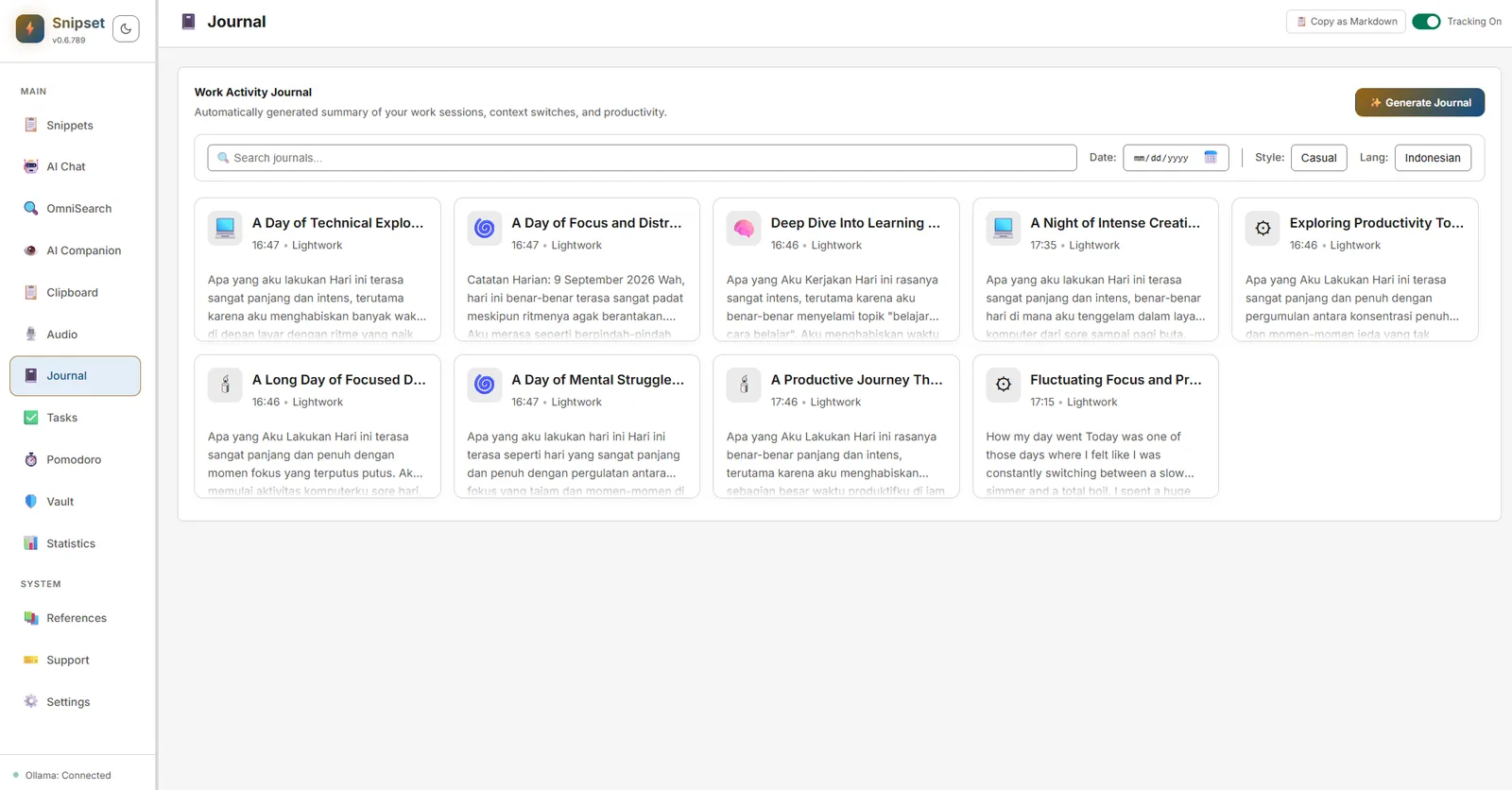
The Journal & Activity system captures your desktop context throughout the day (active apps, window titles, opt-in screenshots, and derived daily summaries) so you can reconstruct what you worked on and generate timesheets.
Platform note: on Linux, screenshots and input-density metrics (keystroke and mouse counts, tracked duration, and focused duration) are not collected, so those numbers in your tracker always read zero. Active app names and daily summaries still work.
Where to Find It
- Open the main Snipset window → Journal in the left sidebar.
- The page shows pages of journal entries with search, pagination, date filtering, style selection, language options, and activity summaries.
How It Works
- Activity Runtime: Enable, disable, or pause tracking from
enable_activity_runtime/disable_activity_runtime/pause_activity_runtime. Status viaget_activity_runtime_status. - Screenshots (opt-in, Windows only): Pending screenshots are stored locally; generate thumbnails via
get_screenshot_thumbnail. Pin important contexts withpin_activity_context. Linux builds never record a screenshot, so there is nothing to thumbnail. - Daily Summaries: Trigger generation via
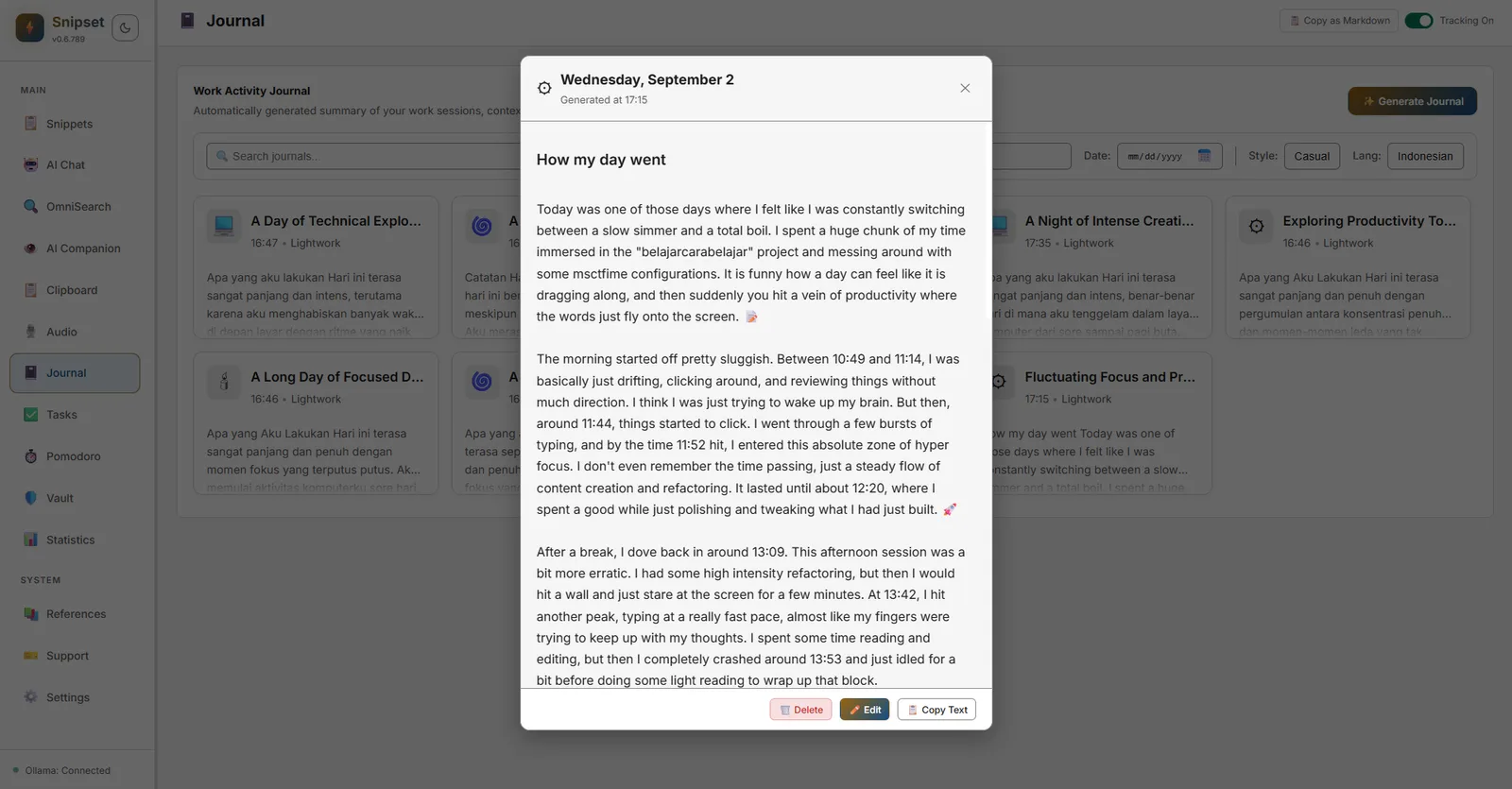
trigger_journal_generation/generate_journal_now. Entries are stored locally and searchable viaget_journal_entries. Click any entry card to view the full narrative recap with options to copy, edit, or delete.
Corrections & Privacy
- Submit corrections with
submit_journal_correction; edit or delete entries viaupdate_journal_entry/delete_journal_entry. - Privacy shields redact sensitive detector hits before storage (
database/privacy.rs,sensitive_detector). - Clear all history via
clear_all_activity_history(requires confirmation). Export a timesheet viaexport_activity_timesheet.
Settings
- Journal language & tone are stored as preferences (
journal_language,journal_tone). Configure under Settings → General & Desktop or the Journal page header. - No cloud upload is involved: everything is local SQLite (
activitytables).
Tip: Pin a context (e.g. a client project) to keep it at the top of the Journal for quick reference.