Productivity Tools
References & Resources
Quick access to official documentation, community links, keyboard shortcuts, and template variable macros.
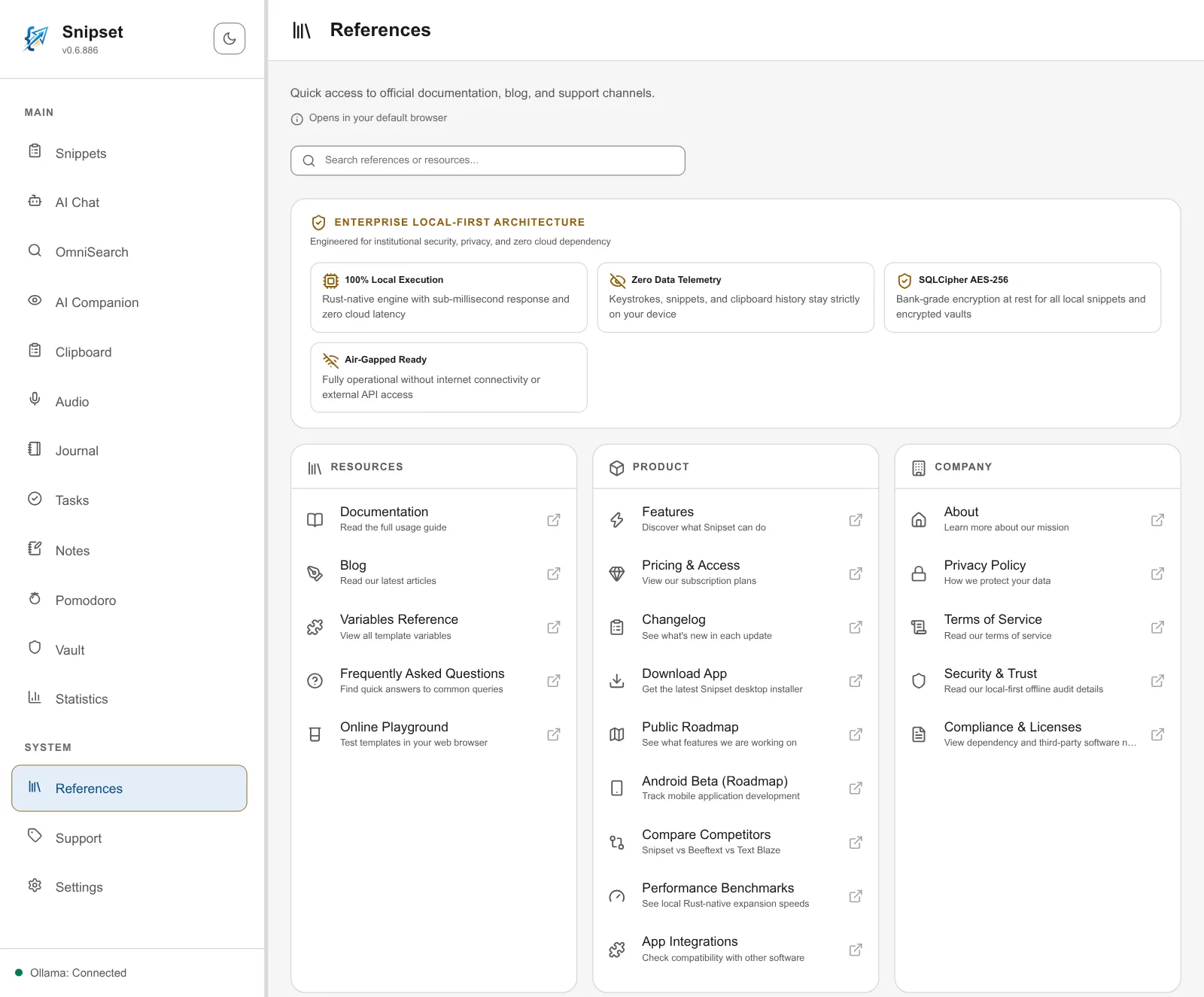
The References panel acts as your central hub within Snipset. It provides instant access to official guides, external web resources, a local-first architecture card, template variable copy helpers, and keyboard shortcut cheat sheets.
Accessing the References Panel
To open the References panel:
- Look at the left sidebar under the SYSTEM navigation group.
- Click References (marked with the library icon).
- The full references directory will open.
All external documentation and web links open directly in your system default browser using secure desktop integration.
Searching References
At the top of the page, a dedicated search bar allows you to quickly locate any reference or resource:
- Type keywords such as "documentation", "privacy", or "changelog".
- Link cards and template variables update instantly to display matching results; the architecture card and the shortcuts card are hidden while you search.
- Clear the search box to restore the full multi-card layout.
Security Architecture
The References page features one privacy and security card:
- Enterprise Local-First Architecture: Summarizes core privacy guarantees, including 100 percent local execution, zero data telemetry, SQLCipher AES-256 database encryption, and air-gapped offline capability.
Resource Categories
Reference links are organized into four functional groups:
| Group | Available Links | Purpose |
|---|---|---|
| Resources | Documentation, Blog, Variables Reference, Frequently Asked Questions, Online Playground | Learning materials, tutorials, and interactive web playgrounds. |
| Product | Features, Pricing & Access, Changelog, Download App, Public Roadmap, Android Beta (Roadmap), Compare Competitors, Performance Benchmarks, App Integrations | Product updates, release notes, and download links. |
| Company | About, Privacy Policy, Terms of Service, Security & Trust, Compliance & Licenses | Legal notices, institutional security audits, and mission details. |
| Connect | Enterprise Solutions, Customer Support Desk, WhatsApp, Email | Direct assistance channels and team contact points. |
Template Variables and Macro Quick Copy
The References page embeds an interactive variable helper directly into the view:
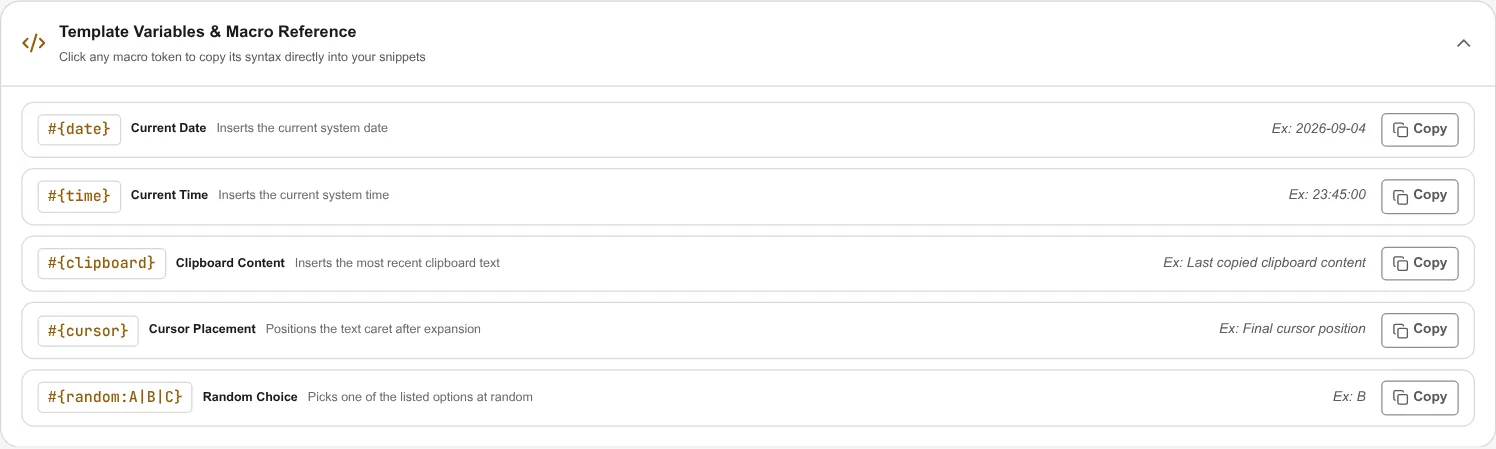
- Quick Copy: The card lists
#{date},#{time},#{clipboard},#{cursor}, and#{random:A|B|C}. Click the Copy button next to a token to copy it as shown, ready to paste into a snippet. - Preview Example: Each row shows an example (Ex:) of what the expanded token looks like.
Local Keyboard Shortcuts Cheat Sheet
At the bottom of the References view, a complete shortcuts card provides an in-app cheat sheet:
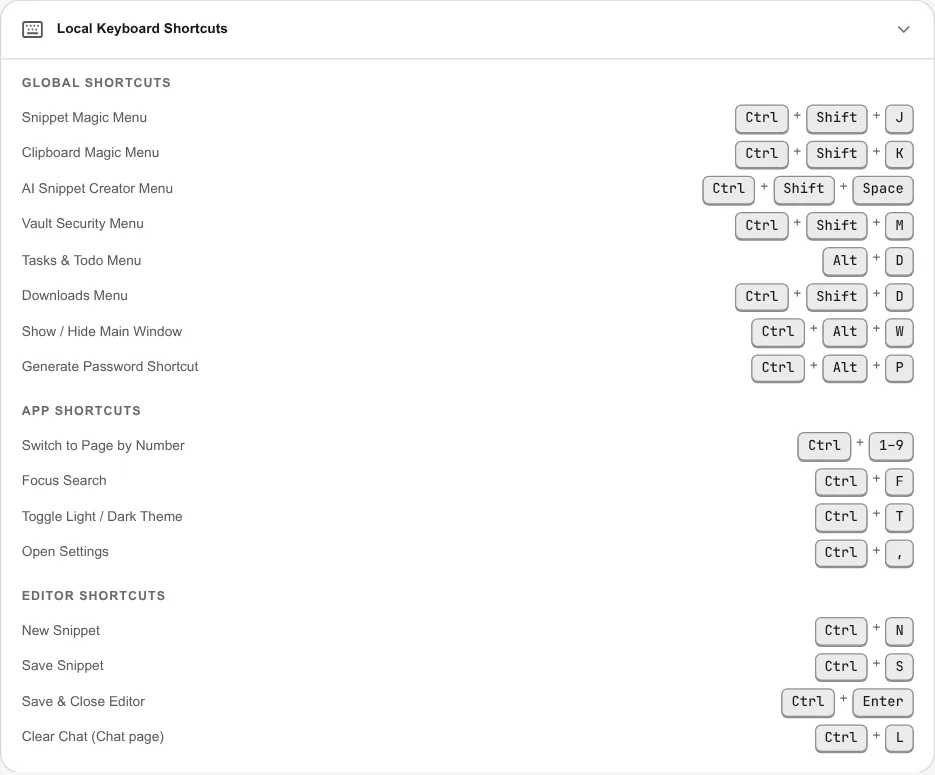
- Global Shortcuts: Hotkeys that work anywhere in your operating system, including the Snippet Magic Menu, Clipboard Magic Menu, and Generate Password.
- App Shortcuts: Navigation keys to switch pages, focus search, toggle theme mode, or open Settings.
- Editor Shortcuts: Instant keys for creating, saving, and closing snippets in the editor.