AI Integration
Semantic Search & Embeddings
Understand how vector embeddings power Snipset's OmniSearch.
This page covers the technical underpinning of OmniSearch: vector embeddings. If you haven't set up OmniSearch yet, start with the OmniSearch feature page . This guide goes deeper into how the embedding system works and how to manage your database.
What Are Vector Embeddings?
Computers don't understand the "meaning" of words organically. To solve this, AI uses vector embeddings.
- An embedding is a mathematical representation of text meaning as a list of numbers (a "vector").
- Two texts with similar meanings will have similar mathematical vectors, even if they use completely different words.
- For example: "I need to cancel my subscription" and "How do I unsubscribe?" will have very similar embeddings, allowing the search engine to link them.
- Snipset uses a local embedding model (for example
hf.co/lmstudio-community/embeddinggemma-300m-qat-GGUF) running via Ollama to generate these vectors.
The Embedding Database
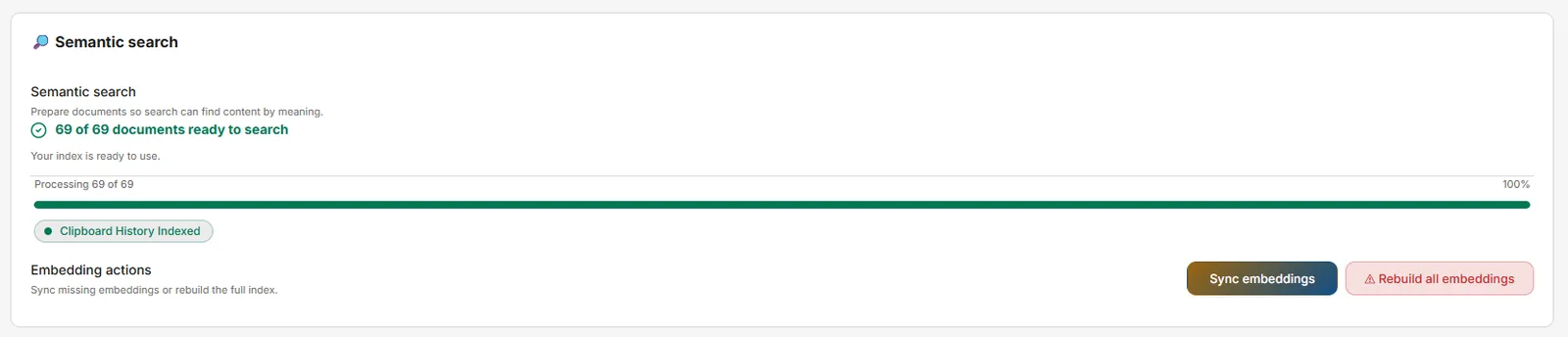 Because calculating embeddings requires AI processing, Snipset doesn't do it on the fly while you search. Instead, it pre-calculates them and stores them.
- Embeddings are stored in a dedicated vector table inside your local SQLite database (
snipset.db). - Each snippet gets exactly one embedding entry. This entry is a combination of the snippet's Name, Keyword, and Content.
- The database footprint is very small; it grows at approximately 1.5KB per snippet.
Sync Controls
In the Settings → AI & Models → AI Configuration panel, you have precise control over the embedding generation process:
| Action | What it does |
|---|---|
| Start Embedding | Begins embedding all snippets that don't yet have a vector entry. It is completely safe to run this at any time. |
| Pause | Temporarily stops the sync. The current progress is saved, allowing you to resume whenever you like. |
| Resume | Continues the process from exactly where it was paused. It only processes the remaining un-embedded snippets. |
| Force All | Deletes ALL existing embeddings in the database and re-generates them from scratch. |
Keeping Embeddings Up to Date
- If you performed a massive CSV/JSON import of hundreds of snippets.
- If you changed the Embedding Model in the AI Configuration settings.
- If semantic search results seem inaccurate or out of date.
Disabling Automatic Embedding and Semantic Search
The Semantic search section also offers two independent switches:
- Automatic embedding: when off, new snippets, clipboard items, and OCR text are no longer indexed in the background. Manual Sync and Rebuild keep working while semantic search is on.
- Semantic search and suggestions: when off, OmniSearch falls back to keyword matching and clipboard suggestions pause. Sync and Rebuild are disabled until you turn it back on.
Both switches default to on. Turning either off never deletes stored vectors, so re-enabling resumes immediately without re-indexing from zero.
Performance Considerations
 Generating embeddings requires your CPU or GPU to process data via Ollama.
- For large libraries (e.g., 500+ snippets), a Force Sync may take several minutes.
- The Pause/Resume system ensures you're never locked out. You can interrupt the sync at any time if your computer becomes sluggish.
- No typing impact: Snipset's core text-expansion engine runs on a separate, high-priority thread. Even while a massive sync is running in the background, your snippets will continue to trigger instantly without lag.