Productivity Tools
Task Management
Learn how to record, track, and manage your tasks seamlessly inside Snipset using the Tasks feature.
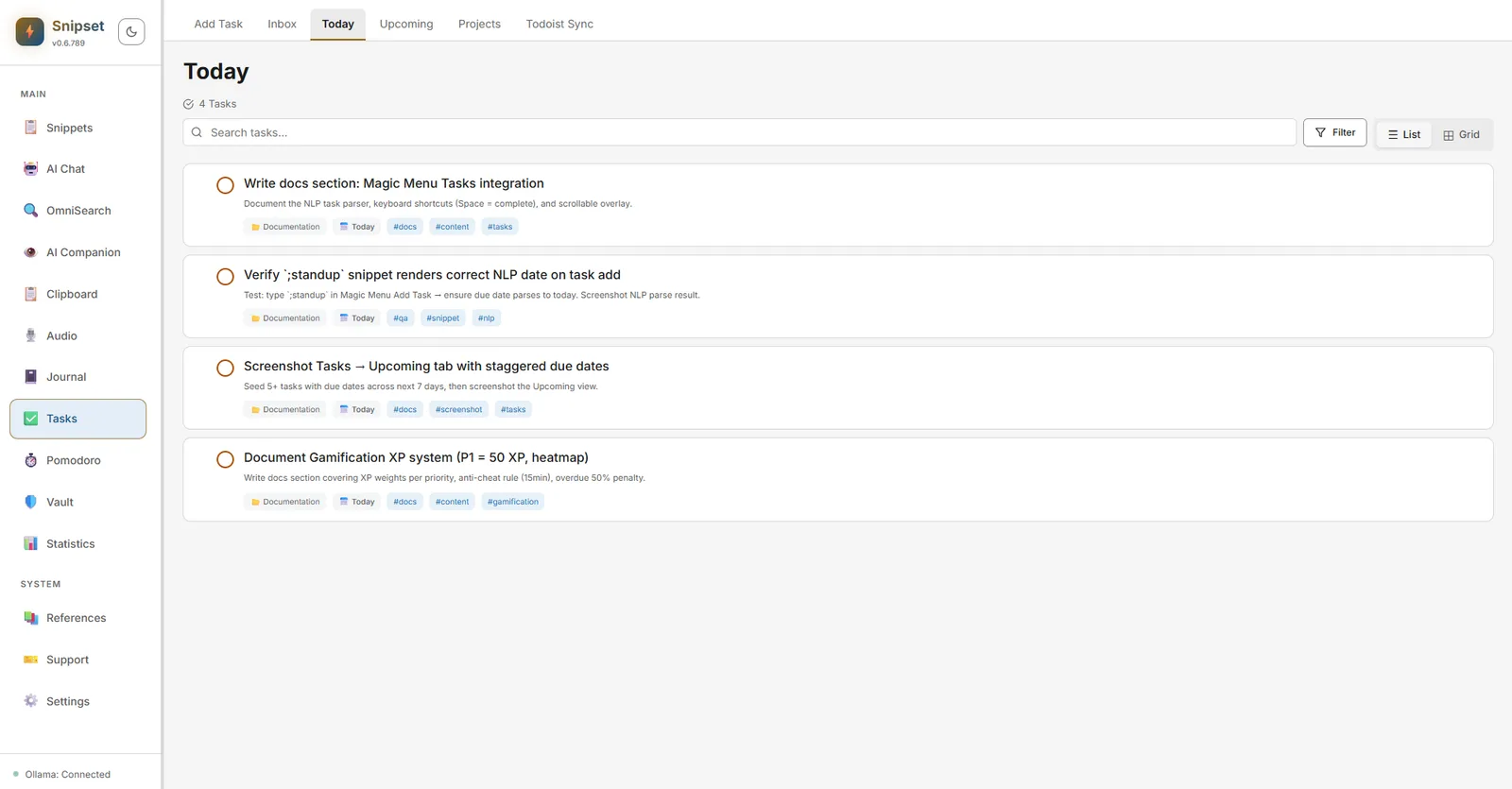
The Tasks feature in Snipset is designed to enhance your productivity by allowing you to record, track, and manage tasks directly without switching apps. Inspired by systems like Todoist, it is built around Natural Language Parsing (NLP) and integrates deeply into the Snipset ecosystem.
Core Components
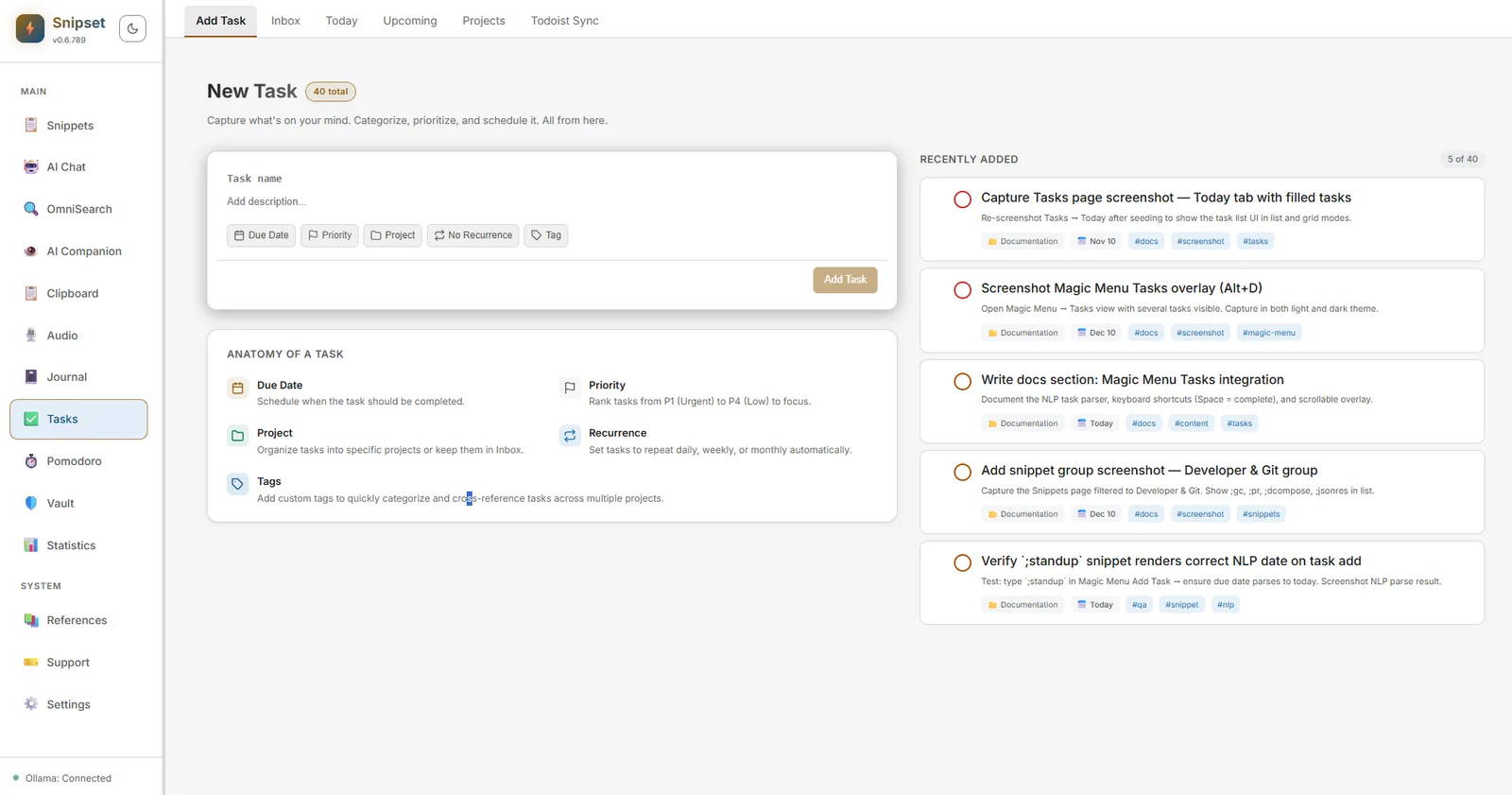
The task management system consists of several core components:
- Inbox & Projects: The Inbox acts as a rapid capture system, while Projects organize tasks in a structured manner for quick navigation.
- Priority Levels (P1-P4): Classify your tasks with 4 visual priority levels. P1 is the highest priority, while P4 is the default.
- Custom Tags/Labels: Add tags (such as
#urgentor@work) to group tasks across different projects. - Smart Folders: Save complex search queries to quickly access specific task groups right from the sidebar.
Organizing Projects and Schedules
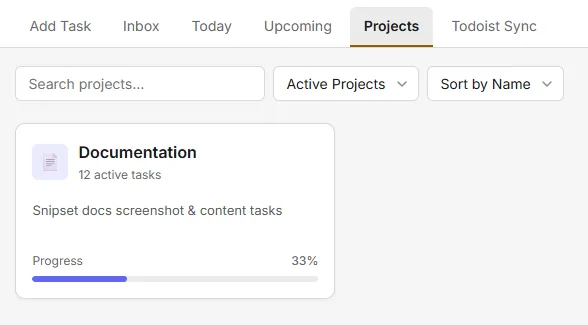
Group related tasks under distinct projects to monitor completion rates:
- Color-Coded Projects: Assign custom icons and colors to projects for visual separation.
- Progress Tracking: Projects display active task tallies alongside automatic progress percentages.
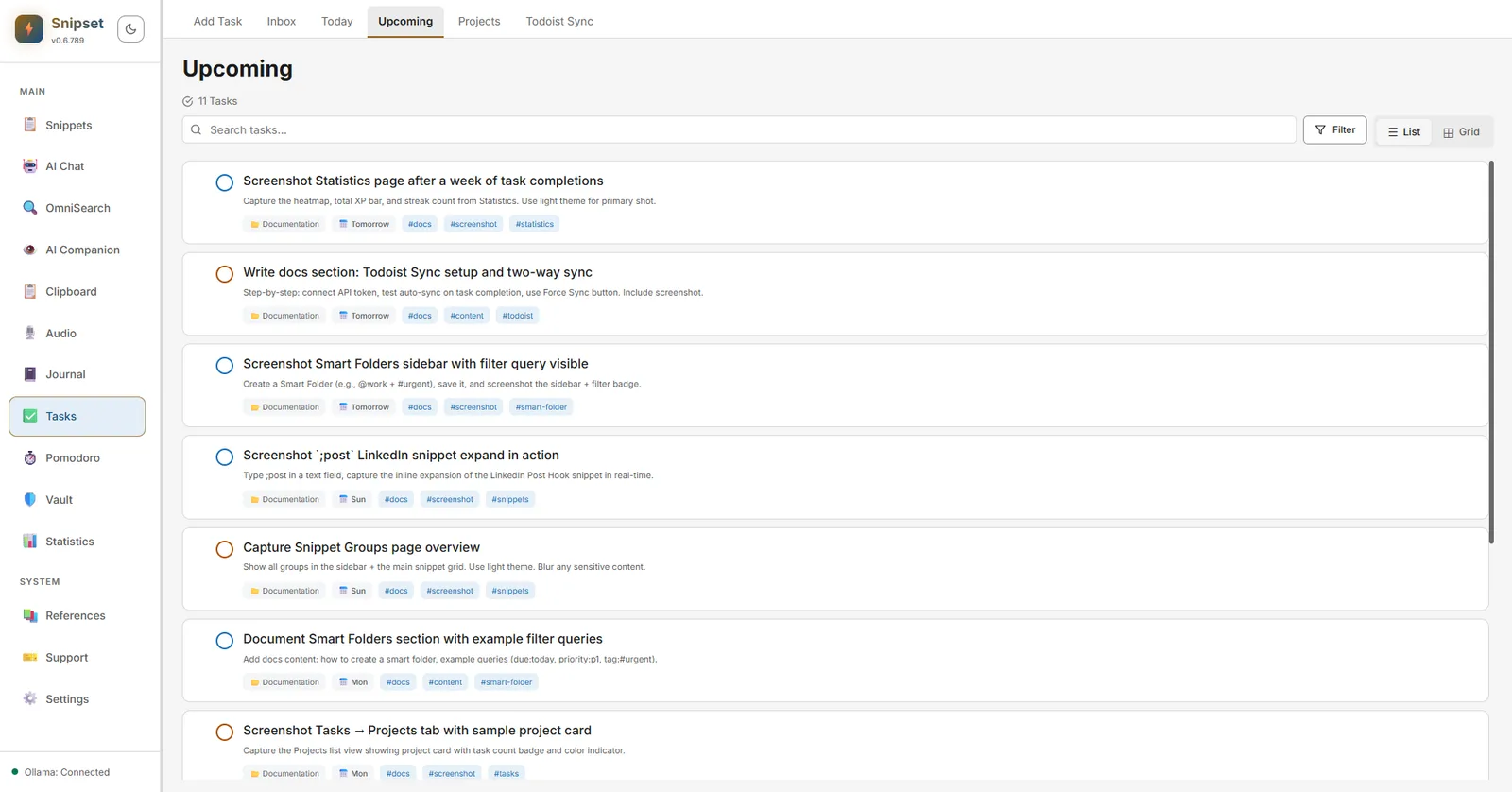
The Upcoming tab arranges future obligations in chronological order (Tomorrow, this week, next week), helping you forecast workloads and balance deadlines before they become overdue.
Magic Menu Tasks (Today)
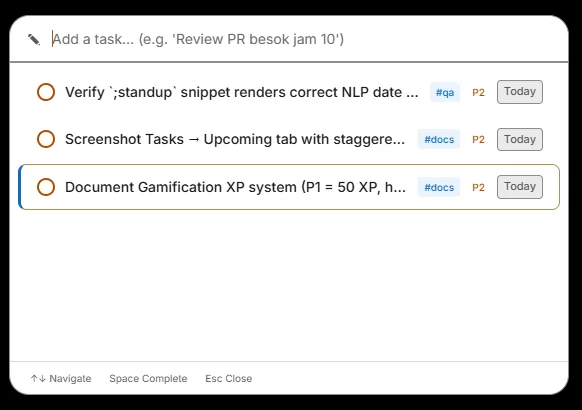
Access your daily tasks instantly from anywhere with the Magic Menu Tasks (Alt+D by default):
- Quick Capture Input: Type new tasks directly with natural language (NLP), e.g. "Review PR besok jam 10 #qa P2". Snipset automatically parses the due date, priority, and tags in real time.
- Scrollable Today List: View all scheduled tasks for today without cluttering your workspace or switching to the main window.
- Keyboard Navigation: Use the Up/Down Arrow keys to navigate, press
Spaceto mark a task as completed with instant audio and XP feedback, andEscto dismiss.
Gamification & XP
Snipset's Tasks system integrates gamification elements to keep you motivated:
- Daily Streak Heatmap: Track your consistency over time via a daily contribution heatmap.
- Dynamic XP Weighting: Higher priority tasks yield more XP (P1 = +50 XP, P2 = +30 XP, P3 = +15 XP, P4 = +5 XP).
- Anti-Cheat & Overdue Penalty:
- Completing a P1-P3 task within 15 minutes of creation reduces the reward to just +5 XP.
- Completing an overdue task cuts the rewarded XP by 50%.
Todoist Sync
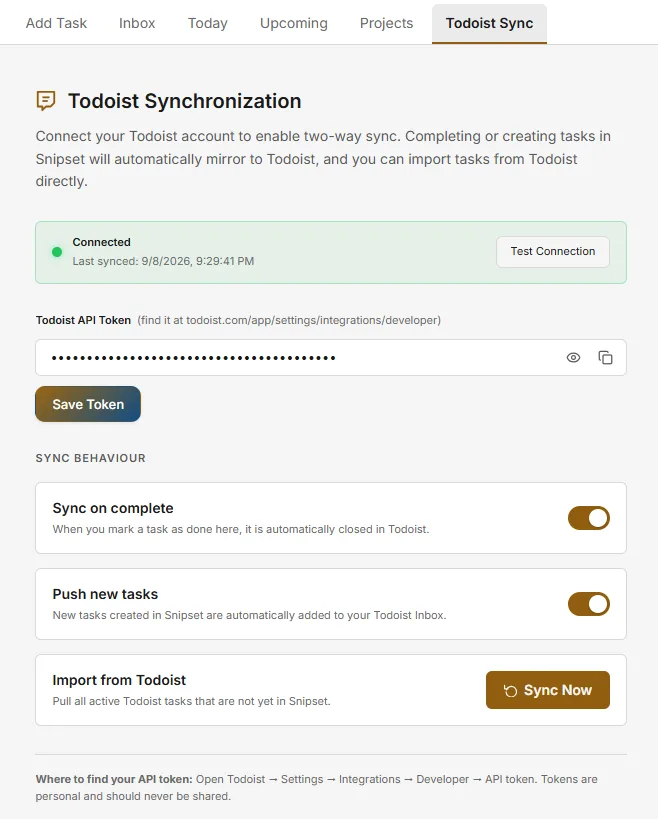
Snipset Tasks features seamless two-way synchronization with Todoist:
- Connect your Todoist API token via the Todoist Sync tab.
- Auto-sync: Completing a task in Snipset automatically closes it in Todoist, and new tasks created in Snipset are pushed to Todoist.
- Force Sync: Manually import and pull all active tasks from Todoist that aren't yet in Snipset.
Snipset Ecosystem Synergy
- Template Variables and Hotkeys: Use the Tasks Magic Menu (
Alt+Dby default; also shown asCtrl+Shift+Tin Settings) to manage today's tasks. For snippet variables, use documented template variables such as#{snippet:keyword},#{date}, or#{ai:...}(no tasks-specific snippet variable is provided). - AI-Powered Auto Context: Local AI integration (Ollama) can smartly parse instructions and automatically set priority or tags based on task descriptions.
- Task-to-Snippet Binding: Link to snippets using syntax like
@snippet:123within a task's title or description. Clicking the task jumps right to the snippet editor, highly efficient for refactoring or code reviews.